
Multi-tenant commercial buildings
Tenant suites, shared entries, after-hours access, visitor entry, staff movement, and property management support.
Bay Area commercial security integrator
Elwin Security is a Santa Clara-based commercial security integrator serving San Francisco, Oakland, San Jose, Fremont, Milpitas, Santa Clara, Sunnyvale, Hayward, San Mateo, and nearby Bay Area cities. Elwin plans, installs, repairs, modernizes, and supports access control, cameras, intercoms, doors, locks, and low-voltage wiring as one property system.
Who Elwin serves
Elwin works with commercial and multifamily owners, property managers, facilities teams, security teams, general contractors, and operations contacts who need the devices, doors, wiring, users, and support plan coordinated together.
Tenant suites, shared entries, after-hours access, visitor entry, staff movement, and property management support.
Customer entries, staff doors, delivery access, exterior views, storage areas, and controlled back-of-house movement.
Multiple buildings, garages, gates, pedestrian routes, vendor access, and different user groups across one property.
Controlled areas, layered permissions, visitor and vendor access, camera coverage, door hardware, low-voltage paths, and modernization work planned around operating requirements.
Direct answers
A commercial security integrator connects the property need to the systems, physical openings, low-voltage infrastructure, configuration, and ongoing support required to make the building easier to operate.
Elwin plans access control around doors, gates, elevators, staff and tenant permissions, credentials, schedules, controllers, locks, wiring, and administrator handoff.
Yes. Elwin can coordinate camera coverage, visitor intercoms, door release, access readers, locks, strikes, power, and low-voltage paths so the entry workflow is designed as one system.
Yes. Elwin scopes commercial doors, locks, strikes, maglocks, closers, panic hardware, release devices, power, and wiring because the electronic system depends on the opening working correctly.
Often, yes. Elwin reviews the current platform, administrator access, readers, cameras, intercoms, controllers, wiring, power, doors, locks, and support condition before recommending repair, cleanup, integration, or replacement.
Yes, when the site conditions support it. Retrofit work can add access control to one door, replace keys with fobs or mobile credentials, modernize an old keycard system, reuse viable components, or phase an upgrade across the property.
Site walk
The site walk connects the business need to the actual property: doors, users, wiring, camera views, and support expectations.
Entries, suites, common areas, exterior doors, parking, service areas, gates, and mechanical spaces.
Staff, tenants, vendors, visitors, deliveries, property management, maintenance, and after-hours users.
Current locks, access control, cameras, intercoms, network, wiring, power, and door hardware.
Opening schedules, credential changes, visitor flow, vendor access, incidents, and support needs.
Controlled-area rules, documentation needs, stakeholder approvals, and compliance-driven project requirements that the physical security scope must support.
System layers
Elwin keeps the planning tied to site conditions, not a disconnected product list.
Controlled doors, gates, schedules, credentials, staff access, tenant access, and administrator handoff.
Coverage for entries, shared areas, parking, exterior views, corridors, and review needs.
Visitor entry, delivery access, tenant calls, lobby doors, gate release, and entry workflow.
Locks, closers, strikes, exit devices, conduit, power, controller placement, and cable paths.
Process
Elwin uses the site conditions to build a scope that property teams can understand, approve, and manage.
Identify doors, cameras, gates, tenant areas, wiring paths, user groups, and existing system limits.
Result: The proposal reflects the real property.
Plan access control, cameras, intercoms, door hardware, wiring, and support as one connected system.
Result: The scope avoids disconnected installs.
Install, configure, test, document, and hand off the systems the property team needs to operate.
Result: The team gets a manageable commercial security system.
What matters
Commercial properties have different users, doors, schedules, and support expectations. Elwin keeps those details visible during planning.
Tenant and staff access should be scoped before devices are selected.
Camera placement should match the moments the property team needs to review.
Door hardware, wiring, and power often determine whether a system is reliable.
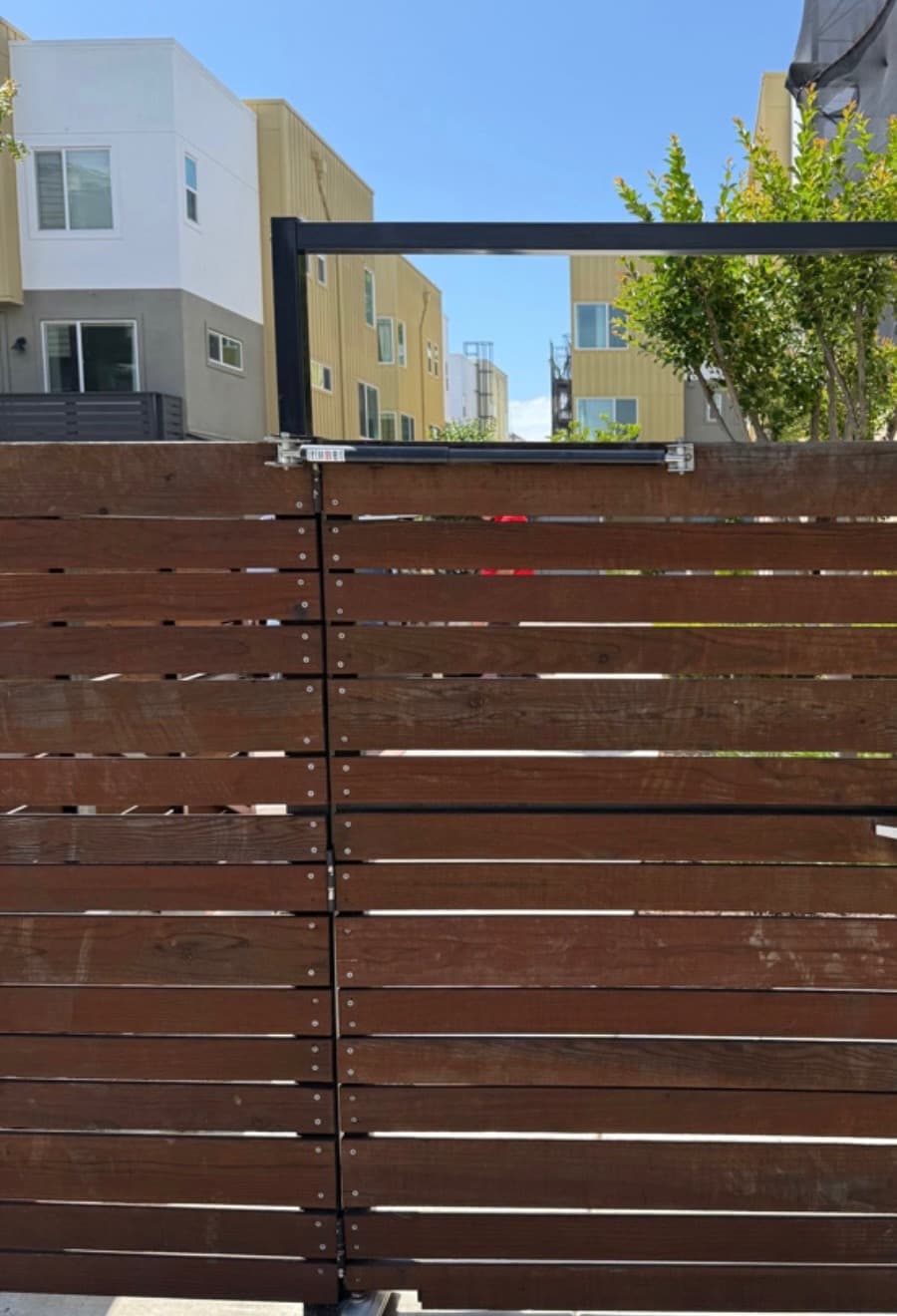
Commercial systems often combine controlled entries, gates, intercoms, cameras, and physical hardware.
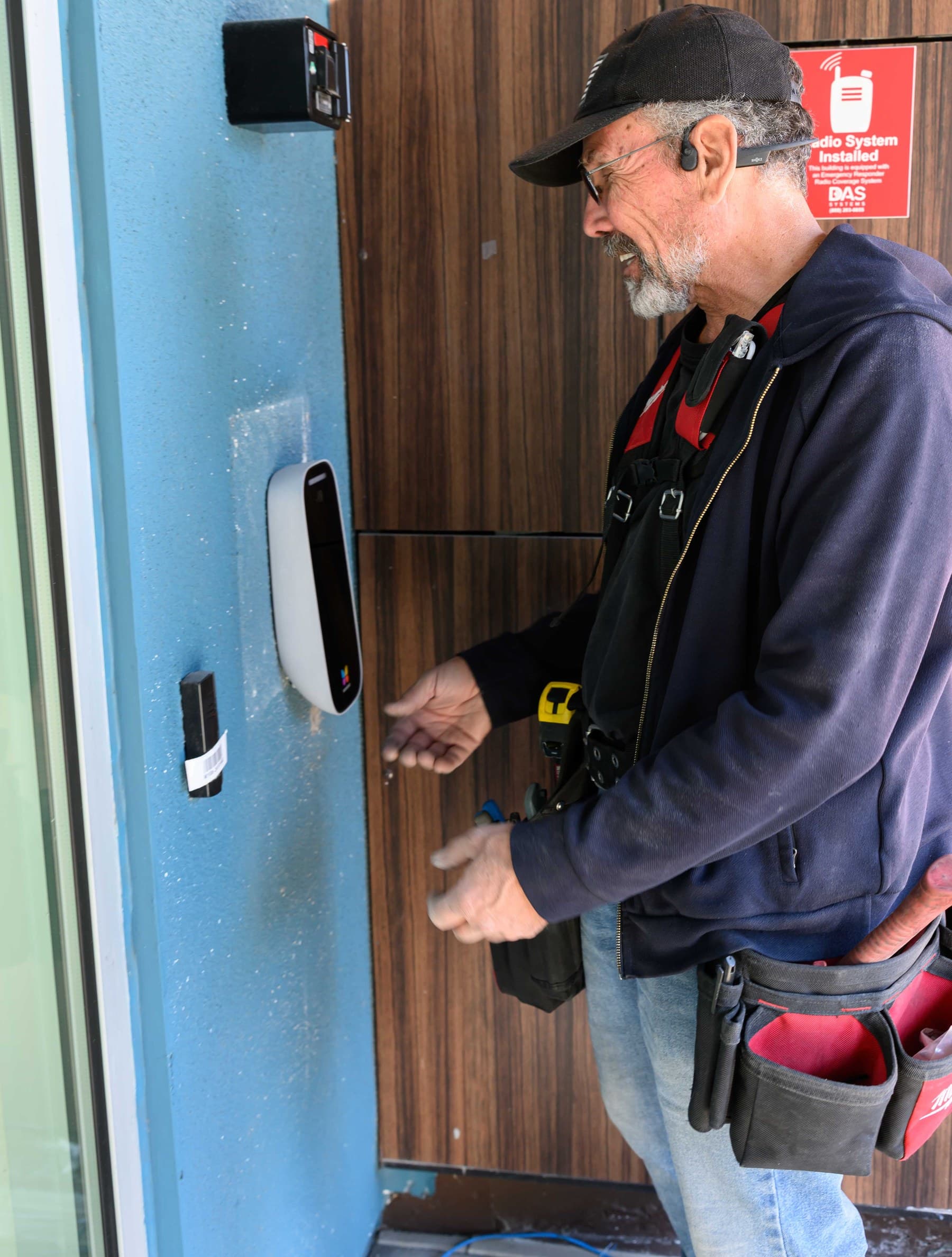
The physical install has to match the door, wall condition, wiring path, and daily entry workflow.
A commercial security integrator plans how access control, security cameras, video intercoms, door hardware, locks, gates, low-voltage wiring, configuration, handoff, repair, and ongoing support should work together for the property.
Site walk
Tell Elwin what is not working, what systems are already on site, and which access points matter most. The next step is a scope grounded in the building, not a generic product list.
Site walk