
Existing cameras are offline or unreliable
Some cameras may drop out, show no video, lose power, or fail to record consistently.
Camera service
Elwin Security troubleshoots security camera issues for Bay Area commercial and multifamily properties, reviewing camera views, recording, network conditions, cabling, power, access permissions, and support needs before recommending a practical repair, cleanup, or replacement path.
Use case
Camera issues are often a mix of device condition, wiring, recording, viewing access, and coverage planning.
Some cameras may drop out, show no video, lose power, or fail to record consistently.
A camera can technically work while still missing the entry, garage, package area, or exterior view the team needs.
Recorder access, user permissions, remote viewing, network conditions, and handoff can all affect daily use.
Service focus
The right next step depends on whether the problem is hardware, wiring, network, recording, viewing access, or coverage.
Elwin reviews the device, recorder, power, cabling, and network path before treating the whole system as broken.
If the system records the wrong views, the fix may be placement, angle, lighting, or a broader camera plan.
Remote viewing, users, permissions, and review workflow can make a working system feel unsupported.
Service check
The site check separates a device failure from a coverage, wiring, network, or handoff problem.
Which cameras are offline, unclear, misplaced, unreliable, or hard to review.
Camera models where visible, recorder or platform, switches, network path, cabling, power, and mounting.
Who reviews footage, where they access it, and what they need to find after an event.
Entries, parking, common areas, gates, exterior views, intercoms, and access events around the issue.
Troubleshooting areas
Elwin looks at the system path from camera view to recording and review, not only the visible device.
Placement, angle, focus, lighting, blind spots, exposure, and whether the view answers the property need.
Cable paths, power, conduit, network equipment, recorder or platform condition, and service access.
Recording behavior, storage expectations, user permissions, remote viewing, and review handoff.
Process
The repair process keeps the recommendation grounded in the real issue.
Confirm whether the issue is no video, poor image, missing recording, remote access, or a coverage gap.
Result: The repair has a defined target.
Review camera, cable, power, recorder, network, user access, and nearby property systems.
Result: The fix is based on the cause, not a guess.
Address practical issues where possible and identify when replacement or redesign is the better scope.
Result: The property gets a clearer next step.
What matters
A camera repair is successful when the property team can see and review the areas that matter.
A working camera can still fail the property if it points at the wrong area.
Network, power, cabling, and recorder issues often look like camera issues.
Review access should be understandable for the people who actually use the system.
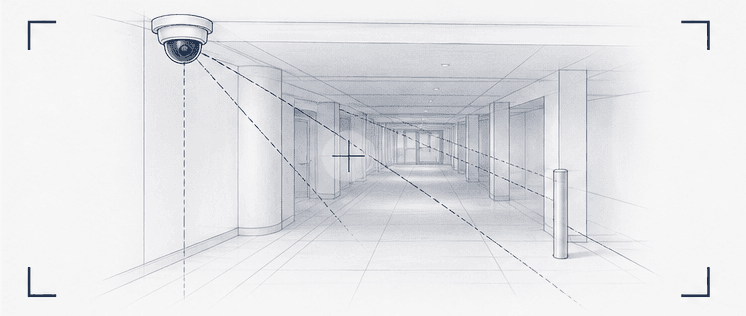
Repair work should identify whether the issue is equipment failure, recording, or a coverage gap.
Often, yes. Elwin reviews the cameras, recording, wiring, network, power, coverage, and review workflow before recommending repair, cleanup, additions, or replacement.
I had an outstanding experience with Elwin Security from start to finish. Jordan, our sales representative, was incredibly professional, knowledgeable, and responsive throughout the entire process.
I can’t recommend Elwin Security enough! We were having a major access control issue with our ButterflyMX system at my apartment complex. Before finding Elwin, I had three different security vendors come out.
Our HOA recently partnered with Elwin Security to replace our aging, 20-year-old access control system with ButterflyMX, and I can't say enough good things about the experience.
Service request
Tell Elwin what is not working, what systems are already on site, and which access points matter most. The next step is a scope grounded in the building, not a generic product list.