
Key takeaways
- Commercial access control is a loop: credential to controller to power supply to lock, with door status and exit requests reporting back.
- The reader collects the credential; the controller makes the decision.
- Door position switches and request-to-exit devices are controller inputs that define what the system knows — not optional accessories.
- A healthy opening answers four questions: secure at rest, releases on valid access, allows free egress, and assumes its approved fail state on power loss.
- A valid credential cannot release a latch that door pressure or misalignment has loaded against its keeper.
- Troubleshoot in order — mechanical, then electrical, then control logic — before replacing any hardware.
Signal path
What happens when a credential is presented at the door?
Every access event at a controlled door follows the same path. The reader at the opening collects a credential — a card, a fob, or a mobile credential — and passes it upstream. The reader is a collection point, not a decision point: it reports what was presented and waits.
The controller makes the decision. It checks the credential against its stored permissions, schedules, and inputs, and on a valid request it switches power to the locking hardware for a set unlock time. The power supply feeds that switch with the correct voltage and current, often with battery backup, and the lock — an electric strike, an electrified lock, or a maglock — changes state at the door.
Two more signals complete the loop. A door position switch reports whether the door is open or closed, and a request-to-exit device reports when someone is leaving from the inside. Both return to the controller. Once a property team can name each node and its job, most access control behavior — and most misbehavior — becomes explainable.
The nodes
Each node has one job.
Four kinds of hardware appear at almost every access-controlled opening, plus the monitoring inputs covered below. Each has one job, and each is a separate place a fault can live.
Credential and reader
The credential identifies the user; the reader converts it into data the controller can evaluate. Readers vary in technology and format, but replacing a reader never changes who is allowed through — permissions live upstream.
Controller
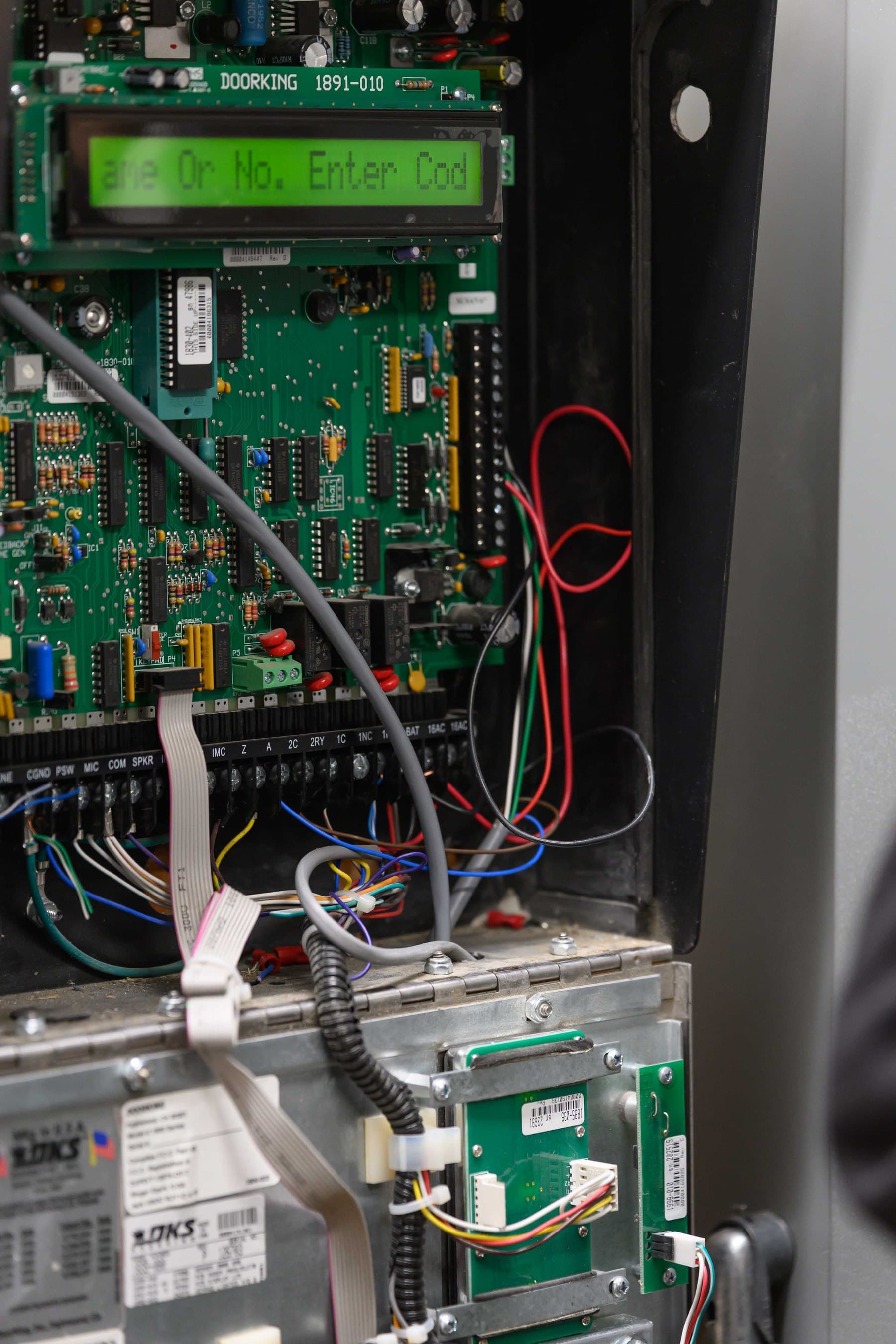
The controller stores permissions and schedules, evaluates each request, switches the lock output, and logs events. Its inputs and outputs define what the system can know and do at each opening.
Power supply
The power supply delivers the voltage and current the locking hardware needs, often with battery backup. Undersized or failing power shows up as buzzing strikes, intermittent release, and behavior that changes under load.
Locking hardware
The electric strike, electrified lock, or maglock is the only node that physically holds the door. It is also where electrical commands meet mechanical alignment, which is why it deserves the first look when a valid credential fails.
Monitoring inputs
Why are the door position switch and request-to-exit device not accessories?
A door position switch (DPS) is a small switch or sensor that tells the controller whether the door is physically open or closed. A request-to-exit (REX) device — a motion sensor, a button, or a switch inside approved exit hardware — tells the controller that someone is leaving from the egress side. Both wire back to the controller as inputs, alongside the reader. Neither sits downstream of the lock.
That wiring position is the point. Without a DPS, the system cannot distinguish a secured door from one standing open, and the status on a monitoring screen becomes a guess. Without a REX, every legitimate exit can register as a forced door, and on some designs the lock has no signal to release for outbound traffic.
Egress does not run through the credential side. Occupants are expected to exit without special knowledge or effort, with the REX reporting the event; the approved plans and the authority having jurisdiction control exactly how each opening achieves that. A proposal that treats DPS and REX as optional add-ons describes a system that cannot see its own doors.
Verification
What are the four questions that define a healthy opening?
Before buying, after installation, and during any troubleshooting visit, the same four questions describe whether an opening is healthy. Each one has an observable answer at the door.
| Question | What it proves | What failure looks like |
|---|---|---|
| At rest: is the door secure and the status correct? | The latch or lock is fully engaged and the reported status matches the physical door | A door that reads secure while unlatched, or a status that never changes when the door is opened |
| Valid access: does the lock release for the intended time? | The controller decision, unlock timer, power delivery, and locking hardware all work together | A strike that buzzes without releasing, an unlock time that runs long or short, or access that works only sometimes |
| Free egress: can occupants exit without special knowledge? | The egress side operates normally and the REX reports the exit to the controller | An exit that requires a credential, a second device, or instructions posted on the door |
| Power loss: does the opening assume the approved fail state? | The installed fail-safe or fail-secure behavior matches the approved design for that opening | No one on the property can say what the door does when power drops, or the answer is discovered during an outage |
Diagnosis order
Electrified hardware does not remove mechanical requirements.
An access-controlled opening succeeds only when four layers agree: mechanical alignment, electrical power, control logic, and life-safety behavior. The electronics are the newest and most visible layer, so they attract blame first. In practice, a large share of failures live at the door itself.
A valid command cannot release a latch that a sagging door has loaded against its keeper. An electric strike under door pressure — preload — can hold even while the controller does everything right. That is why the sound diagnostic order runs mechanical first, then electrical, then control logic: confirm the door closes, latches, and swings freely; then verify voltage, current, and polarity at the device; then look at credentials, schedules, relays, and timing.
The order protects budgets as much as doors. A fault can exist at any node, and swapping controllers or readers to chase a hinge problem replaces good hardware while the symptom stays. Expect a qualified installer or service team to verify each layer in sequence rather than guess.
Before you buy
What should a property team document before an access control project?
An access control conversation goes faster — and the resulting system behaves better — when the property team can already describe each opening. Before requesting a proposal, record:
- Which openings are in scope, and which of them are building entries, interior suites, stairs, or gates
- Door and frame material and condition at each opening, since strikes and electrified locks mount differently on hollow metal, aluminum storefront, wood, and glass
- The existing lock or exit hardware at each door, with photos of both faces and the door edge
- Where power can come from and where wiring can run between the controller location and each opening
- Whether each opening is fire-rated, part of required egress, or on an accessible route — these conditions shape which hardware and release arrangements the approved design can use
- The intended behavior on power loss for each opening, stated ahead of time rather than discovered later
- Who will administer credentials, schedules, and event review once the system is running
Common questions
Questions about how commercial access control works
Does the card reader decide who gets in?
No. The reader collects the credential and passes it to the controller, which holds the permissions and schedules and makes the decision. This is why upgrading or replacing a reader does not change who is authorized, and why permission problems are corrected at the controller or its management software, not at the door.
What is a REX device, and why does my door need one?
A request-to-exit device — a motion sensor, button, or switch built into exit hardware — tells the controller someone is leaving from the inside. Without it, legitimate exits can register as forced-door events, and on some designs the lock has no signal to release for outbound traffic. It is a controller input, part of the system's core logic rather than an accessory.
What happens to an access-controlled door when the building loses power?
It depends on the approved fail state of the locking hardware. A maglock releases when power is removed. Electric strikes and electrified locks are built or configured as fail safe or fail secure, so behavior varies by opening. The reliable answer comes from verification: the design documents state the intended behavior, and a controlled test confirms the installed behavior matches.
Why does the reader accept my card but the door stays locked?
A fault can exist at any node in the path. Common causes include a latch loaded against the strike by door pressure or misalignment, inadequate power at the lock, wiring damage, or an unlock output that never reaches the device. Because the mechanical layer fails most often, have the door checked for binding and preload before electrical and control-logic testing.
Can access control be added to an existing door?
Often, but the opening decides. The door and frame material, the existing lock or exit hardware, the available wiring path, and the opening's fire-rating and egress status all shape which locking hardware is appropriate. A site walk that documents those conditions first prevents ordering hardware the door cannot accept.
Sources and further reading
These sources back up the general guidance. Your building and the people who approve the work decide the details for your doors.