
Small offices, practices, gyms, and shops
Moving from shared keys or keypad codes to a fob, card, or phone for each person. Each project gets a door list, a named admin, and a tested handoff.
Credential access
Elwin Security installs card reader and key fob access control systems for Bay Area commercial and multifamily properties, planning readers, fobs, keycards, schedules, user groups, doors, gates, garages, amenity spaces, wiring, and support around the property's daily movement.
Use case
Credential access gives property teams a cleaner way to manage people, doors, schedules, and changes over time.
Moving from shared keys or keypad codes to a fob, card, or phone for each person. Each project gets a door list, a named admin, and a tested handoff.
Card readers and fobs for offices, tenant suites, staff rooms, restricted areas, and shared corridors.
Resident fobs, keycards, common doors, garages, amenity rooms, package rooms, and property team overrides.
Access credentials for vendors, staff, deliveries, maintenance, and back-of-house entries.
Service focus
The scope covers reader needs, where credentials are used, and how user groups are managed.
Reader placement should match the opening, traffic flow, user behavior, and door hardware behind it.
Fobs can help property teams manage residents, tenants, staff, vendors, and shared access without rekeying every change.
Credential access becomes more useful when schedules, permissions, and support workflows are planned clearly.
Site walk
Credential access starts with the openings and people who will use them.
The doors you want on access control, who uses each one, and who can approve the work. A pair of doors at one entry counts as one door; list gates and elevators on their own lines.
Doors, gates, garages, amenity spaces, staff rooms, restricted areas, and service entries.
Residents, tenants, staff, vendors, visitors, maintenance teams, and property managers.
Locks, strikes, maglocks, closers, latches, frames, power, and controller locations.
Schedules, credential issuance, lost fobs, turnover, vendor rules, and support needs.
System pieces
A reader or fob does not stand alone. It needs hardware, wiring, controllers, permissions, and support.
Cards, fobs, keycards, mobile credentials, temporary credentials, and user groups.
Reader location, mounting, weather exposure, user approach, and accessibility.
Electric strikes, maglocks, closers, locks, request-to-exit, and latch behavior.
Schedules, permissions, staff changes, resident turnover, vendor access, and support.
Process
The goal is not just to put readers on doors. It is to make access easier to manage.
Clarify who needs access, where, when, and how those permissions change.
Result: The access model is manageable.
Match readers, hardware, wiring, controllers, and credentials to each opening.
Result: Each controlled opening has a practical scope.
Install readers, connect hardware, configure users and schedules, and hand off support details.
Result: The property can manage access without relying on physical keys alone.
Field proof
Readers, fobs, and schedules need door hardware and wiring that can support the access decision.
Card readers need practical placement for real user movement.
Fob systems need a clean plan for turnover, lost credentials, and staff changes.
The lock or strike behind the reader determines whether the door behaves correctly.
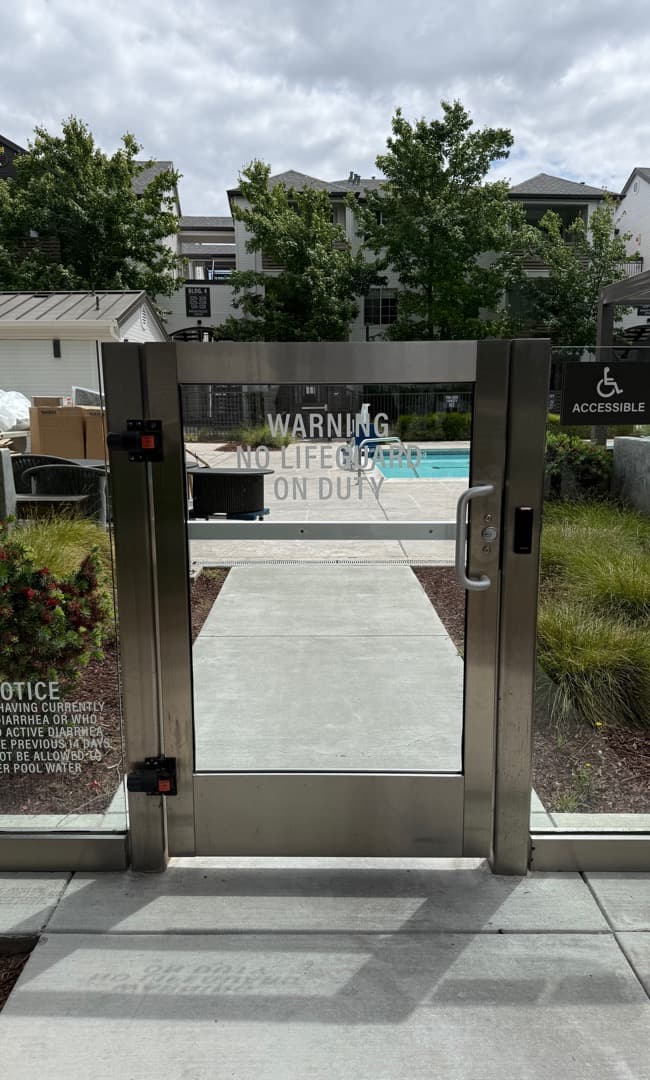
Reader placement should match the opening and how users naturally approach it.
They can reduce reliance on physical keys for controlled openings, but the right approach depends on the door hardware, user groups, backup access needs, and property management workflow.
Our HOA recently partnered with Elwin Security to replace our aging, 20-year-old access control system with ButterflyMX, and I can't say enough good things about the experience.
We’ve worked with Elwin Security across multiple office buildings for both access control and building security improvements.
Dino and Mike from Elwin Security were fantastic to work with on our commercial building. They were professional, thorough, and clearly know their craft.
Site walk
Tell Elwin what is not working, what systems are already on site, and which access points matter most. The next step is a scope grounded in the building, not a generic product list.