Office suites and tenant doors
Suite entries, floor doors, stairwell doors, and shared corridors get a reader only after the frame, strike prep, and closer are checked.
San Jose commercial
Elwin Security installs, configures, repairs, and supports commercial access control for San Jose offices, warehouses, retail, and medical suites. The scope covers readers and controllers, keycards, fobs and mobile credentials, electric strikes and maglocks, request-to-exit devices, and the low-voltage wiring between them. Elwin is Santa Clara-based and serves the San Francisco Bay Area.
Use case
The Census Bureau's ACS 2024 1-year estimates list a population of 997,395 for San Jose city, California. Elwin plans commercial access control for San Jose buildings starting with a site walk of every controlled door.
Suite entries, floor doors, stairwell doors, and shared corridors get a reader only after the frame, strike prep, and closer are checked.
Maglocks, exit buttons, and request-to-exit devices on cage and loading doors are planned with the egress path; your fire marshal or AHJ determines compliance.
Aluminum storefront stiles take narrow readers, electric strikes, and keypad levers chosen for the stile width.
Service focus
Your fire marshal or AHJ determines compliance.
Elwin installs and supports cloud and on-premise access control, including Kisi and Brivo, with keycards, fobs, PINs, and mobile credentials.
Electric strikes, maglocks, exit devices, and request-to-exit devices are chosen per door with the egress path in view; your fire marshal or AHJ determines compliance.
Site walk
The walk records each controlled door and the hardware that is already there.
Door material, frame type, strike prep, closer behavior, and whether the opening is fire-rated or on an egress path.
Existing conduit, wall plates, controller locations, and power supplies that can be reused.
Who holds keys today, and whether a fire department key box holds a key that will change when the lock does; your fire marshal or AHJ determines compliance.
Scope details
The site walk is where the scope is matched to the building.
Kisi's pricing page lists the Reader Pro 2 at $475 and the Controller Pro 2 at $850, marks the controller as required, and states that the price includes a 5-year warranty on hardware. Brivo's Access Editions sheet offers the Brivo Security Suite in three editions, Standard, Professional and Enterprise, and lists card, fob and PIN credentials as supported.
Elwin services electric strikes, maglocks, exit devices, and request-to-exit devices; Your fire marshal or AHJ determines compliance.
Keycards, fobs, PINs, and mobile credentials are issued per tenant or department, with administrator roles set at handoff.
Process
The sequence runs from the first site walk to the handoff.
Suite, floor, stairwell, loading, and storefront doors are recorded with lock type, closer, strike prep, existing reader, and cable path, and any fire-rated or egress door is flagged for fire marshal or AHJ review.
Result: A door-by-door scope the owner can review before anything is ordered.
Readers, controllers, strikes, maglocks, exit devices, and cable are installed with the release behavior checked at each door.
Result: Each door is tested at the controller before credentials are issued.
Users are loaded per tenant or department, administrator roles are set, and the team is shown how to add a user, revoke a card, and read a door event.
Result: The property team runs the system from day one.
Field proof
Each photo pair is from an Elwin job published with its location on the before-and-after gallery.
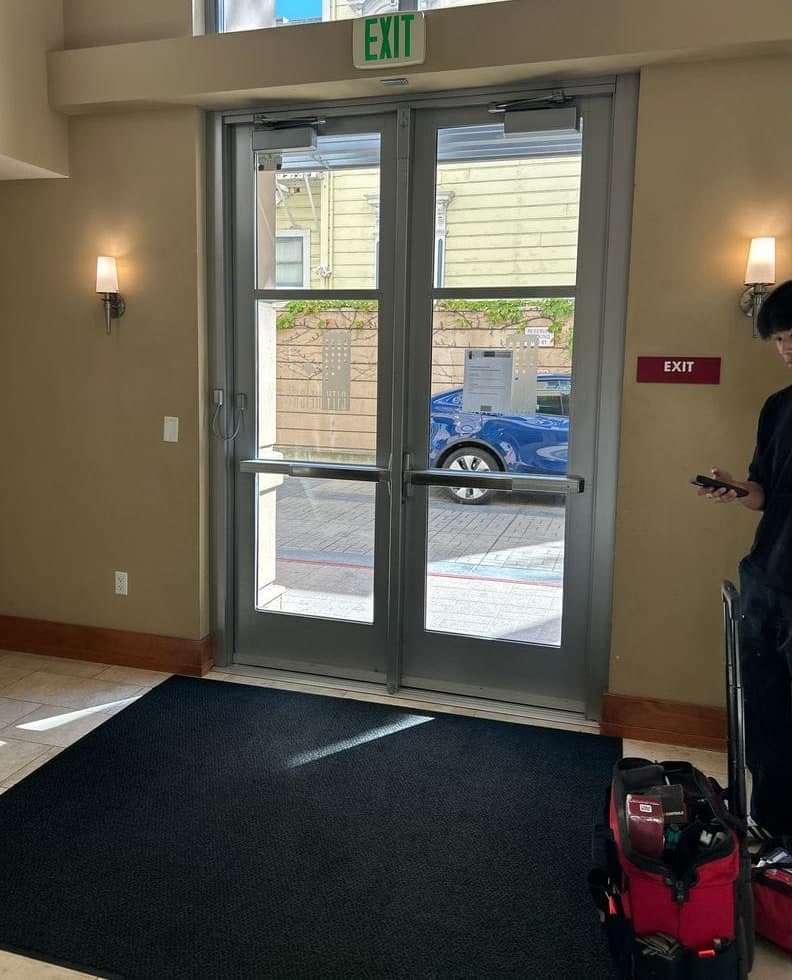
San Jose lobby: Maglock and push-to-exit button on glass lobby doors.
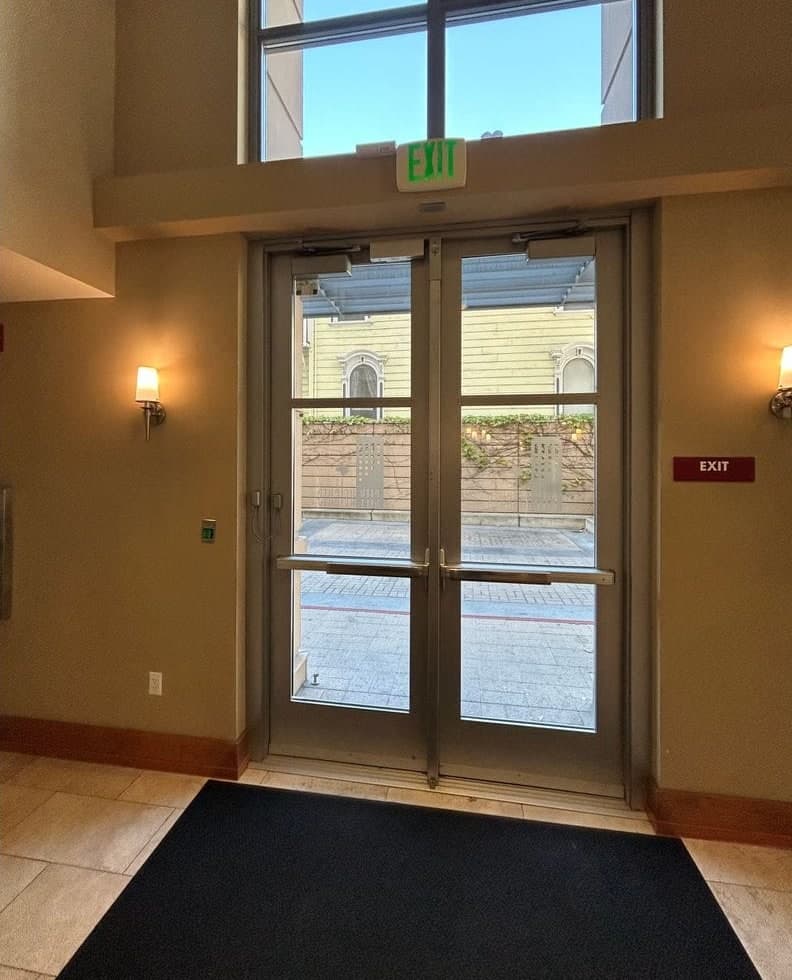
San Jose lobby: Elwin installed a magnetic lock (maglock) at the header and a green push-to-exit button beside the doors.
Elwin checks each door's reader, cable path, power supply, and release hardware on the site walk and reuses what works with the new controller; the scope lists what stays and what is replaced.
Our HOA recently partnered with Elwin Security to replace our aging, 20-year-old access control system with ButterflyMX, and I can't say enough good things about the experience.
We’ve worked with Elwin Security across multiple office buildings for both access control and building security improvements.
Dino and Mike from Elwin Security were fantastic to work with on our commercial building. They were professional, thorough, and clearly know their craft.
Site walk
Tell Elwin what is not working, what systems are already on site, and which access points matter most. The next step is a scope grounded in the building, not a generic product list.