Apple Wallet and Google Wallet keys for Bay Area building entries.
Apple Wallet and Google Wallet keys open a door when a resident or employee holds an iPhone, Apple Watch, or Android phone to an NFC reader at the entry. Apple says Express Mode lets some keys work without waking or unlocking the device; Google's badge steps say wake it, no unlock needed. Elwin Security installs, configures, and supports the readers, controllers, wiring, power, and door hardware behind that tap for commercial and multifamily properties in Santa Clara and the San Francisco Bay Area.
For properties that want a phone or watch tap at the door and need the whole entry scoped.
A vendor sells the reader and the license. Elwin scopes the cable, power, controller port, and lock that release the door.
01
Office and commercial employee badges
Apple's documentation says employee badges from the platforms it supports can be added to Apple Wallet on iPhone and Apple Watch. The employee needs multifactor authentication on the account used for the employer's app. Google's corporate badge needs an Android phone on Android 9.0 or higher with NFC turned on, plus the platform's app and the Google Wallet app.
02
Multifamily resident keys
Tenants and staff of supported partner facilities can use their home key in Apple Wallet to access their building and unit. Property managers on supporting platforms can send a provisioning link by email or SMS. Google's multi-family key has the same Android 9.0 and NFC requirement as its corporate badge, and Google says digital key sharing is not supported in Google Wallet.
03
Existing systems adding wallet support
Properties already on Kisi, Verkada, Brivo, Avigilon Alta, or Swiftlane that need to know which of their readers accept a wallet tap. Verkada, for example, lists Apple Wallet on its AD34 and AD64 reader datasheets and says Apple Wallet is not compatible with the AD31, AD32, or third-party reader hardware.
Service focus
The platform issues the wallet key. The door still has to be built for it.
Three questions set the scope: which reader accepts the tap, what the platform charges to issue the pass, and what that reader needs from the wall.
01
Which readers accept a wallet tap
Kisi's documentation requires a Kisi Reader Pro 2.1 at each door that takes Apple passes. Avigilon Alta: only Video Readers manufactured after June of 2023 are compatible with Employee Badge in Apple Wallet; wireless locks are not supported.
02
Platform licenses and setup
Brivo requires an additional purchase of Brivo Wallet Pass, and the administrator enables it in Brivo Access and accepts the Apple terms. Kisi bills Apple Wallet badges as a recurring per-user software license.
03
Wiring, power, and the lock
A Verkada AD34 draws 12 V at 250 mA max and needs an RS-485 run to a Verkada controller or intercom.
Site walk
What Elwin checks before quoting a wallet-ready entry.
The site walk turns the manufacturers' published requirements into a door-by-door list of readers to keep, swap, or add.
01
Reader at each door
Which reader is on the door now and whether the platform lists it for wallet keys. Verkada says Apple Wallet is not compatible with its AD31 and AD32 readers or third-party reader hardware, so those doors get a reader swap in the scope.
02
Cable, power, and controller port
Whether the existing cable can carry the new reader.
03
Door hardware and egress
The strike, maglock, or electrified lever the reader releases, and whether the opening is fire-rated or an exit. Elwin repairs and replaces door hardware; your fire marshal or AHJ determines compliance.
04
Users, passes, and fallback
Who gets a wallet key, who keeps a card or fob, and how a lost phone is handled. Apple's program requires readers to accept mobile passes in addition to physical contactless cards and fobs. Google says a residential digital key is not a replacement for the physical key, and only the property manager can activate or deactivate it.
Scope details
Phone, reader, controller, license, and lock are five parts of one entry.
Apple and Google set the phone side. The platform sets the reader and license side. The building sets the cable, the power, and the door hardware.
Phone and watch side
Apple stores the key in the device's Secure Element and turns Express Mode on by default. Apple says power reserve works for up to five hours with some keys that have Express Mode on when the iPhone needs charging. Google's corporate badge help page lists Android 9 and up with NFC on, a Wear OS 2 or later watch, and one phone and one watch per badge at the same time.
iPhone and Apple Watch
Android 9 with NFC
One phone and one watch
Readers
Apple's access program requires readers to support its Enhanced Contactless Polling protocol, ECP v2.3 or later. Google says workplaces need NFC-enabled readers compatible with Google Wallet and the Service Provider's protocol to support Corporate Badges.
Kisi Reader Pro 2.1
Verkada AD34 and AD64
Alta Smart Reader V2
Swiftlane Z-10 and Z-20
Controllers and reader output
Verkada's AD34 and AD64 use Secure Channel OSDP v2 over RS-485 to a Verkada controller or intercom. Elwin confirms the controller has the port and the reader power before a wallet reader is ordered.
OSDP over RS-485
Wiegand
Controller reader ports
Platform licenses and passes
Apple's program guide calls the party that owns or governs the access property the Participating Provider. When that is a different organization from the Credential Manager that integrates with Apple, Apple says it must sign a Participating Provider Agreement with Apple through the Credential Manager.
Per-user or per-block licenses
Apple Pass subscription
Participating Provider Agreement
Process
From reader list to a working tap at each door.
The order is reader, cable, controller, then license and users, so each pass is issued against a door that already works.
01
Confirm the platform and the reader list
Walk each door, record the reader model and controller port, and check it against the platform's wallet documentation. Doors on unsupported readers get a swap; doors with no cable get a cable path.
Result: A door-by-door list of readers to keep, swap, or add, with the license count the platform will need.
02
Install and wire
Mount the reader, land the OSDP, Wiegand, or PoE run, and connect the strike or maglock. Test a card or fob at each door before any wallet pass is issued.
Result: Each reader reads a physical credential and releases its door.
Field proof
The manufacturers' own documents set the conditions a wallet entry has to meet.
Apple, Google, and the access platforms publish the reader, device, and license requirements. The site walk is where those requirements meet the door.
Apple's Express Mode page says power reserve works for up to five hours with some cards, passes, and keys that have Express Mode turned on. It also says the feature is not available if the iPhone is turned off.
Verkada's AD34 and AD64 datasheets say Verkada can only support Corporate Badges on Apple Wallet and cannot issue Resident Cards for Multi Family Units.
Kisi's documentation says Apple passes need an iPhone on iOS 17 or higher and that managed Apple IDs are currently not supported by Apple. Kisi's Apple Wallet guide says Kisi does not offer an equivalent badge in Google Wallet.
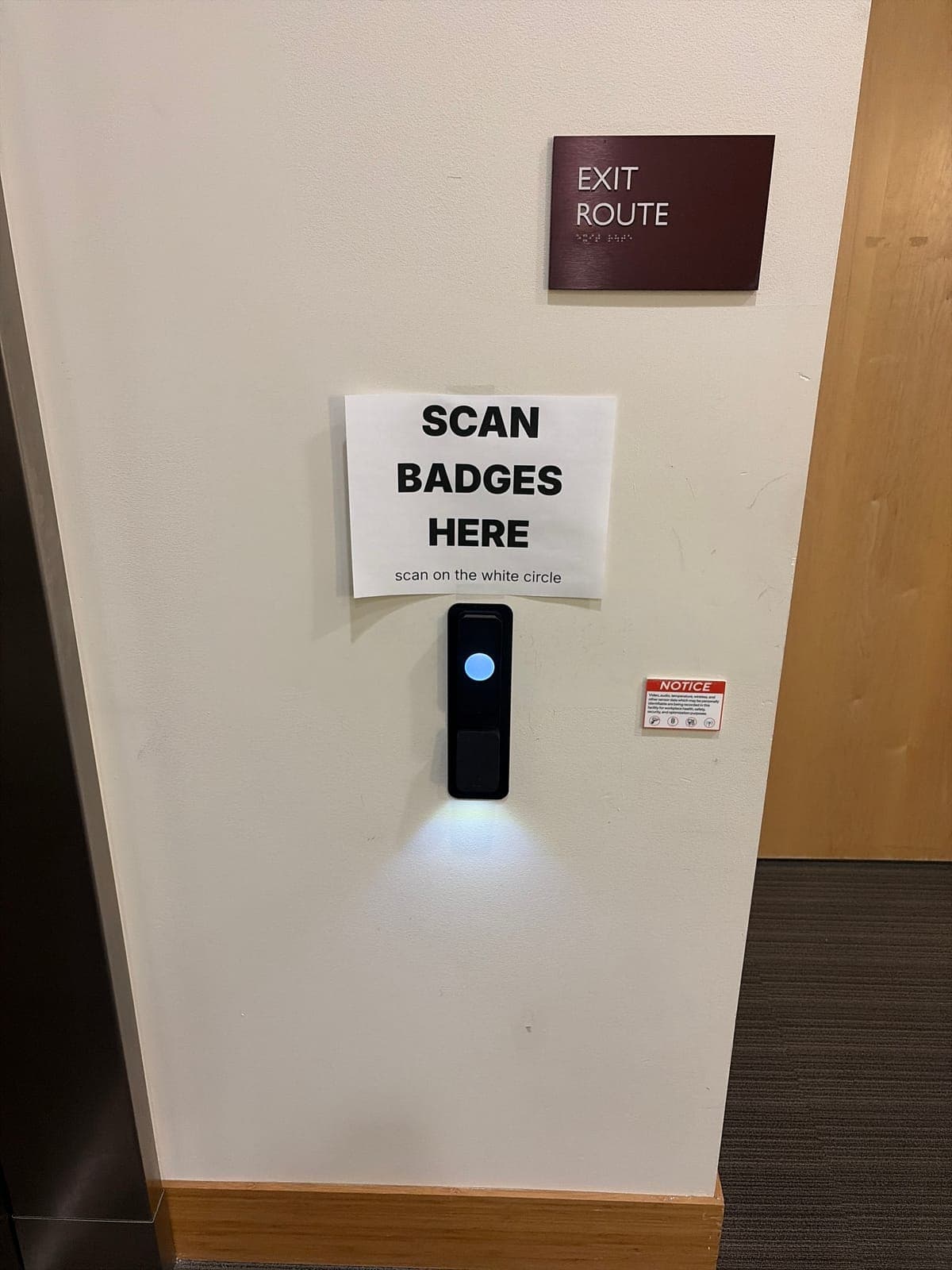
Reader at a lobby wall
A badge reader on a lobby wall. Apple's program guide lists a requirement to guarantee that relevant access readers accept mobile passes in addition to physical contactless cards and fobs.
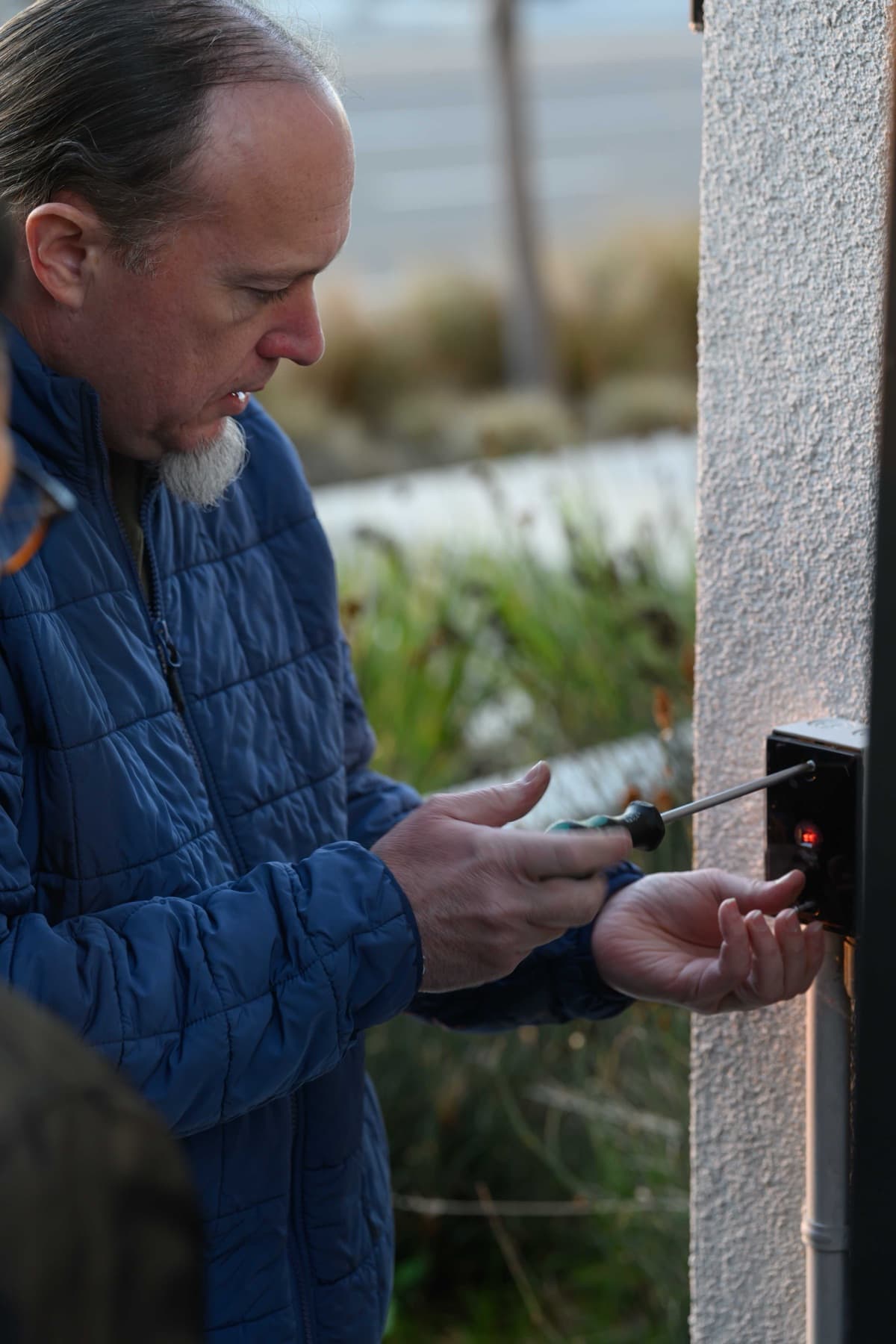
Exterior reader install
A reader being fastened at an exterior wall. A wallet-ready reader still needs its wired run.
Core service areas for property-first security work.
Elwin serves Bay Area properties from Santa Clara outward, with access control, cameras, intercoms, door hardware, and low-voltage planning tied back to the site conditions in each city.
Kisi, Verkada, Brivo, and Avigilon Alta each publish Apple Wallet support. Kisi requires a Reader Pro 2.1, and Verkada says Apple Wallet is not compatible with AD31, AD32, or third party reader hardware.
Yes, on platforms that have built it in: Google's corporate badge and multi-family key need an Android phone on Android 9.0 or higher with NFC turned on, plus NFC-enabled readers compatible with Google Wallet and the platform's protocol. Brivo's Google Wallet badge needs Android 8 or later with NFC and compatible NFC-enabled Brivo readers.
Apple says power reserve works up to five hours with some Express Mode keys, but isn't available if you turn off your iPhone. Avigilon Alta says that applies on iPhone XS, XS Max, XR, and more recent devices for its employee badge. Google's residential key page says a digital key is not a replacement for the physical key and to keep the physical key as a backup.
It depends on the model, and the platform's own documents decide. Verkada says Apple Wallet is not compatible with AD31, AD32, or third party reader hardware; Kisi requires Reader Pro 2.1. Elwin checks each door's reader against those lists during the site walk and scopes the swaps, cable, and controller ports together.
Kisi's guide says Apple Wallet badges are billed as a recurring per-user software license; Brivo's page lists an additional Brivo Wallet Pass purchase.
Your fire marshal or AHJ determines compliance for a wallet reader on a fire-rated or exit door. Elwin repairs and replaces door hardware; your fire marshal or AHJ determines compliance.
Site walk
Start with the property conditions.
Tell Elwin what is not working, what systems are already on site, and which access points matter most. The next step is a scope grounded in the building, not a generic product list.