Avigilon Alta (formerly Openpath) installation and service for Bay Area doors, elevators, and entries.
Elwin Security installs, configures, repairs, and supports Avigilon Alta access control for commercial and multifamily properties in Santa Clara and the San Francisco Bay Area. The scope covers Avigilon Smart Hubs and the Single Door Controller, Smart Readers, and the Video Reader Pro and Video Intercom Reader Pro. It also covers lock power, network, and Alta Access setup and handoff.
For properties that have chosen Avigilon Alta and need it installed around real openings.
Avigilon's brand transition FAQ says the Openpath and Ava product names will be rebranded to Avigilon and listed on the Avigilon website in May 2023. The hardware choice depends on the door count, where a controller can mount, and what the existing locks, wiring, and network allow.
01
Multi-door buildings and elevators
Avigilon's Single Door Controller guide says that for elevators, all relays and readers must be connected to the same Single Door Controller, and that more than two access controlled floors or readers need the 16 I/O Elevator Board.
02
Existing Openpath or legacy systems
Alta Access lists the expansion boards as Openpath 4-Port Expansion, Openpath 8-Port Expansion, Openpath 16-Port Elevator, and Avigilon 32-Input Expansion, and a Core series ACU supports up to 2 expansion boards. Mercury LP and MP controller boards can be added to an Alta Access organization, and existing Wiegand readers with a proprietary card format can be wired to new Smart Readers.
Service focus
Avigilon Alta installation questions start after the platform is chosen.
The practical questions are which controller fits the door count, what the lock behind each reader needs, what the hub location has for power and network, and who manages Alta Access afterward.
01
Controller, reader, and door hardware
Elwin checks the strike or maglock, the request-to-exit device, the door contact, and the lock voltage before a hub is mounted. Avigilon's site survey list asks for the number of entries to configure, the legacy or new wiring to be installed, and the electronic entry mechanisms.
02
Lock power
Avigilon's install guide says devices that draw significant amperage, such as those using solenoids, need a separate power supply.
03
Network and Alta Access handoff
Smart Hubs use an Ethernet connection with DHCP, TCP port 443 to the Alta Access cloud, and UDP port 123 to pool.ntp.org for NTP time sync. Elwin provisions the controllers, configures sites, entries, schedules, and user groups in Alta Access, then walks the property team through them.
Site walk
What Elwin checks before an Avigilon Alta scope is finalized.
Avigilon's install guide says to conduct a customer site survey before installing Avigilon hardware. Elwin's site walk covers that list and adds the condition of each opening.
01
Doors and gates
Each opening's lock type, frame condition, closer, door contact, and request-to-exit device, and whether the lock needs 12 V or 24 V. Fire-rated and egress doors are flagged for fire marshal or AHJ review before any hardware is specified.
02
Hub location
A spot in a restricted access area with a grounded 3-prong outlet. Avigilon's regulatory notice says the Smart Hub must only be plugged into a grounded outlet wired with at least 16 gauge wire to ground.
03
Cable paths and lock power
Reader runs to a recommended maximum of 300 feet on CAT6, or 500 feet when two pairs carry power, with the shield drain wire connected at the ACU side only. Avigilon says legacy unshielded straight-through wiring, often 22-6, sometimes results in slower connections and dropped packets, so existing runs are tested before reuse. Lock current is totaled against the hub's rating, or a separate supply is planned.
04
Network and account
A LAN drop with DHCP, firewall rules for TCP 443 and UDP 123, and no TLS inspection on that traffic. An Enterprise license is required to use Static Cloud IP for ACU and SDC devices, and Static Cloud IP is not supported for the Video Reader Pro and Video Intercom Reader Pro; Alta Access does not provide an IP range or FQDN list of hostnames for Basic and Premium licenses.
Scope details
The install scope is the controller, the readers, the doors, and the network.
Avigilon publishes wiring, power, and network requirements for these parts.
Controllers and Smart Hubs
Avigilon's install guide says to install the expansion board into the enclosure using the included standoffs (quantity: 4), and the Access Control Core below it using the included bracket.
Single Door Controller
4-Door Smart Hub
16 I/O Elevator Board
Readers and credentials
Avigilon lists Standard Smart Reader and Mullion Smart Reader models, and the Mullion Smart Reader can be surface mounted where space is limited, such as on a door frame. Avigilon readers and ACUs communicate via RS-485.
Standard and Mullion Smart Readers
Smart Keypad Readers
Alta Open mobile app, Wave to Unlock
Video readers and intercom
Avigilon's Video Reader Pro install guide says to connect the RJ-45 jack to an Ethernet cable (Cat 5e, 26 AWG or better) that is connected to a networked PoE source. The Video Reader Pro install guide says its relay is not rated for locking hardware, and to power locking hardware, use an Avigilon Smart Hub or third-party access control panel.
Video Reader Pro
Video Intercom Reader Pro
Remote ACU for the lock
Wiring and network
Avigilon recommends shielded CAT6A between reader and hub, with a recommended maximum of 300 feet on CAT6 or 500 feet if two pairs carry power. The hub uses an Ethernet connection with DHCP, TCP port 443, and UDP port 123; the Video Reader Pro and Video Intercom Reader Pro also use UDP 3478 and UDP 50000 to 60000. Inbound port forwarding is unnecessary, and HTTPS certificate rewriting or TLS inspection is not allowed.
Shielded CAT6A, 300 or 500 ft
Ethernet with DHCP
Outbound 443 and 123
Process
From door list to a working Alta Access organization.
The process keeps the controller choice tied to the openings, wiring, and people who will run the system.
01
Confirm the door list and hardware
Walk each opening, record the lock, contact, and exit device, and decide which doors go on a Single Door Controller or a 4-Door Smart Hub, and whether elevator floors need the 16 I/O Elevator Board.
Result: A door-by-door scope with controller counts and reader models before anything is ordered.
02
Mount, wire, and power
Mount the enclosure, install the Access Control Core and expansion board, and land the reader, lock, contact, and request-to-exit wiring. Set each C4 lock output jumper to 12 V or 24 V, then connect the hub to the network.
Result: Each door is tested at the hub before Alta Access configuration begins.
03
Provision, configure, and hand off
Provision the controllers with the Alta Access mobile app, which Avigilon recommends because it creates the ACU and adds connected devices, then configure sites, entries, schedules, groups, and administrators.
Result: Elwin walks the property team through the Alta Access configuration at handoff.
Field proof
Avigilon's own documents set the conditions the install has to meet.
The install guides are specific about egress hardware, lock power, and backup batteries, and the site walk is where those limits meet the building.
Avigilon's REX guidance says a request-to-exit device is used to ensure free egress for fire and safety reasons, and to always defer to the Authority Having Jurisdiction for building code requirements. Your fire marshal or AHJ determines compliance.
Avigilon's wiring appendix says the Video Reader Pro does not include a REX input or door relay. A remote ACU on the LAN manages the lock relay, door contact, and REX for those entries.
A backup battery is not required but recommended. Avigilon's example sizes two 12 V 6 AH batteries in series to keep a 24 V hub, configured with four readers and locking hardware using about 2 amps, running for 3 hours.
Reader mounting
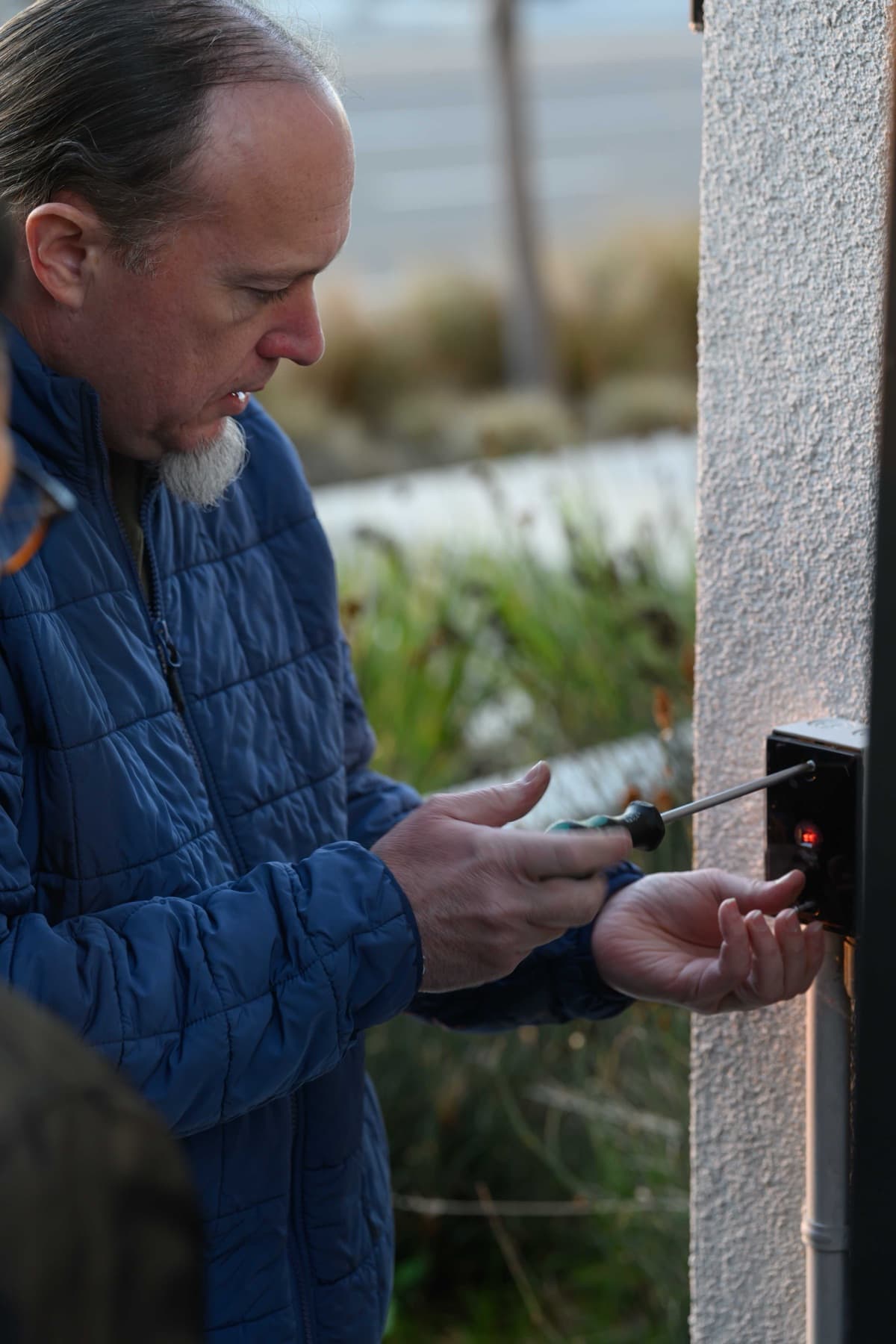
A reader housing being fastened to an exterior stucco wall.
Panel layout
A representative enclosure with a power supply, controller board, terminal strip, and backup battery.
Core service areas for property-first security work.
Elwin serves Bay Area properties from Santa Clara outward, with access control, cameras, intercoms, door hardware, and low-voltage planning tied back to the site conditions in each city.
Yes. Elwin Security installs, configures, repairs, and supports Avigilon Alta controllers, readers, and lock hardware for commercial and multifamily properties in Santa Clara and the Bay Area. Elwin also works with existing Openpath installations that need doors added or hardware replaced.
Yes. Avigilon's brand transition FAQ says the Openpath and Ava product names will be rebranded to Avigilon and listed on the Avigilon website in May 2023, and that the functionality is not changing. Avigilon's Alta Access device guide lists the expansion boards as Openpath 4-Port Expansion, Openpath 8-Port Expansion, Openpath 16-Port Elevator, and Avigilon 32-Input Expansion, and calls them the Avigilon (formerly, Openpath) boards.
Avigilon's Smart Hub install guide says to plug the power cord into a 110VAC or 220VAC power source, and for installations in Europe or that require a 220VAC power source, to cut the jumper on the power supply module. For the network, Avigilon calls for an Ethernet connection with DHCP, TCP port 443 to the Alta Access cloud, and UDP port 123 to pool.ntp.org for NTP time sync, and says inbound port forwarding from the internet is unnecessary. For Wi-Fi unlocking with the Alta Open mobile app, the Single Door Controller's inbound TCP port 443 must be available from within the LAN, and inbound port forwarding is not required.
Avigilon's boards and panels page says Mercury-based 1502/2500 boards support up to 32 entries and the 1501 supports up to 8 entries. A Core series ACU supports up to 2 expansion boards, and for elevators, more than two access controlled floors or readers on a Single Door Controller need the 16 I/O Elevator Board.
No. Avigilon's Video Reader Pro install guide says its relay is not rated for locking hardware, and to power locking hardware, use an Avigilon Smart Hub or third-party access control panel. Avigilon recommends a backup battery for the PoE switch or PoE injector in case of power outages, because the Video Reader Pro needs to be continuously powered to provide access to your building.
Sometimes. Existing Wiegand readers that use a proprietary card format can be wired to new Smart Readers; otherwise Avigilon says to replace them with Smart Readers. Avigilon also says legacy unshielded straight-through wiring, often 22-6, sometimes results in slower connections and dropped packets, which its guide says can be remedied by switching GND and VIN with the +B and -A connections on the ACU and readers.
Your fire marshal or AHJ determines compliance. Avigilon's wiring appendix says a request-to-exit device is used to ensure free egress for fire and safety reasons, and to always defer to the Authority Having Jurisdiction for all building code requirements.
Site walk
Start with the property conditions.
Tell Elwin what is not working, what systems are already on site, and which access points matter most. The next step is a scope grounded in the building, not a generic product list.