
New CellGate installs
Watchman placement, the power supply and wire run, gate operator wiring, Wiegand readers, external cameras, antennas or the Ethernet drop.
Platform focus
Elwin Security installs, configures, repairs and supports CellGate Watchman video intercoms, Entría door controllers and OmniPoint for commercial and multifamily properties. CellGate's documents list 12 V DC power supplies, cellular or wired internet options and gate operator wiring.
Use case
The intercom, controllers, antennas, power, wiring and lock hardware are on the property, and that is the part Elwin installs and services.
Watchman placement, the power supply and wire run, gate operator wiring, Wiegand readers, external cameras, antennas or the Ethernet drop.
An intercom that drops offline, a gate that will not trigger, a relay that will not release the lock, a magnetic switch out of range, a reader that stops reading, or a cellular signal that has degraded.
Elwin tests the operator, lock and reader before deciding what stays.
Service focus
The platform is chosen. The cell signal at the gate, the wire run to the operator and the lock type still set the scope.
Touchscreens are 7.5 in. on the W461 and W462, 8 in. on the W480 and W482, and 11 in. on the WXL and WXL2.
The OmniPoint Gateway communicates with its Entry Point Modules over long-range LoRa, with access points deployed up to one mile from the Gateway.
The same guides say the pre-attached 16-gauge grounding wire must be connected to an appropriate ground. Elwin wires, tests and documents each entry, then returns for service calls on intercoms, controllers, relays, readers and signal.
Site walk
The site walk confirms the signal or network path at each entry, the power run, how the gate or door releases, and who will own the TrueCloud Connect account.
CellGate's OmniPoint scoping page says the Gateway range approaches or may exceed half a mile.
The Watchman product pages list a solar power kit for environments where electric power is not available.
Your fire marshal or AHJ determines compliance.
CellGate's FAQ says the monthly service fee includes cellular service; its products page lists onboarding, training and ongoing support at no charge. Elwin confirms who the owner will be and gathers the property details before that call.
System layers
CellGate's installation guides and specification sheets set the limits. The property sets the layout.
The WXL and WXL2 measure 14.75 in. by 12.75 in. by 3.75 in. with an 11 in. touchscreen and three Wiegand inputs. The W461 and W462 measure 12.8 in. by 5.1 in. by 1.1 in. with surface or flush mount options.
The quick guides size the power run at 18 gauge to 25 ft, 16 gauge to 50 ft and 12 gauge to 60 ft, with 12 gauge spliced down to fit the screw terminal.
Your fire marshal or AHJ determines compliance.
Watchman external cameras are CellGate-branded only, up to three on the W450, W461, W480 and WXL and one on the W410, and CellGate's FAQ puts the camera distance at approximately 100 feet depending on wire gauge and voltage.
Process
Elwin plans the entry, the power run and the account owner before equipment is ordered.
Confirm the Watchman or controller location, the cellular signal or Ethernet drop, the power run length, gate operator terminals, lock type, reader and camera locations, and any existing CellGate equipment.
Result: An entry-by-entry scope with the model, mount and wire list.
Mount the unit, pull the shielded power and Wiegand cable, wire the operator or lock, set the magnetic switch, and connect antennas before power.
Result: A working CellGate system with documentation and a support path.
What matters
The cloud side is CellGate's. The intercom, controller, antennas, power, wiring, readers and lock hardware are on the property, and that is what Elwin installs and services.
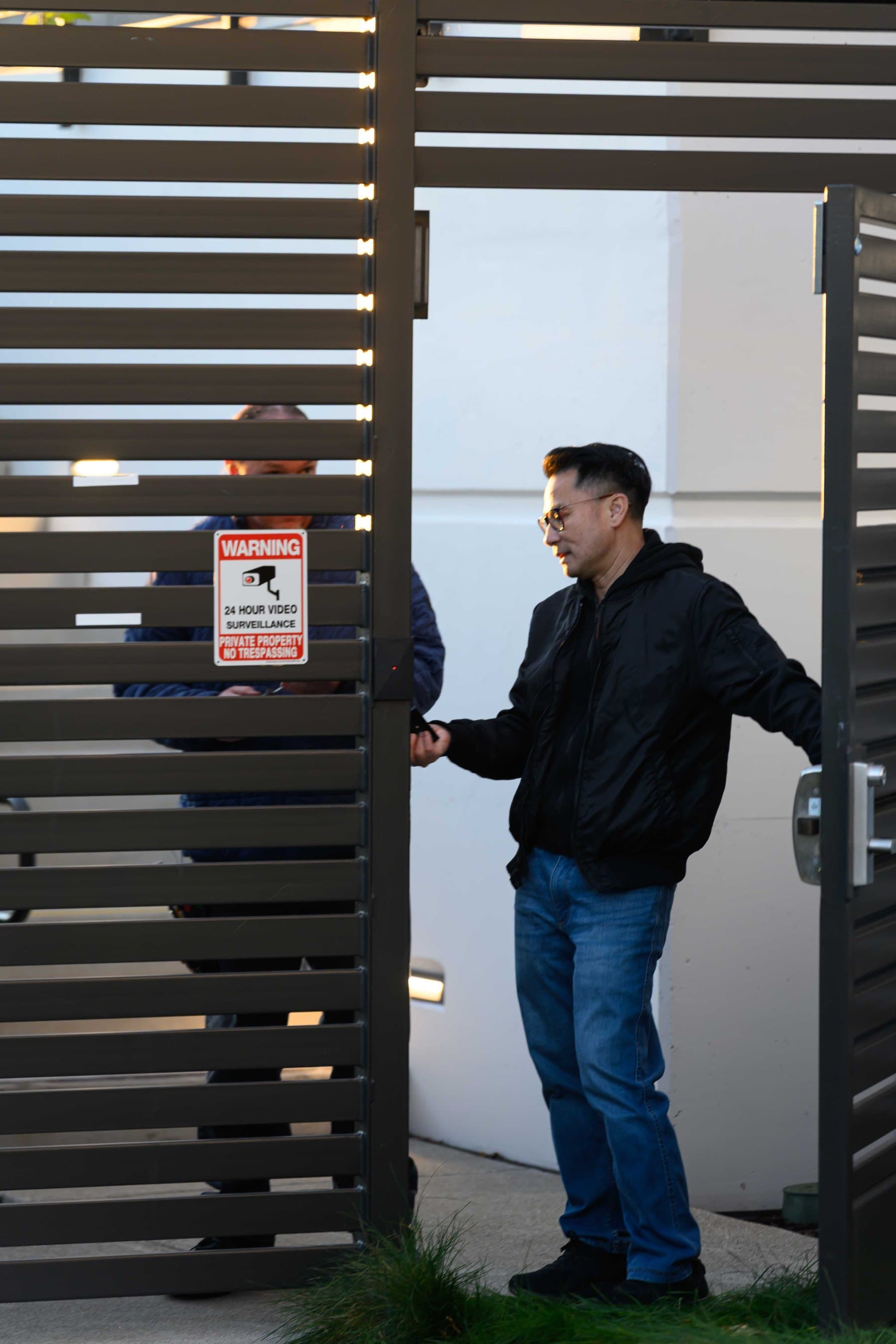
A man holds a phone beside a small black box mounted on a dark slat gate and pulls the gate open by its stainless handle; a 24 hour video surveillance warning sign is fixed to the gate.
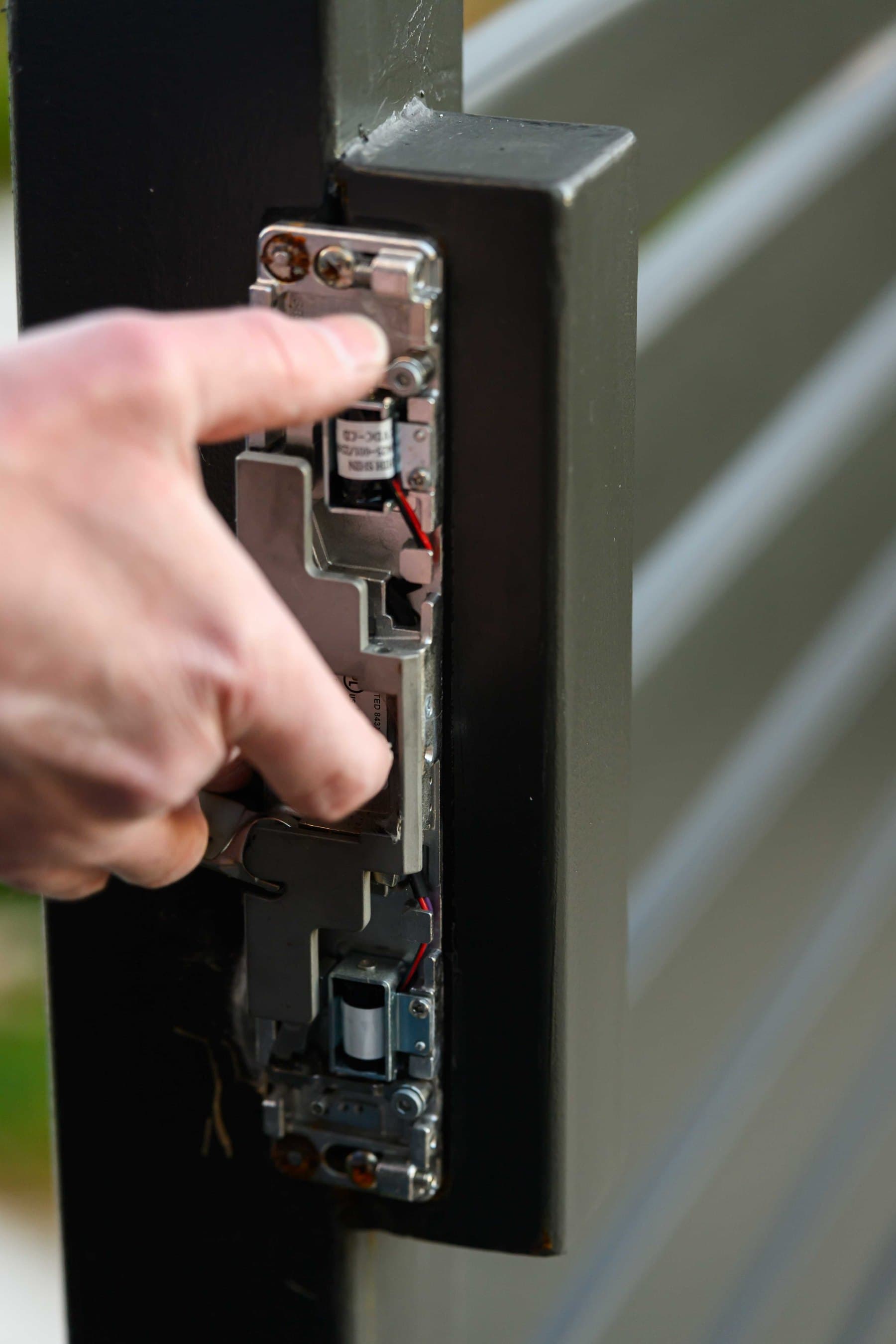
A hand points at an opened electric strike mechanism in a dark metal gate frame, with its solenoid and red and black wires visible.
Yes. Elwin Security installs, configures, repairs and supports CellGate Watchman intercoms, Entría controllers and OmniPoint for commercial and multifamily properties from its Santa Clara office.
Site walk
Tell Elwin what is not working, what systems are already on site, and which access points matter most. The next step is a scope grounded in the building, not a generic product list.