
New ISONAS installs
RC-04 placement at each door, a PoE switch port or injector, the pigtail run to the lock, door sense and request-to-exit wiring, the firewall rule for Pure Access Cloud, credentials and administrator setup.
Platform focus
Elwin Security installs, configures, repairs and supports ISONAS Pure IP access control for commercial and multifamily properties in the San Francisco Bay Area, from its Santa Clara office. An ISONAS scope covers the RC-04 reader-controller, PoE, the lock and its power path, the network route to Pure Access Cloud, and administrator handoff.
Use case
The hardware sits at the door and on the network, and that is the part Elwin installs and services.
RC-04 placement at each door, a PoE switch port or injector, the pigtail run to the lock, door sense and request-to-exit wiring, the firewall rule for Pure Access Cloud, credentials and administrator setup.
A reader-controller that drops offline, a door that will not release, an RC-03 that needs replacing, a Pure Access Cloud license that has lapsed, or a credential that no longer reads.
Elwin reviews what is installed before recommending reuse, an RC-04 swap or an IP-Bridge.
Service focus
The platform is chosen. The PoE budget, cable length, lock power and network rule at each door still set the scope.
The RC-04 comes in mullion (5.1 in. by 1.7 in. by 0.71 in.), wall mount and wall mount keypad (5.1 in. by 3.25 in. by 0.71 in.) form factors, as a multi-card model (125 kHz and 13.56 MHz) or a proximity-only model (125 kHz) (ISONAS RC-04 specification sheet, Rev. 10/21). Each unit holds 64,000 credentials, 5,000 events and 32 time schedules, and its local mode lets it function without a connection to the network.
The RC-04 takes PoE (IEEE 802.3af, Class 0) or 12 VDC in a 9 to 16 V range, and its specification sheet (Rev. 10/21) notes that 24 V DC is not approved for the device. On PoE it provides 600 mA to power the lock. ISONAS's installation guide (v1.04) puts the Cat5e/6 run at up to 100 meters (328 feet), including patch cables and patch panels.
Elwin configures, tests and documents each opening, then returns for service calls on reader-controllers, door release hardware, network paths and credentials.
Site walk
The site walk confirms the switch, the cable path, the lock at each door, the network rule and who will administer Pure Access.
A PoE port or injector per door, the switch's power budget, and a Cat5e/6 run up to 100 meters (328 feet) including patch cables.
Existing strikes, maglocks, electrified levers, closers and exit devices at each opening, and whether the lock draws within the RC-04's 600 mA PoE output or needs a separate supply, a PoE+ splitter or the ASM. Your fire marshal or AHJ determines compliance.
A single-gang electrical box, or a 1 in. hole where no box exists (RC-04 quick installation instructions), kept at least 2 feet from another ISONAS reader-controller and 6 feet from any other RF-emitting device, and sealed against water on exterior walls (ISONAS installation guide, v1.04). The guide (revision 11/03/2016) says to meet ADA requirements, such as unobstructed access under 48 inches from the floor; the AHJ decides how they apply.
The firewall egress rule for port 55533, DHCP reservations for each reader-controller, and whether the devices get their own subnet, which ISONAS's network requirements sheet lists as a best practice and not a requirement.
System layers
ISONAS's documents set the limits. The property sets the layout.
The RC-04 is rated IP56, conformal coated for weather resistance and specified for -40°F to 135°F (ISONAS RC-04 specification sheet, Rev. 10/21). It has an 8-wire pigtail, two configurable inputs for door sense and request-to-exit (a button or motion sensor that releases the door from inside) or auxiliary use, and tamper detection through an accelerometer. The pigtail cable (CABLE-10, CABLE-25) comes in 10 and 25 foot lengths with eight 22 AWG conductors (ISONAS accessories data sheet, Rev. 04/24).
ISONAS lists 2.3 W per reader-controller, 6.2 W with a 300 mA lock and 10.4 W with a 600 mA lock, excluding cabling losses. Where PoE is not used, the guide calls for UL-listed, access control, power-limited power supplies that provide at least four hours of standby power.
For exterior doors, ISONAS's Advanced Security Module (ACC-EDK-3A) prevents the lock wires from being in contact with the unsecure side of the door; its relay is rated 3 A at 30 V DC and ISONAS lists it as required for magnetic lock installations powered via PoE (accessories data sheet, Rev. 04/24). The Magnetic Lock Kit (ACC-IRS-4700) adds in-rush protection for maglocks that have a quick-release feature. Your fire marshal or AHJ determines compliance.
Out of the box the RC-04 defaults to DHCP and Client Mode set to isonaspureaccesscloud.com, and ISONAS says port 55533 must be open outbound for the device to connect (RC-04 quick network connection instructions).
Process
Elwin plans the PoE budget, the doors and the administration model before equipment is ordered.
Confirm door hardware, release behavior, reader locations, cable paths, switch ports, lock power, the firewall rule, and any existing RC-03, Wiegand or panel equipment.
Result: A door-by-door scope with the switch port count and PoE budget.
Choose credentials, schedules, groups, lockdown behavior and administrators with the property team. The RC-04 reads 125 kHz, 13.56 MHz and Bluetooth Low Energy 4.1 and later credentials, including MiFare Classic, Ultralight and Plus, and MiFare DESFire EV2, which the sheet marks ISONAS only (ISONAS RC-04 specification sheet, Rev. 10/21).
Result: The Pure Access setup matches how the property is run.
Configure each RC-04 with the ISONAS Configuration Tool, pull cable, wire the lock, test each opening and train the administrators.
Result: A working ISONAS system with documentation and a support path.
What matters
The cloud side is Allegion's. The reader-controllers, PoE, cabling, lock hardware and network rules are on the property, and that is what Elwin installs and services.
Lock power is planned against the RC-04's 600 mA PoE output, with a 12 VDC supply or PoE+ splitter for doors that need more.
The ISONAS catalog (Rev. 10/21) says that if a loss of connection occurs to AWS, the reader-controllers operate in local mode as usual.
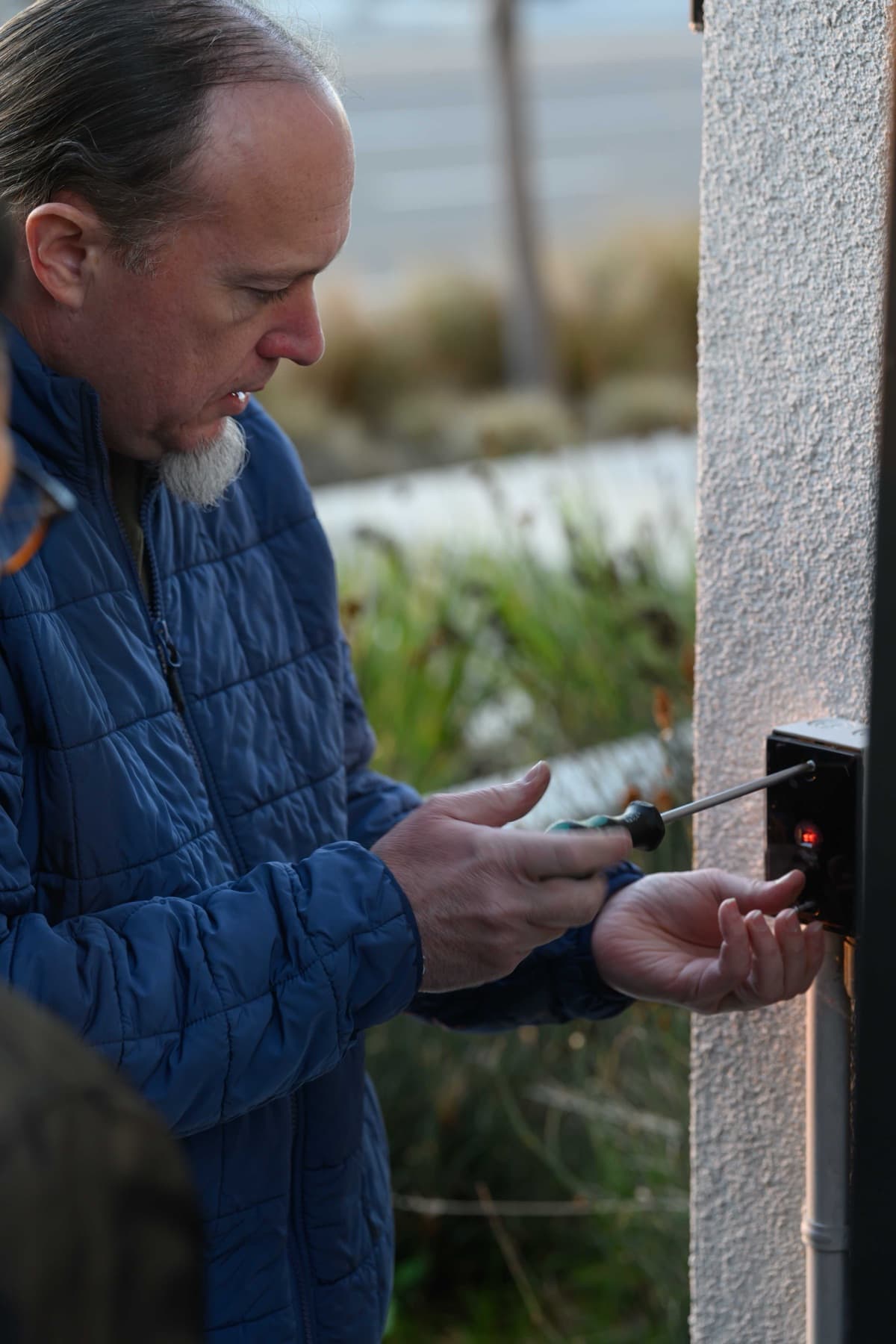
A technician fastens a small black wall-mounted device with a red indicator light on an exterior stucco wall.

A technician stands beside a white wall-mounted device on a blue wall next to a glass door, with a black box mounted above it and a smaller black device below.
Yes. Elwin Security installs, configures, repairs and supports ISONAS Pure IP access control for commercial and multifamily properties in the San Francisco Bay Area from its Santa Clara office. The work covers RC-04 reader-controllers, PoE and cabling, lock power, door hardware, network rules and administrator handoff.
Site walk
Tell Elwin what is not working, what systems are already on site, and which access points matter most. The next step is a scope grounded in the building, not a generic product list.