Schlage electronic lock installation and service planned around the door, the batteries and the network.

Elwin Security installs, configures, repairs and supports Schlage electronic locks for commercial and multifamily properties in Santa Clara and the San Francisco Bay Area. A Schlage scope can include XE360 tubular and mortise locks and Schlage Control deadbolts and interconnected locks for resident unit doors. Schlage says NDE wireless locks eliminate the need to run wires to each opening.

For properties that chose Schlage and need the doors, the batteries and the network to match.

Schlage's XE360 locks run real-time over Wi-Fi or offline over Bluetooth, set by an interchangeable FleX Module.

01

Resident unit doors

Schlage states the Schlage Control mobile enabled smart lock was designed specifically for multifamily resident doors. It is sold as the BE467F deadbolt or the FE410F interconnected lock with single-motion egress, fits 1-3/8 in. to 1-3/4 in. doors through a 2-1/8 in. bore, and has an adjustable 2-3/8 in. to 2-3/4 in. backset.
02

Offices, amenities and suites on battery locks

Schlage's multifamily page lists NDE and LE wireless locks for offices and amenities. The NDE cylindrical lock fits a mechanical ND door prep with minor modifications on 1-5/8 in. to 2 in. doors. The LE mortise lock needs only minor modifications to an existing mechanical mortise prep, with no wires to run to the lock, and fits a 1-3/4 in. door as standard.

03

Doors that need real-time control over Wi-Fi

Schlage says real-time operation needs the lock and a connection to a Wi-Fi access point on the building's existing 2.4GHz Wi-Fi network. The same XE360 lock can run offline over Bluetooth instead, and Schlage's FleX Module is the part that sets the mode.

Schlage work splits into hardware at the door, the connection behind it, and service after handoff.

Elwin scopes the three parts separately so the proposal shows what goes on each door, how each lock reaches the software, and what the property team manages afterward.

01

Hardware installation

Each Schlage family carries its own door requirements.

02

Connectivity and software setup

Schlage says ENGAGE for access control supports up to 100 NDE, LE and CTE devices, 250 XE360 locks or 500 Schlage Control locks. Schlage lists XE360 in ENGAGE with Wi-Fi connectivity not supported; XE360 locks running RealSync are managed only through an integration from its Technology Alliances program. Elwin configures the platform the property selects.

03

Repair, batteries and support

Schlage rates Schlage Control battery life at up to 1-1/2 years offline or up to 1 year with Bluetooth credentials enabled. Elwin repairs, replaces and supports Schlage electronic locks after the original installation, including the battery routine and credential changes.

What Elwin checks before scoping a Schlage project.

The site walk confirms the chassis each door accepts, the connectivity mode for each lock, Wi-Fi or gateway coverage at the door, and power for any CTE controller or gateway.

01

Door prep, thickness and stile

Chassis type, handing and stile width at each door. Fire-rated doors and doors with exit devices: your fire marshal or AHJ determines compliance.

02

Connectivity mode per door

Offline over Bluetooth, No-Tour, nightly Wi-Fi call-in, or real-time over Wi-Fi. They accept a DHCP or network-assigned static address, cannot be set to a static IP in the device, and support IPv4 only.

03

Wi-Fi and gateway coverage

For XE360 in Wi-Fi mode, Schlage says 1 year minimum battery life is achievable when access points and locks follow its Wi-Fi Network Setup Guide. Schlage says not to mount the gateway and locks on different floors, and to keep the gateway at least one inch from metal. Schlage says to keep the gateway at least 10 ft from the Wi-Fi access point and use router channels 1, 6 or 11.

Schlage publishes product documents for its locks and ENGAGE gateways.

The scope for a property is built from Schlage's published lock, reader, controller and gateway documents.

Locks on the door

Schlage's XE360 mortise page says it is built on an ANSI/BHMA Grade 1 mortise chassis. The cited Schlage document lists BE467F as ANSI/BHMA A156.36 Grade 2 and FE410F as ANSI/BHMA A156.12 Grade 2. The XE360 exit trim is compatible with rim and surface vertical rod styles of the Falcon 25, Von Duprin 98/99 and Von Duprin 22, and with the XP98/99 rim device.

  • XE360
  • NDE and LE
  • Schlage Control

Readers and the single-door controller

Where an opening keeps an electric strike, maglock, electrified lock, automatic operator or exit device, Schlage's CTE single door controller pairs with an MTB11 mullion or MTB15 single-gang reader. The CTE takes 12 or 24 VDC at 3 A or PoE/PoE+ (IEEE 802.3af/at); on PoE its powered lock output is limited to 0.5 A at 12 VDC, and on PoE+ to 1.5 A. MTB readers run on 5 to 28 VDC, read 125 kHz proximity, 13.56 MHz smart, Bluetooth and NFC credentials, and support OSDP.

  • CTE
  • MTB11 and MTB15
  • OSDP

Gateway and Wi-Fi

Schlage says each ENGAGE Gateway can support up to 5 wireless devices. In IP mode Schlage lists NDE, LE, CTE, Schlage Control and Von Duprin RU and RM; in RS-485 mode, NDE, LE and Von Duprin RU and RM. Schlage says ENGAGE devices with Wi-Fi nightly call in capability are limited to NDE, NDEB, LE, LEB and CTE.

  • GWE2 gateway
  • 2.4 GHz Wi-Fi
  • RS-485 or IP

Credentials and software

Schlage Control lists smart (13.56 MHz), Bluetooth LE and NFC credentials; check with the PACS provider for mobile credential support. NDE and LE also read 125 kHz proximity; XE360 and Schlage Control do not. Schlage says No-Tour enables Schlage smart and mobile credentials to deliver updates to devices, and requires a 1K byte Schlage MIFARE smart credential.

  • MIFARE DESFire
  • Mobile credentials
  • No-Tour

Schlage installation starts with the doors, not the app.

Elwin confirms the chassis for each opening and the connection path for each lock before any device is commissioned.

01

Walk and document each door

Record the lock type, door thickness, backset, stile width, handing and frame condition. Note the nearest Wi-Fi access point, network drop and power source for any gateway or CTE controller.

Result: The hardware list matches the doors.

02

Plan connectivity and coverage

Assign each lock a mode, run a gateway site survey with Schlage's ENGAGE Test Kit where a gateway is planned, and check the Wi-Fi settings against Schlage's network requirements before locks are ordered.

Result: The connecting layer is specified before install day.

03

Install, commission and hand off

Install locks, readers, controllers and gateways, then commission each device over Bluetooth with the ENGAGE mobile app, which Schlage says is required to initialize its ENGAGE devices. Connect each device to the software the property selected and test each door. Hand the property team the user, credential and battery routine.

Result: The property gets a working Schlage system with a support path.

Schlage publishes lock limits down to the battery year, and the scope should use those numbers.

Schlage's data sheets carry revision stamps. Schlage document 010409 is marked Rev 06/26. Schlage document 011389 is also marked Rev 06/26. Check the revision stamp on any Schlage document before ordering locks. Elwin scopes from the current revisions.

XE360 battery life depends on mode and traffic.

For planning, Schlage says users should consider at least 10% contingency for gateway quantity.

Schlage has moved GWE production to the GWE2, which requires PACS integration for IP mode, and says to verify GWE2 support with the PACS provider.

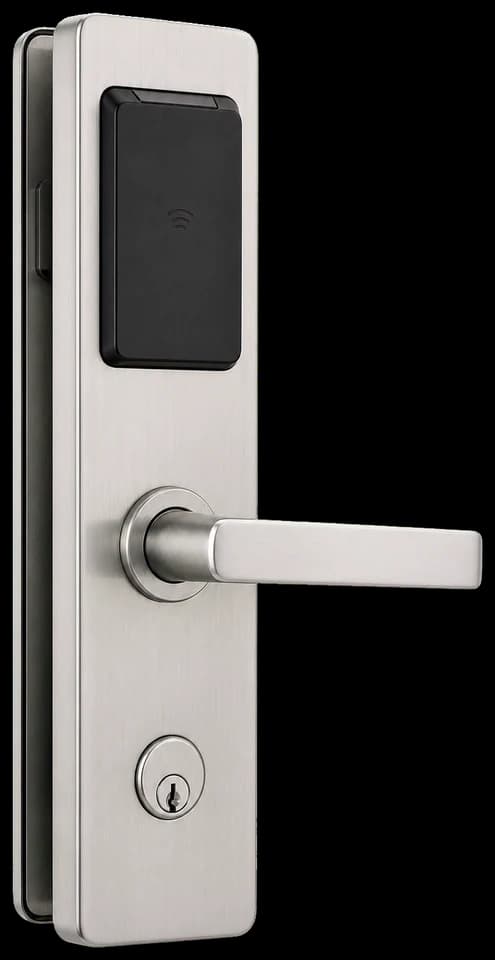
Electronic lever lock escutcheon with a black reader panel, a lever handle and a key cylinder.
Electronic escutcheon

An electronic lever escutcheon with the reader panel, lever handle and key cylinder on one plate.

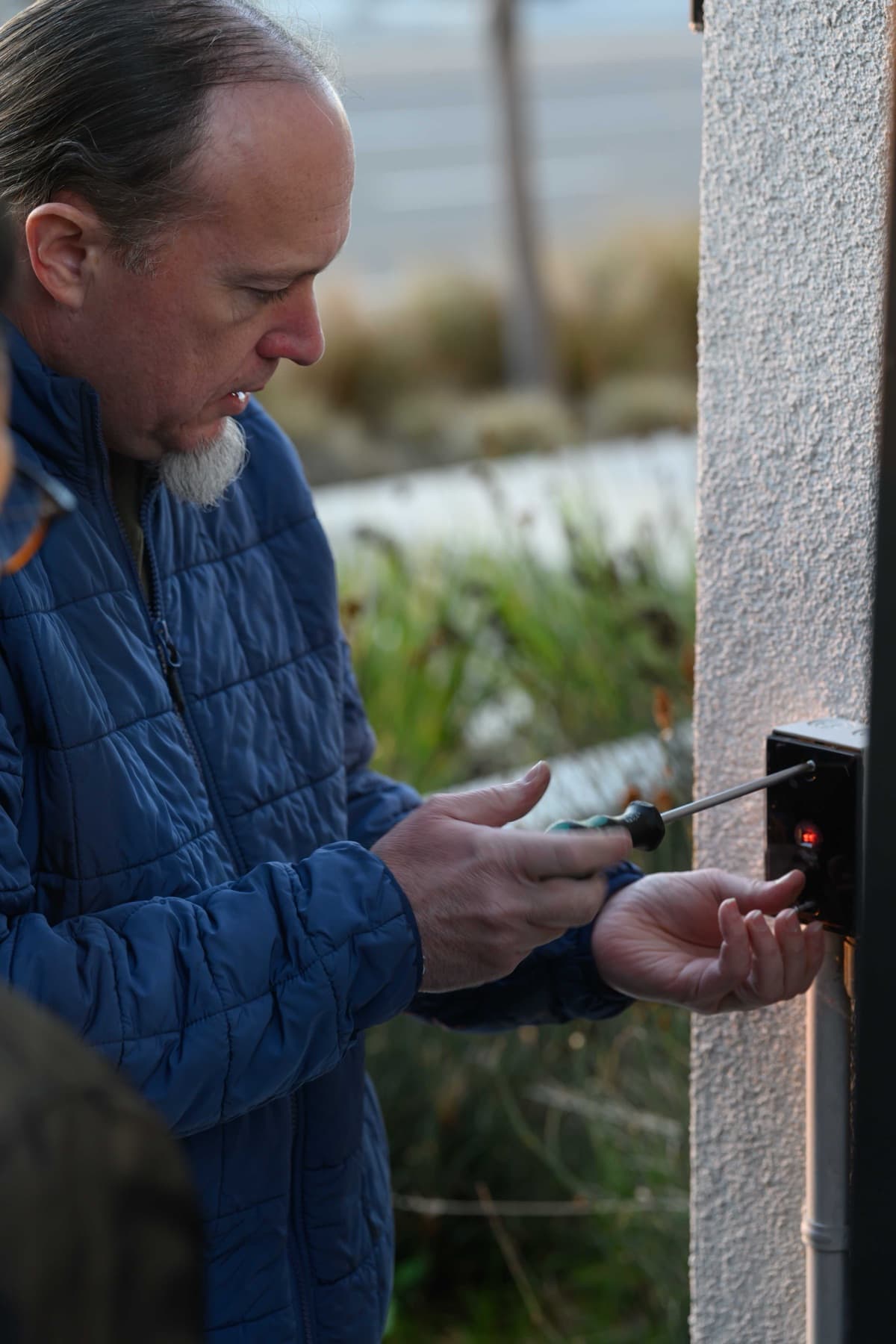
Technician in a blue jacket using a screwdriver on a black wall-mounted reader on a stucco wall, with a red indicator light showing.
Wall reader

A technician fastening a black wall-mounted reader on an exterior stucco wall.

See all before and after photos

FAQ

Yes. Elwin Security installs, configures, repairs and supports Schlage electronic locks for commercial and multifamily properties in Santa Clara and the Bay Area. The work starts with a site walk of the doors.

Start with the property conditions.

Tell Elwin what is not working, what systems are already on site, and which access points matter most. The next step is a scope grounded in the building, not a generic product list.

Request a site walk.

  1. Contact
  2. Project
  3. Property and send

Who should we contact?

Enter your name and either a phone number or an email address. We save these as you go, so we can follow up even if you don’t finish.