Select Engineered Systems intercom repair and replacement, planned around the entry.
Elwin Security repairs and replaces Select Engineered Systems telephone entry panels at Bay Area commercial and multifamily properties. It also covers the power and ground behind each panel, the phone line or cellular interface it dials through, and the strike or gate operator its relays switch.
For properties with a Select Engineered Systems panel that no longer works the way it did.
On a cellular TEC1A series unit, a visitor dials a resident, and the resident presses the Open Door touch tone to grant access. Each step depends on a different part of the installation.
01
Calls stop going through
The panel reaches no one, or residents cannot open the door with a tone. SES's own troubleshooting guides list no dial tone, the unit not dialing out, and a tone not opening the gate as separate problems with separate checks.
02
The phone line changed
The building moved from a copper line to VoIP, cable phone service or no landline. SES's December 2013 field bulletin says some SES devices need approximately 25 mA of line current for their modems. It also says touch tones need a 50 millisecond pulse duration to actuate SES equipment.
Service focus
Repair the link in the entry chain that failed, or replace the panel with a clear plan.
The decision rests on what SES documents for the series, what the phone service carries, and what the release hardware draws through the relays.
01
Diagnosis against SES's own checks
SES's TEC series technical sheet lists audio, dialing, communications, entrances and miscellaneous sections. SES's CAT technical sheet says to measure approximately 18 volts AC on the terminal barrier strip. Elwin runs those checks before replacing anything.
02
Phone line, VoIP and cellular
SES sells its SCMI cellular interface as an alternative to a PSTN or POTS line, on 4G LTE service from AT&T or T-Mobile. SES says a firmware upgrade may be required when the SCMI is retrofitted to an existing panel.
03
Release hardware and relays
TEC2 and CAT relays are rated 24 V at 3 A; TEC1A relays are rated 2 A at 24 V. Elwin measures the strike or gate operator load instead of assuming it.
Service check
What Elwin checks at a Select Engineered Systems panel.
The site check records the model, firmware, options and wiring before any repair-or-replace recommendation.
01
Model and options
Series and capacity from the label inside the door, firmware version, and installed option boards such as OPTNIC3, OPTKMUI, OPTKMODEM56K or reader boards.
02
Power and ground
Transformer voltage at the terminal barrier strip, earth ground wire gauge and length, and the optional B12V battery.
03
Line service
Copper, VoIP, cable phone or cellular; whether the line carries modem tones; and the dial tone, dial-out and open-tone behavior that SES's troubleshooting guides test.
04
Release path
Strike or gate operator load against the relay rating, request-to-exit wiring, and the condition of the door or gate.
What the service covers
The panel is one link. The service covers the whole chain.
Elwin Security repairs and replaces the equipment around an SES panel.
Power and ground
SES's TEC 2 manual says the TEC and CAT use 16.5 volt ac, with a transformer supplied in the U.S. only.
Transformer
Earth ground
B12V battery
Phone line or cellular interface
The SCMI cellular interface, which connects to existing SES equipment and requires 12v DC separate power.
RJ11C line
OPTKMUI
SCMI cellular
Release hardware
Electric strikes or gate operators switched by the panel's relays, plus the request-to-exit inputs.
Strikes
Gate operators
Request to exit
Process
Diagnose, repair the field side, and replace the rest.
SES's CAT troubleshooting sheet says to contact SES technical support for further assistance when the display needs service. Elwin repairs and replaces the equipment around the panel.
01
Confirm the failure point
Run SES's checks: audio, dialing, communications and entrances.
Result: The fault is placed in the panel, the line, the power, or the release hardware.
02
Repair the field side
Correct the ground, transformer, line connection, reader cable, relay wiring or release hardware. Add the SCMI cellular interface where the property is leaving its landline.
Result: A panel with a working board stays in service.
What SES documents say
Repair decisions follow the manufacturer's documents.
These facts come from Select Engineered Systems' public manuals, product sheets and support notes.
TecBasic programming software was officially discontinued in 2011 and replaced by Selcom Basic in 2015. Selcom Basic works with TEC1, TEC1A and TEC2 only; Selcom Premium works with both TEC and CAT series.
SES states that Selcom installation and software assistance "is provided to SES authorized Dealers or Installers only, not end-users."
SES's TEC2 and CAT product sheets state that code, phone and card capacities "can be upgraded by the factory, through authorized dealers only."
SES's TEC1ACL and SCMI product sheets state that the cellular device cannot be used for 911 calls.
SES's TEC1A installer guide says a Touch-Tone line is required for dialing out and legacy pulse dialing is not available.
SES's TEC1A product page and TEC2 series product sheet list a two year limited warranty.
Directory in use
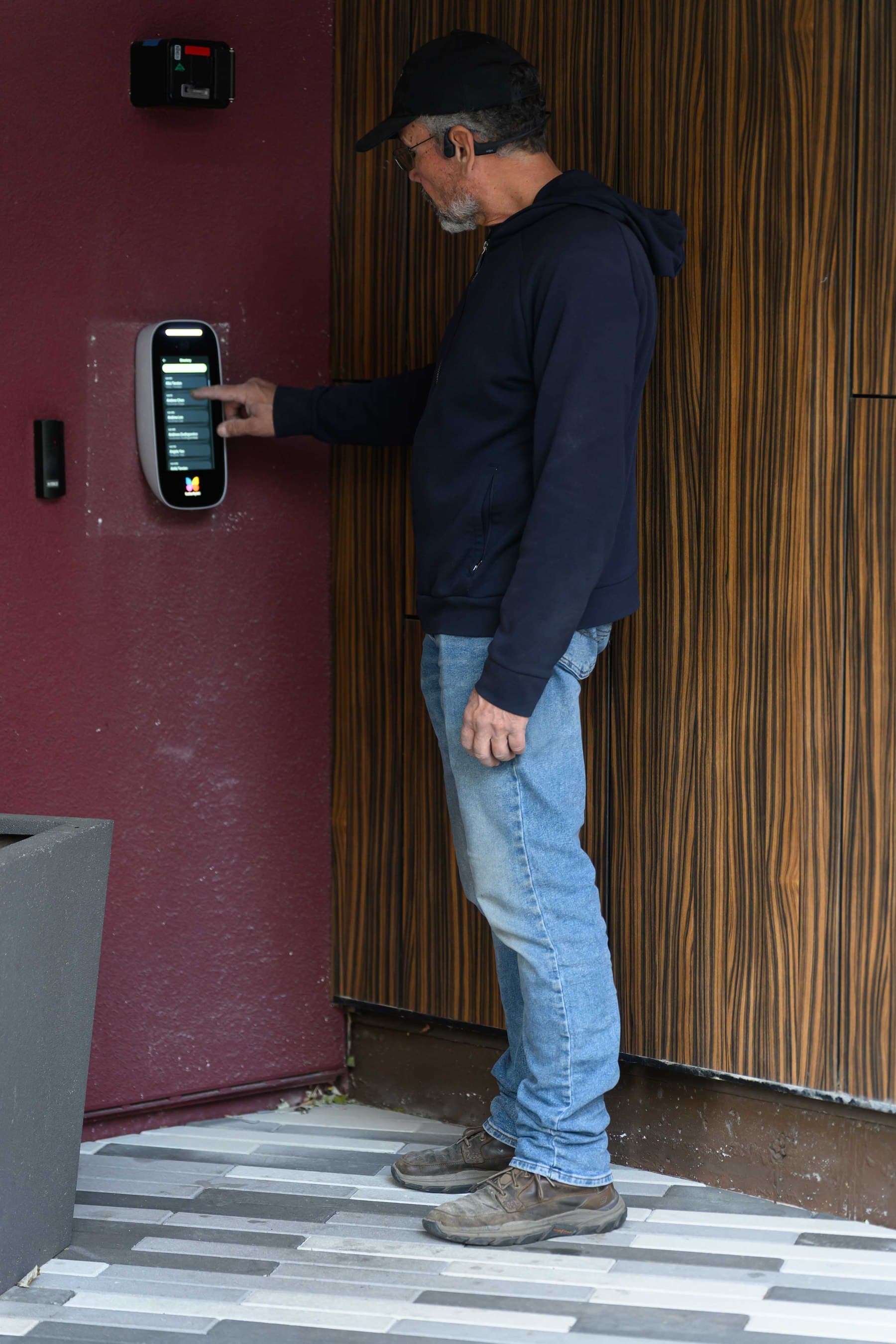
A visitor-side directory on a wall-mounted video intercom, with a card reader mounted to its left.
SES panel work connects to intercom repair, door release and replacement planning.
The entry chain around a telephone entry panel touches the line, the release hardware and the replacement options. These pages cover the adjacent decisions.
Core service areas for property-first security work.
Elwin serves Bay Area properties from Santa Clara outward, with access control, cameras, intercoms, door hardware, and low-voltage planning tied back to the site conditions in each city.
Yes. SES's SCMI cellular interface is an alternative to PSTN or POTS, on 4G LTE service from AT&T or T-Mobile. The retrofit needs its own 12 VDC supply, a phone cord to the SCMI, an Ethernet cable of up to 300 feet to the panel's NIC3, and the old phone line connections removed. SES notes a firmware upgrade may be required and that the cellular device cannot be used for 911 calls.
Not on its own, according to SES. The same FAQ says some VoIP systems restrict the line to voice only and filter out dial-up modem and fax tones.
Elwin repairs the installation around the board and quotes a replacement. SES's CAT troubleshooting sheet says to contact SES technical support when the display needs service.
Either a current SES series or a video intercom; Elwin reviews the existing wiring, relays and release hardware before recommending either. SES's TEC1A product sheet says the TEC1A Series provides Basic Telephone Entry. SES's Select Entry Video app is for CAT, TEC and TEC1A; Selcom Basic and earlier firmware versions will not work with it.
Service request
Start with the symptom.
Tell Elwin what is not working, what systems are already on site, and which access points matter most. The next step is a scope grounded in the building, not a generic product list.