
Key takeaways
- Each elevator car needs its own controller setup, with one relay (an electrical switch on the controller) per floor stop. Going above 36 stops on one elevator is not supported.
- Kisi's wiring diagrams draw the controller in the machine room and the reader in the car. If the car has no internet connection, Kisi calls for its two-wire switch and adapter.
- Riders always tap on a Kisi reader. Kisi says riders can't get elevator access by tapping in the Kisi mobile app or with email-based credentials.
- Kisi's elevator pages do not mention fire alarm or firefighter operation. Its controller pages say the controllers work with any off-the-shelf alarm panel.
Which elevators does Kisi support, and with what hardware?
Kisi supports two types of elevator. Relay-based elevators, which Kisi supports natively, are legacy or simpler elevators that use buttons inside the car to send it to a floor. Dispatch-based elevators have a terminal in the elevator hall on every floor that directs the rider to an elevator.
A relay-based elevator needs the Kisi Reader Pro and the Kisi Controller Pro; Kisi's install guide gives neither a version number. Kisi documents both the Controller Pro 1 and the Controller Pro 2. The earlier Controller Pro 1.0 is no longer sold but is still supported and will continue to receive firmware updates.
On a dispatch-based elevator, the rider presents a card or phone at a Kisi reader next to the hall terminal, and the reader talks to the terminal indirectly through Braxos. Kisi built the Braxos integration and maintains and supports it. Kisi says its elevator integrations are for dispatch elevators only, and that regular relay-based elevators of any brand can be installed with Kisi hardware.
For what drives the scope of an elevator job on any platform, see the general guide to elevator access control cost.
Source Kisi's Floors and elevators and Install elevators pages, its Controller Pro 1 page, and its elevator marketplace and Braxos integration pages.
How does Kisi control the floor buttons?
On a relay-based elevator, the floor buttons Kisi controls start out disabled, so a rider can't send the car to a restricted floor. The rider taps a card or phone on the Kisi reader inside the car. The reader then tells the Kisi controller to turn on the buttons for the floors that rider may reach, and the rider presses one.
The reader shows a positive response if the credential is valid and at least one floor is allowed, and a negative one otherwise. Depending on the elevator make and model, buttons may or may not light up once enabled or pressed.
Kisi states one limit on how riders get in: "Elevator access always requires tapping on the reader." Riders can't open an elevator by tapping in the Kisi mobile app or with email-based credentials.
Source Kisi's Floors and elevators page and its Add an elevator to Kisi guide.
How many readers and controllers does one elevator need?
Each elevator car is controlled on its own and needs its own controller setup, one relay per floor stop. Kisi's example: 2 cars with 4 floors each need 2 separate controller setups.
Kisi's Controller Pro 2 product page counts elevators among the up to 4 access points each controller connects, along with doors and turnstiles.
| Item | What Kisi's documents say |
|---|---|
| Kisi Reader Pro | One for every elevator car |
| Kisi Controller Pro | One for every four elevator stops |
| Relays | One relay per floor stop |
| Controllers used together for one elevator | Up to 9 |
| Floor stops | Maximum of 36; going above 36 stops is not supported |
| Kisi two-wire switch and adapter | Part of the retrofitting setup when internet connectivity is not available inside the elevator car |
Source Kisi's Install elevators and Floors and elevators pages, and Kisi's Controller Pro 2 product page.
What are the Controller Pro's relays, inputs and power?
Both controllers have four relays for door security hardware. Each relay can be dry, meaning it only opens and closes a circuit powered from elsewhere, or wet, meaning the controller powers it. Both controller pages say Kisi allows up to four doors per controller.
Kisi's Controller Pro 2 page also lists a fifth relay for intrusion detection hardware, 12 general-purpose inputs and one RS-485 input, a wired data connection for other makers' devices. Its wiring guide covers five setups, all for door locks, and does not mention elevators.
For the installer, that guide says a jumper on the board selects dry or wet at 12 or 24 volts DC, and a dry contact needs an external power supply. The board does not support alternating current (AC) wiring.
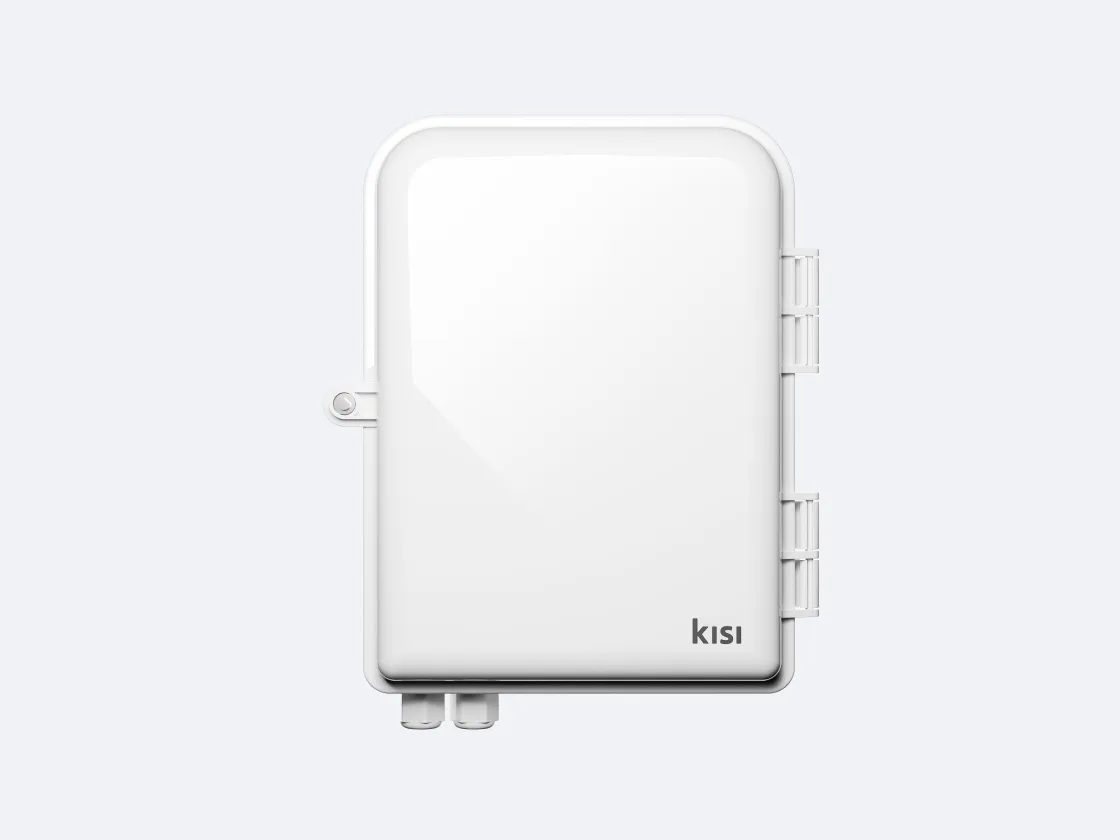
| Item | Kisi Controller Pro 1 | Kisi Controller Pro 2 |
|---|---|---|
| Relays for door security hardware | Four dry or wet relays; dry, 12/24 volts direct current | Four dry or wet relays; dry, 12/24 volts direct current |
| Relay for intrusion detection hardware | Not listed | One dry or wet relay |
| Inputs | Not covered on this page | 12 generic inputs configurable as contact sensor, request to exit or tamper detection; one RS-485 interface input |
| Required power input | 24 volts direct current at 2.5 amperes | 24 volts direct current at 2.5 amperes |
| Alternating current (AC) wiring | Not covered on this page | Not supported |
| Recommended maximum runs | Not covered on this page | 125 feet (38.1 meters) of 18-2 gauge low voltage wiring; 300 feet (91.4 meters) of Ethernet (CAT5/CAT6) |
| Online light | Not covered on this page | Green blinking light, top right-hand corner of the board, once the Ethernet cable is plugged in |
Source Kisi's pages for the Controller Pro 1 and Controller Pro 2, and its Wire the Kisi Controller Pro 2 guide.
How are the controller, reader and elevator wired?
Kisi's two diagrams draw the Kisi Controller Pro and a network switch in the machine room, and the Kisi Reader Pro and the elevator panel in the car. In both, one relay on the controller is wired: a line from its NO (normally open) terminal runs to a box labelled Elevator system, and a line from its COM (common) terminal runs to the elevator panel. The Elevator system box is cut off at the bottom edge of each picture, so no terminals are visible in it.
The diagrams differ in how the reader reaches the network. If the car has an Ethernet port, Kisi says to use it, and that diagram runs a CAT 6 cable from the reader to a PoE switch (one that powers devices over the network cable). If the car has no internet connection, Kisi calls for a retrofitting setup with its two-wire switch and adapter: two Kisi Adaptor boxes, one in the machine room fed by a 48-volt DC power source and the switch, and one in the car with a CAT 6 cable to the reader.
The subtitles inside the two pictures don't match the headings above them. The picture under "Wiring by retrofitting" is subtitled "Existing Ethernet port", and the one under "Wiring using existing Ethernet port" is subtitled "Retrofitting"; the picture with the two Kisi Adaptor boxes is the one under the retrofitting heading.
Controllers and readers don't have to be wired to each other, but they must be on the same local network for best performance, including offline support. Kisi also asks that the reader not sit behind glass or aluminium in the car: "Tap to Unlock and cards may not perform well through such materials, especially if they are tinted."
| Item | What Kisi says |
|---|---|
| Supported reader | Kisi Reader Pro 2.1 |
| Switch power input | 48 volts direct current at 3.3 amperes |
| Transfer range | Up to 300 m, depending on cable quality and type; bandwidth declines with distance |
| Matching revisions | A switch labeled plc-pse R13 is only compatible with an adapter labeled plc-pd R14; check the sticker on each device |
Source The two wiring diagrams and text in Kisi's Install elevators guide, Kisi's two-wire switch and adapter page, and its Controller Pro 2 page.
How are floors, stops and schedules set up in the dashboard?
Adding an elevator takes organization administrator rights, and an elevator installed at the site with its license assigned to the account; Kisi's pricing page lists an Elevator license. Floors come first: each has a name, a number and a description, and floors are needed before elevator stops can be set up.
The elevator is then added to all floors or to specific ones. The controller relay the elevator is physically wired to is set to Connected to: Floor and matched to that elevator, with an unlock duration in seconds, and the reader is assigned to the elevator. For a dispatch-based elevator, the Braxos integration is chosen instead, and its setup asks for a Braxos API key.
A group can be given access to a specific elevator stop, which Kisi describes for multi-tenant buildings. A user in several groups gets access if at least one group allows it. An access schedule lets a stop be unlocked only during a set time; an unlock schedule keeps a stop unlocked during a set time, and both are set per elevator stop.
Source Kisi's Floors and elevators page, its Add an elevator to Kisi guide, its group, access schedule and unlock schedule guides, its Braxos integration page and its pricing page.
What happens when the internet goes down?
Should a site lose internet access, Kisi supports three fallback methods for unlocking doors or elevators: Offline Cache on the Kisi Reader, Offline Cache on the Kisi Controller (for legacy readers connected to Kisi controllers), and Offline Cache on the phone.
The reader caches access rights based on recent usage patterns. Kisi says a Kisi Reader's Offline Cache can currently cover internet outages for up to 36 hours. Kisi's prerequisites include the reader being on the same network as the Kisi controller and the relevant access rights being in its cache.
Source Kisi's offline support page.
What does Kisi say about fire alarms and lockdown?
Kisi's elevator pages do not mention fire alarm or firefighter operation. The dashboard has an elevator stop lockdown, which "allows you to lock a certain elevator stop for everyone."
Both controller pages carry a Fire safety entry: "Works with any off-the-shelf alarm panel", and "If you’re installing the fire alarm control panel (FACP) yourself, we recommend introducing an external power supply with FACP input to override access control".
Kisi's fire alarm control panel page says that with that power supply in place, "doors controlled by Kisi can automatically unlock, allowing people to exit quickly and easily during emergencies." It says this works independently of Kisi and regardless of any connectivity issue with the Kisi controller.
Source Kisi's Floors and elevators pages, its elevator stop lockdown guide, the Fire safety entries on its Controller Pro 1 and Controller Pro 2 pages, and its fire alarm control panel page.
Where to go next
Elwin Security installs, repairs and supports Kisi access control, including elevator access control integration, for commercial and multifamily properties in the San Francisco Bay Area, with Kisi-certified technicians. Calls are answered 8:00 AM-8:00 PM daily at (408) 539-0535.
Questions about Kisi and elevators
Kisi elevator access control questions
How many floors can one Kisi Controller Pro control?
Kisi calls for one Kisi Controller Pro for every four elevator stops, one relay per floor stop. Up to 9 can be used together for one elevator, for a maximum of 36 floor stops.
Where does the Kisi reader go for elevator access?
On a relay-based elevator, one Kisi Reader Pro goes inside every car. On a dispatch-based elevator, the reader sits next to the hall terminal.
Does Kisi elevator access work when the internet is down?
Kisi lists three fallback methods for unlocking doors or elevators without internet. A Kisi Reader's Offline Cache can currently cover internet outages for up to 36 hours; Kisi's prerequisites include the reader sharing a network with the controller and holding the relevant access rights in its cache.
Sources and further reading
These sources back up the general guidance. Your building and the people who approve the work decide the details for your doors.
- Kisi: Install elevators: reader and controller counts, 36-stop maximum, the two wiring diagrams
- Kisi: Floors and elevators: relay-based and dispatch-based elevators, one relay per floor stop
- Kisi: Add an elevator to Kisi: floors, elevators, relays and readers in the dashboard
- Kisi: Set elevator access schedules
- Kisi: Set elevator unlock schedules
- Kisi: Enable elevator stop lockdown
- Kisi: Configure group: add a floor to a group
- Kisi: Kisi Controller Pro 2: inputs and outputs, power, connectivity, fire safety
- Kisi: Wire the Kisi Controller Pro 2
- Kisi: Kisi Controller Pro 1: inputs and outputs, power, connectivity, fire safety
- Kisi: Kisi Controller Pro 2 product page
- Kisi: Two-wire switch and adapter
- Kisi: Offline support
- Kisi: Fire alarm control panels (FACP)
- Kisi: Marketplace: elevators
- Kisi: Integrate Kisi with Braxos elevators
- Kisi: Pricing page: Elevator license (retrieved November 9, 2026)