
Key takeaways
- Securitron's notice dated January 17th, 2025 discontinues the XMS and says the XMS2 is a direct replacement for the XMS and will be treated as such for any future warranties.
- The XMS2's REX (request-to-exit) relay is for signaling only. Securitron's note reads: "Never use the REX relay contact to switch the magnetic lock."
- The EEB2 and EEB3N buttons release the lock for at least 30 seconds, and a second press during that time restarts the period.
- Securitron's instructions say to contact the building and/or fire prevention department about egress from a magnetically locked door.
Identify
Which Securitron request-to-exit device do I have?
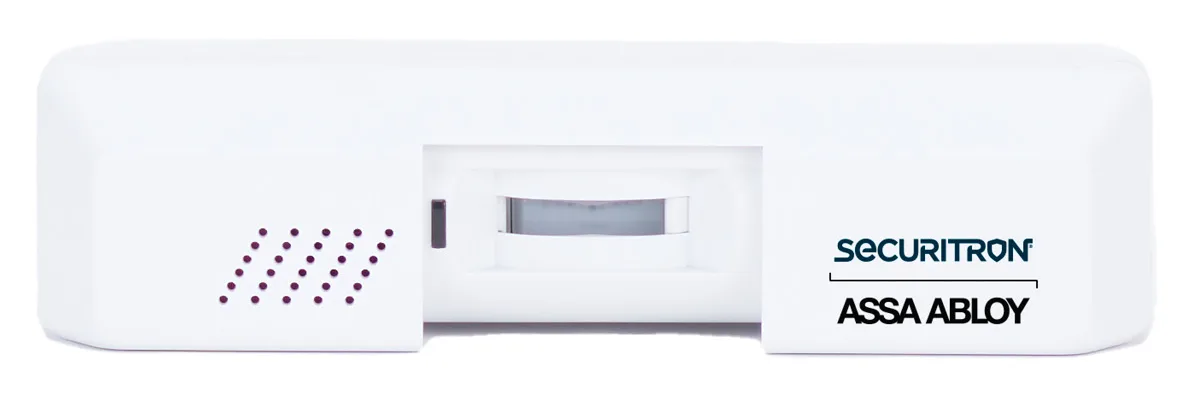
The XMS2 is a passive infrared motion detector (a sensor that responds to movement) that releases a magnetic lock from the inside of an opening for free egress. The EEB and PB push buttons release an electric lock when pressed.
For how request-to-exit devices work on any brand, see the general guide to request-to-exit sensors and buttons.
| Model | What it is | Status and notes |
|---|---|---|
| XMS2 | Exit motion sensor | Indoor use only; 32° to 120°F (0° to 49°C), 0-85% humidity non condensing |
| XMS | Exit motion sensor | Discontinued by notice dated January 17th, 2025; orders convert to XMS2 |
| EEB2 | Two-inch square exit button on a stainless steel, single gang key plate | 30-second timer, 3A switching capacity |
| EEB3N | Rectangular exit button on a 1 3/4" stainless steel narrow stile key plate | 30-second timer, 3A switching capacity |
| PB, PBA, PB2, PB22, PB2E, PB3, PB4L-2, PB5 | Push buttons, momentary or alternate action | Switch, contacts and box clearance in the exit button table below |
Source Securitron's XMS2 installation instructions and data sheet, its XMS discontinuation notice, its EEB2 and EEB3N instructions and its Push Button Selector Chart.
XMS and XMS2
What changed from the XMS to the XMS2?
Securitron's discontinuation notice lists one affected part number, the XMS, and says all remaining and future orders will be converted to XMS2.
| Item | XMS (discontinued) | XMS2 |
|---|---|---|
| Input power | Filtered and regulated DC voltage between 12 and 28 volts | Filtered and regulated DC voltage between 12 and 24 VDC |
| Current | Approximately 20 mA | 20-70 mA at 12-24 VDC, depending on switching status (instructions); 20 mA-50 mA at 12 or 24 VDC (data sheet) |
| LED self test when first powered | About 40 seconds | About 30 seconds |
| REX relay terminal labels | C1, NC1, NO1 | COM, NC, NO |
| Time set jumper choices | Four seconds (factory set), 1/2 second, 8 seconds | 4 seconds (factory set), 1/2 second, 8 seconds |
| Timer named for use with a push button | Model TM-8L timer | TM-9 timer |
Source Securitron's XMS discontinuation notice, its XMS and XMS2 installation instructions, and its XMS2 data sheet.
Egress and codes
What does Securitron say a maglock exit door needs?
The XMS2 instructions open with this note: "Since egress from a magnetically locked door can be a safety issue, make sure you are complying with local building codes. Contact your building and/or fire prevention department."
The XMS2 instructions say the product must be installed according to all applicable building and life safety codes, and it shall not impair the intended operation of panic hardware used in conjunction with it. They add that the power source shall be derived from a power supply limited Class 2, UL294, UL603 or UL2610 Listed Power Supply.
Securitron writes: "In some jurisdictions, the combination of a magnetic lock, access control system and Exit detector such as the XMS2 can be considered an access controlled egress door." It adds that the applicable section of the Life Safety Code calls for a redundant means of exit in the event of a problem with the detector.
Securitron describes that redundant means this way: "This is typically a push button located 40–48 inches above the floor and within five feet of the door. Pushing the button will directly release power to the magnetic lock and the lock shall remain released for 30 seconds." That is Securitron's wording, not the code's.
For that 30-second release: "This can be accomplished with any of the Securitron push buttons and the TM-9 timer and EEB push button series with integrated timers." The XMS2 data sheet adds: "Securitron recommends that an emergency exit button, such as the EEB, be used in conjunction with the XMS2 to meet applicable building codes and specific life safety issues."
Securitron says the EEB2 and EEB3N are specifically intended for installation on access controlled egress doors, as described in the International Building Code (IBC), and adds: "Check your jurisdiction for applicable IBC codes."
The EEB data sheet lists two certifications, marked "EEB2, EEB3N only": CSA-C22.2 No.205 Listed and CSFM (California State Fire Marshal). Its note reads: "Securitron's UL294 certification indicates that when the EEB is used with the XMS Motion Sensor, it meets the NFPA Life Safety Code 101 requirements for exit of access-controlled egress doors." That statement names the discontinued XMS, not the XMS2.
The PB, PB2, PB3 and PB4L instructions each say: "We recommend that the local building or fire safety authority be consulted prior to using exit buttons for door egress." The PB instructions continue: "They may require a "no special knowledge" exit device such as Securitron's Touch Sense Bar."
Source Securitron's XMS2 installation instructions and data sheet, its EEB2 and EEB3N instructions, its EEB data sheet, and its PB, PB2, PB3 and PB4L instructions.
Mounting
Where does the XMS2 mount, and what does it see?
The XMS2 is suitable for openings up to 12 ft in height. Mounted at 7 FT, its detection field spreads out roughly 3 FT when it reaches the floor, and maximum detection distance is approximately 20 FT.
The barrel rotates 90 degrees so the unit can look "out" or "down", and aiming screws set the pattern sideways. Securitron says you don't want the unit "seeing" the surface of the door itself, as this can lead to false detection.
Traffic control: centered above the door.
For doors where no attempt at breaking in from outside is expected. The unit is centered above the door, its pattern covering the door.
Security: above and outside of the door hinges.
The pattern sweeps across the door but does not detect the bottom of the door.
Security: at the side of the door.
The unit sees across the door, which Securitron says can be used for doors at the end of corridors.
Source Securitron's XMS2 installation instructions and data sheet.
Power and outputs
How is the XMS2 powered, and how does it release the lock?
The XMS2 needs constant 12 to 24 VDC power, permanently connected to the power supply and not switched through another device. Its input voltage must match the required voltage of the maglock it controls. If the polarity is reversed, the unit will not be damaged but will appear to be dead.
It has three groups of terminals: + and - for power, IN+ and DEVICE for lock control, and COM, NC and NO for the REX relay. Positive power to the lock passes through IN+ and DEVICE, where a field effect transistor (an electronic switch) does the switching. The REX relay signals an access control system or shunts (masks) an alarm report.
Securitron rates the REX relay at Max 1A @ 30VDC (Resistance Load only) and the lock control at Max 1A @ 30VDC @ 77°F (25°C). Its note reads: "Never use the REX relay contact to switch the magnetic lock. The REX contact only has enough capacity for signaling; they cannot reliably switch magnetic lock current."
With a keypad or access control system, each device's contacts break power to the lock on their own (double break wiring, in Securitron's term).
| Condition | Lock control transistor | REX relay |
|---|---|---|
| Self test period | Conducting | De-energized |
| Rest condition (green LED on; no detection) | Conducting | De-energized |
| Object detected | Switches off fifty milliseconds later, which releases the magnetic lock | Energizes immediately |
| After detection has ceased, factory set condition | Remains off for 4 seconds, keeping the lock released | Remains energized as long as the lock control transistor is continuing to release the lock |
| Lock re-secures | Ends the release | Remains energized for an additional second, so the lock can fully engage and report secure to an access control system |
| Power to the XMS2 interrupted | Opens automatically, releasing power to the lock (Securitron calls this "fail safe") | Not described |
Source Securitron's XMS2 installation instructions and data sheet.
Timer and lights
How long does the XMS2 hold the lock released, and what do its lights mean?
The XMS2 has 3 jumper settings (small plug-on links on the circuit board) that control LED logic, timing logic, and sensitivity. As shipped, the lock re-secures only after 4 seconds with no detection; movement during that time starts another 4 seconds after it ceases.
Securitron says 4 seconds is right for most applications. It names 1/2 second for pattern set up, for applications where an external timer should replace the XMS2 timer, and for starting delayed exit with its XDT timer; with an access control system, the XMS2 is best set at 1/2 second.
Securitron says the 8 second setting is rarely used unless there is strong concern for maximum time being allocated for egress even when movement is not maintained, and that with it entry security begins to be compromised.
When first powered, the LED flashes quickly twice every second for about 30 seconds as a self test, then stays green. After a very brief power outage the self test lasts 10 seconds.
| Jumper | Factory set | Jumper removed or moved |
|---|---|---|
| LED logic | Installed: the LED illuminates red during a detection event and returns to green in the resting condition | Colors reversed |
| Sensitivity | Installed: the unit is sensitive to movement | Sensitivity decreased |
| Time set | 4 seconds | 1/2 second or 8 seconds |
Source Securitron's XMS2 installation instructions.
Troubleshooting
Why isn't my XMS2 working?
Securitron's table below lists checks for the installer. If a sensor releases late, relocks early or never registers someone, the next step is a service call, not a changed setting.
| Problem | What Securitron's table points the installer to |
|---|---|
| XMS2 does not power up. | Confirm voltage is 12-24 VDC. |
| XMS2 LED flashes after release. | Verify input voltage polarity is correct. Verify voltage is constantly supplied to the + and - terminals. |
| XMS2 LED changes but does not drop voltage. | Verify the positive voltage is going to the IN+ terminal and out the DEVICE terminal. Reversing this can cause this effect. |
| XMS2 does not register when a person approaches the opening. | Verify the barrel aims where it would pick up an approaching person, and the aiming screws are set up correctly and are open. |
| XMS2 continuously flashes 4 times per second. | Self test failed. Securitron's table lists replacing the XMS2 if the self-test continues to fail. |
Source The troubleshooting table in Securitron's XMS2 installation instructions.
EEB and PB
How do the EEB and PB exit buttons release the lock?
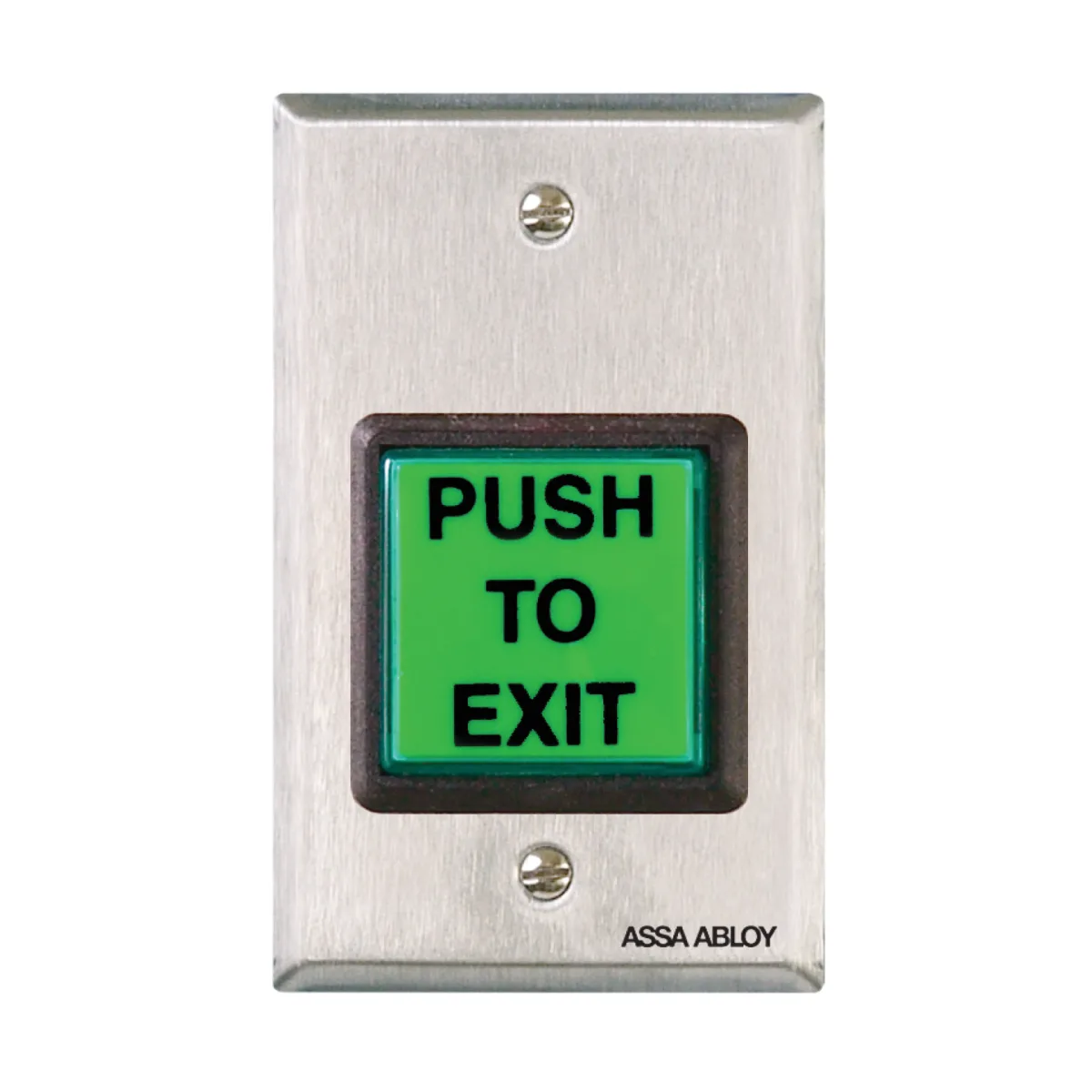
The EEB2 and EEB3N are intended only for release of a magnetic lock from the inside of a door. A press releases the lock for 30 seconds, and a press during that period will "retrigger" a new 30-second release. The exact time varies with temperature but will not be less than 30 seconds.
Securitron describes a motion detector, such as its Model XMS, as the primary means of release and the EEB2 or EEB3N as the backup if the motion detector has a problem. The EEB2 and EEB3N run on 12 VDC as shipped, with a jumper in place, or 24 VDC with it removed. A caution says they can be damaged on 24 VDC with the jumper in place, or on a power supply different than the one operating the magnetic lock.
They draw no current at rest. The instructions give 28 mA at 12 VDC or 38 mA at 24VDC when releasing the lock; the data sheet's are 28 mA and 26 mA. The relay is a 3A SPDT N/C type. Securitron's own magnetic locks are covered on the Securitron maglocks page.
The PB gives momentary release of fail safe or fail secure electric locks (fail safe unlocks when power is cut; fail secure stays locked), timed release through a release hold timer, or a REX signal to a card reader system. One drawing shows timed release of a fail safe lock with Securitron's TimeMate, wired in double break fashion so that even if the timer fails, the button can still momentarily release the lock.
| Model | Plate | Switch | Contacts | Required box clearance |
|---|---|---|---|---|
| EEB2 | Single gang | 30-seconds timed | Release hold timer | 2" [51mm] |
| EEB3N | Narrow stile | 30-seconds timed | Release hold timer | 1-1/2" [38mm] |
| PB | Single gang | Momentary | DPST | 1-3/4" [44.5mm] |
| PBA | Single gang | Alternate | DPST | 1-3/4" [44.5mm] |
| PB2 | Single gang | Momentary | SPDT | 2" [51mm] |
| PB22 | Single gang | Momentary | DPDT | 2" [51mm] |
| PB2E | Single gang | Momentary | SPDT | 2" [51mm] |
| PB3 | Single gang | Momentary | DPST | 1-1/2" [38mm] |
| PB4L-2 | Single gang | Momentary | DPDT | 1-3/4" [44.5mm] |
| PB5 | Single gang | Momentary | DPST | 2" [51mm] |
Source Securitron's EEB2 and EEB3N instructions, its EEB data sheet and Push Button Selector Chart, and its PB and PBA instructions.
Service
Help with a Securitron request-to-exit device
Elwin Security installs, repairs and replaces Securitron request-to-exit sensors and exit buttons as part of its electric strike, maglock and door release hardware service for commercial and multifamily properties in the San Francisco Bay Area. Calls are answered 8:00 AM-8:00 PM daily at (408) 539-0535.
FAQ
Securitron XMS2 and exit button questions
Is the Securitron XMS discontinued?
Yes. Securitron's notice dated January 17th, 2025 discontinues it and converts all remaining and future orders to the XMS2. The comparison table above lists what changed.
Can the XMS2 REX relay switch a magnetic lock?
No. Securitron's note reads: "Never use the REX relay contact to switch the magnetic lock." Positive power to the lock connects through the IN+ and DEVICE terminals instead.
How long does the XMS2 keep the lock released?
As shipped, 4 seconds after detection has ceased; the time set jumper also offers 1/2 second or 8 seconds.
Sources and further reading
These sources back up the general guidance. Your building and the people who approve the work decide the details for your doors.
- Securitron (ASSA ABLOY): XMS2 Exit Motion Sensor Installation Instructions (500-18010_3, copyright 2025)
- Securitron (ASSA ABLOY): XMS2 Exit Motion Sensor data sheet
- Securitron (ASSA ABLOY): Model XMS Exit Motion Sensor Installation and Operating Instructions (PN 500-18000, Rev. D, 10/11)
- Securitron (ASSA ABLOY): XMS Product Discontinuation Notice (January 17th, 2025)
- Securitron (ASSA ABLOY): EEB2, EEB3N Exit Button with Integrated Timer Installation and Operating Instructions (500-12600_7)
- Securitron (ASSA ABLOY): EEB Emergency Exit Button data sheet and Push Button Selector Chart (updated 6/9/25)
- Securitron (ASSA ABLOY): PB and PBA Exit Button Installation and Operating Instructions (500-11200_6)
- Securitron (ASSA ABLOY): PB2 Series Exit Button Installation and Operating Instructions (PN 500-23140, Rev. C, 08/11)
- Securitron (ASSA ABLOY): PB3, PB3A, PB3N, PB3AN Exit Button Installation and Operating Instructions
- Securitron (ASSA ABLOY): PB4L Series Exit Button Installation and Operating Instructions (PN 500-16150, Rev. B, 06/11)