A new building or a full replacement
Elwin counts the property against those limits before it quotes.
Platform service
Elwin Security installs Aiphone IXG multi-tenant intercoms at Bay Area apartment buildings: IXG-DM7-HIDA entrance stations, IXG-2C7 tenant stations, IXGW-LC elevator adaptors, the IXGW-TGW cellular gateway and the IXG app. Aiphone's IXG Series Installation Manual says a maximum of 9,999 stations and adaptors can be connected.
Use case
Aiphone's limits are listed per unit, per building and per system.
Elwin counts the property against those limits before it quotes.
The IXG-2C7 has an elevator call button that lets tenants summon the elevator to their floor.
The IXGW-TGW gateway's LTE connection allows a single phone number to be called per tenant. The IXG app registers with a QR code the system generates.
Service focus
The install runs from the wall and the cable path to the programmed directory.
Aiphone's installation manual says the installation height of the station should not exceed 2 m (6.6 ft) to the upper edge. It says the IXG-DM7-HIDA's IP65 rating is not guaranteed if the station edges are left unsealed on a rough surface. The IXG-DM7-HIDA also carries an impact alarm, so Aiphone says to fix the back box and station to a solid wall.
Aiphone specifies PE-insulated PVC jacketed cable for low-voltage lines and says never to use twisted-pair or coaxial cable. It says to keep low-voltage lines at least 30 cm (12 in) from high-voltage lines, and to verify conduction with a LAN checker before connecting.
An IXG system cannot operate until it is programmed. Elwin configures the entrance and tenant stations, then the IXGW-LC elevator adaptor, the IXGW-TGW gateway and the app registration codes where the property uses them.
Site walk
Elwin walks the entrances, cable paths, elevators and units before it quotes.
The units, entrances and buildings the system must cover, checked against Aiphone's limits.
Whether existing cable is PE-insulated jacketed cable, whether low-voltage runs can stay 30 cm (12 in) from high-voltage lines, and whether the entrance wall is solid enough for the IXG-DM7-HIDA.
Which elevator control system the IXGW-LC would connect to and which entrance station would run door release. Elwin names the fire marshal or AHJ as the authority on release hardware.
Whether tenants want calls on a phone through the IXGW-TGW, in the IXG app, or on the IXG-2C7 alone.
Scope details
The entrance station is what a visitor sees.
Aiphone's installation manual lists a maximum of 9,999 stations and adaptors that can be connected.
Aiphone's instructions say arrival floor relays can be assigned to specific units to restrict a visitor to the floor of the unit they call. They say one IXGW-LC cannot run pick-up-floor and door-release functions at the same time, and that only IXG-DM7-HIDA entrance stations can use the door release function. Your fire marshal or AHJ determines compliance for elevator and door-release hardware.
The IXGW-TGW defaults to a wired LAN connection as the primary connection, with the cellular connection as a backup. It works only with its included SIM card, which Aiphone says not to remove or replace. App registration needs a QR code generated by the system, and the recipients of a guest code do not need to install the IXG app.
Process
Elwin counts, cables, programs and hands off.
Record the units, entrances, buildings, elevators and cable paths, then check them against Aiphone's limits.
Result: A quote that names the stations, adaptors and gateway the property needs.
Run PE-insulated PVC jacketed cable away from high-voltage lines, and verify conduction with a LAN checker.
Result: Each run is tested before a station is mounted on it.
Mount the stations within Aiphone's 2 m (6.6 ft) height limit, fix the IXG-DM7-HIDA back box to a solid wall, then program the directory.
Result: Calls reach the right units.
Aiphone's manual says to review with the customer how to operate the system.
Result: The property manager has the setting file and knows how the system works.
Field proof
Entry hardware photos. Neither shows Aiphone equipment.
Aiphone's IXG Series Installation Manual (issue date Feb.
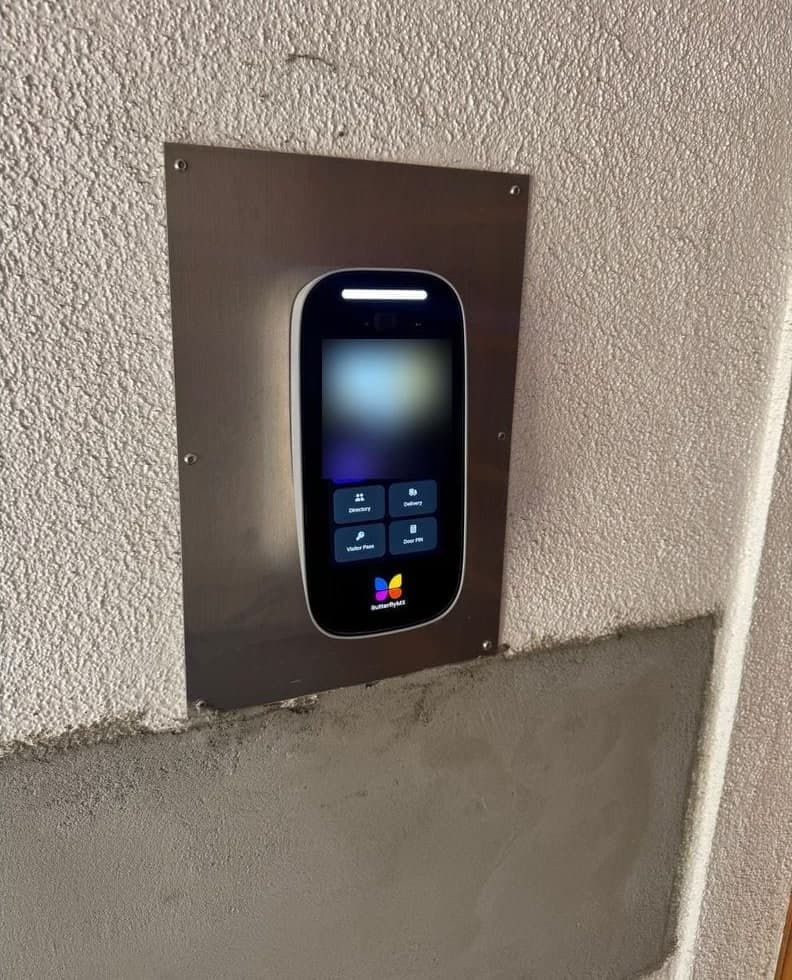
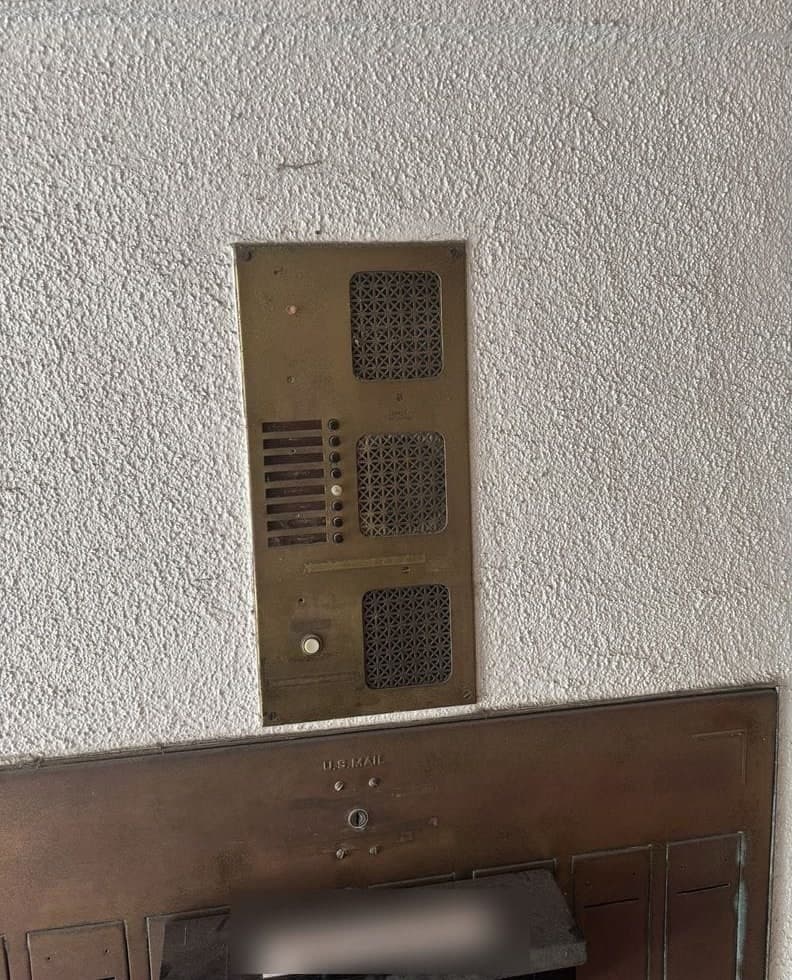
A brass button-and-speaker panel above a mailbox bank, replaced by a touchscreen video intercom on a stainless plate.
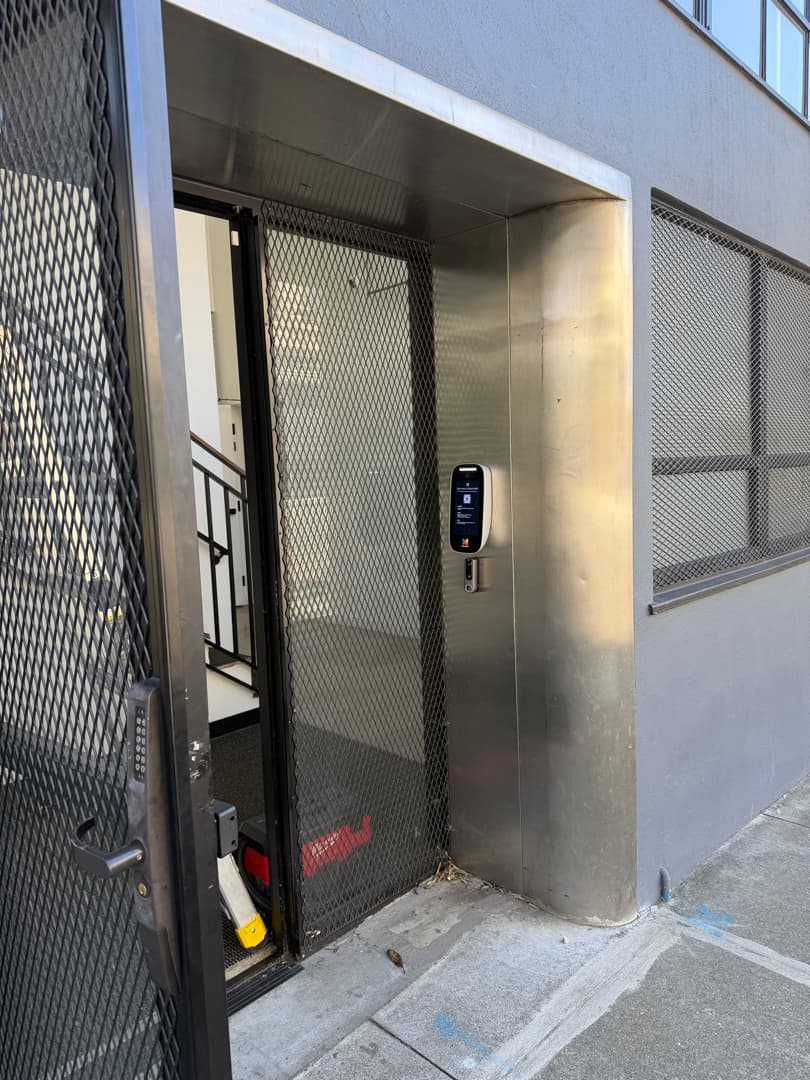
A mesh gate with a keypad lock, and a video intercom panel with a reader below it on the stainless alcove wall.
Up to 8 IXG-2C7 tenant stations per residential unit, according to Aiphone's IXG Series Installation Manual. The same manual lists up to 8 Intercom App users, 2 door stations and 1 phone per unit.
Outstanding experience with Elwin Security! We originally worked with them on an intercom installation and later discovered they could help with another intercom issue that multiple technicians had been unable to solve for months.
I read 5-star reviews all the time and am sometimes skeptical. Well let me tell you, I'm a multi-unit property manager, and this company came through for us in a massive way. Our electronic entry/intercom failed us on a weekend.
This HOA Board highly recommends Elwin. We initially hired them to handle our transition from DoorKing to ButterflyMX, and the entire process was seamless.
Site walk
Tell Elwin what is not working, what systems are already on site, and which access points matter most. The next step is a scope grounded in the building, not a generic product list.