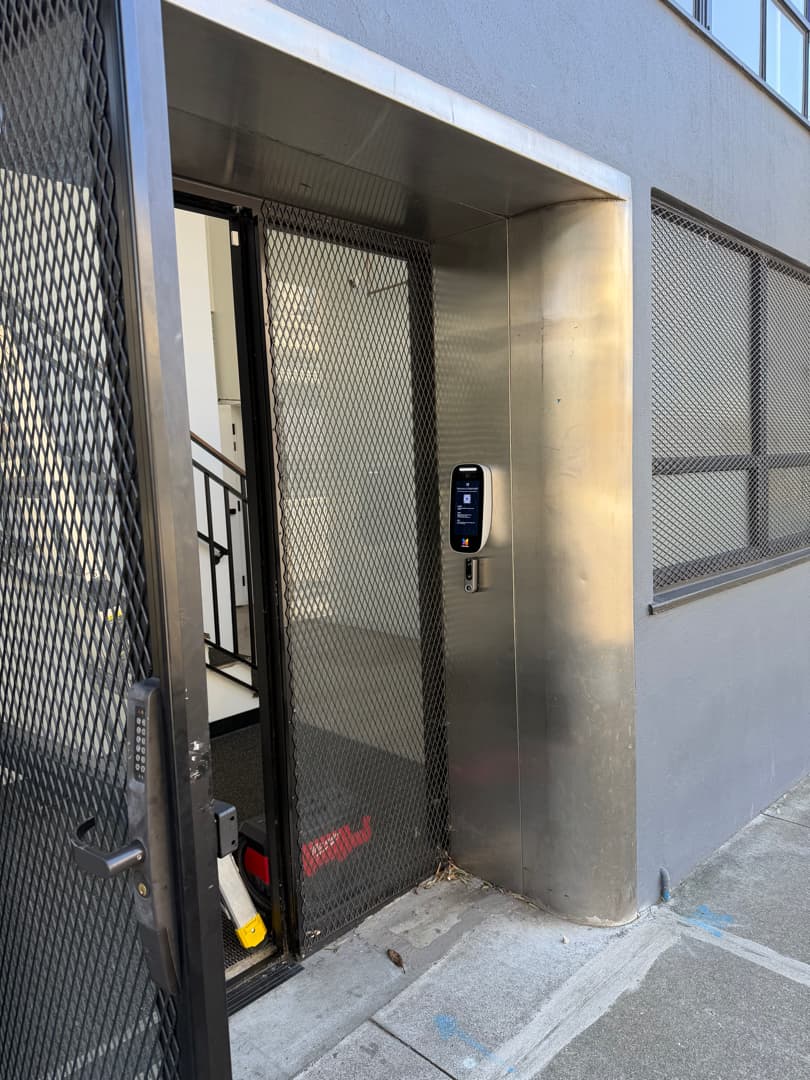
QR code and virtual key visitor access for Bay Area entries, doors, and gates.
QR code visitor access lets a guest, courier, or vendor get through a controlled door with a code on their phone instead of a key, fob, or shared PIN. Elwin Security installs, configures, repairs, and supports the pieces that make that work for multifamily and commercial properties in Santa Clara and the San Francisco Bay Area. That means the QR plaque, intercom, or reader at the entry, the door controller and electric lock behind it, the pass settings in the platform, and the power, network, and wiring between them.
For properties that hand out keys, fobs, or one shared PIN to visitors.
ButterflyMX says its QR Code Intercom was designed and built for smaller buildings and secondary entry points. ButterflyMX keypad PINs are single- or recurring-use, and Swiftlane passes are single-use or multi-use. The hardware already on the door decides which of those a property can use.
01
Apartment and condo entries
A resident sends a guest a visitor pass from the app and a courier gets a delivery PIN. The lobby door or garage gate then releases through a door controller. ButterflyMX says guests are issued a 6-digit Visitor Pass PIN code via email or SMS.
02
Side doors, gates, and package rooms
A ButterflyMX QR Code plaque has no power or electronics of its own. It mounts with adhesive or screws; without a 2-Door Controller and an electronic door lock or gate it only allows directory access and calls.
03
Offices with scheduled guests and contractors
Kisi emails or texts a QR code or access link that is time-limited and door-specific, and the guest does not need an app.
Service focus
A QR code at the door means one of two things.
A static QR plaque opens a web page on the visitor's phone so they can call a resident, who releases the door. A QR credential is scanned by the intercom or reader and releases the door within its own access window.
01
Static QR plaque to a web intercom
ButterflyMX's QR Code Intercom is designed for smaller buildings and secondary entry points. The visitor scans it, a web page opens with the directory, the resident taps Unlock in the ButterflyMX app, and the Door Controller sends the signal that unlocks the door, gate, or garage. Swiftlane's QR code intercom works through the Swiftlane app and Swiftlane door controllers.
02
QR credential scanned at the door
Verkada's Visit Key tab in Command sets the doors, acceptable credentials, and access windows for each visitor, and visitors can then use QR codes, PIN codes, license plates, or web unlock links. Kisi's reader page lists visitor links that unlock specific doors during a set time. Avigilon Alta issues time-bound QR, PIN, or badge credentials and sets expiration times on guest passes.
03
Virtual keys and visitor PINs
ButterflyMX residents can send a visitor a QR code to scan, and virtual keys and visitor passes can be revoked at any time. A Swiftlane single-use pass deactivates 5 minutes after the PIN is entered, and a multi-use pass runs between an activation and a deactivation date and time.
Site walk
What Elwin checks before a QR or virtual key scope is final.
ButterflyMX recommends a site visit before installing its hardware and requires one when Wi-Fi is the only planned internet connection. Elwin walks the entry either way, because the credential is chosen by the device and lock already on the door.
01
Which QR is wanted
A plaque that opens a web intercom, a QR credential scanned at a reader, or visitor PINs. A ButterflyMX keypad accepts 6-digit PIN codes, and guests are issued a 6-digit Visitor Pass PIN code via email or SMS.
02
Release hardware
Whether the door already has an electric strike, magnetic lock, automatic door, or electrified panic bar. ButterflyMX's installation guide says its intercom can only operate doors that have electric locking hardware installed.
03
Egress
ButterflyMX's guide says the door's exit hardware should allow for mechanical free egress and refers anything else to local codes and jurisdictions. Fire-rated and delayed-egress doors are flagged for the fire marshal or AHJ before any lock is specified; your fire marshal or AHJ determines compliance.
04
Power, network, and mounting
Cable path and distance, PoE or 24 VDC with a UPS, Wi-Fi signal where there is no Ethernet, and the plaque height. ButterflyMX calls for a switch or repeater past 300 feet of Ethernet and recommends 4.5 to 5.5 feet from ground level for its plaque.
Scope details
The ButterflyMX plaque needs no power or network; full functionality requires a 2-Door Controller and an electronic door lock or gate.
The install is the 2-Door Controller, the lock, the power, and the network behind the plaque, and the site walk is where those requirements meet the actual door.
Entry device
A QR plaque, a video intercom, or a reader that scans QR codes. The ButterflyMX plaque is 4 by 7 inches and 1/8 inch thick in brass, stainless steel, or anodized aluminum. A Kisi Terminal Pro is 9.6 by 2.9 by 1.3 inches and runs on PoE.
QR plaque
Video intercom
QR reader
Door controller and lock
The ButterflyMX QR Code Intercom requires both a ButterflyMX 2-Door Controller and an electronic door lock or gate for full functionality. ButterflyMX's installation guide lists four dry relay outputs, each up to 2A/30VDC and 0.5A/125VAC; Verkada's TD53 lists 2 dry relays, 30VDC @ 1A (resistive load). Maglocks and fire-rated doors go to the fire marshal or AHJ before anything is specified.
2-Door Controller
Electric strike or maglock
Relay outputs
Power and network
A ButterflyMX intercom needs Cat5e or higher to the router and its provided 24VDC supply; its warranty is voided without a UPS. The Kisi Terminal Pro lists Power over Ethernet (PoE). The ButterflyMX plaque itself needs neither power nor network.
2 Mbps minimum
Cat5e or better
PoE or 24 VDC plus UPS
Pass settings and handoff
Who can issue a pass, for which doors, and for how long is set in the platform. Swiftlane restricts single- and multi-use visitor passes to specific access groups under Pass Settings, and Verkada sets doors, credentials, and access windows per visitor in the Visit Key tab. ButterflyMX saves a time- and date-stamped photo from each QR intercom call in the ButterflyMX OS.
Access groups
Access windows
Audit log
Process
From a visitor-access request to a door that releases.
ButterflyMX's quick start guide requires the Door Controller to be installed, activated, and powered on before the QR plaque goes up. The work runs in that order: release path first, entry device second, passes and handoff last.
01
Match the credential to the hardware
Confirm which device will read the visitor's code and which controller will release the door, using the manufacturer's documents for the exact models on the entry.
Result: No plaque or reader is ordered for a door that cannot release it.
02
Install the release path, then the entry device
Wire the strike or maglock to the controller or intercom relay, bring power and network to the device, and mount the plaque, intercom, or reader at the documented height. ButterflyMX requires activation by phone while the installer is still on site.
Result: The door releases from the app before anyone issues a pass.
03
Configure passes and hand off
Set which groups can issue passes, which doors they open, and for how long. Then show the property team how to issue, revoke, and audit a pass. In Swiftlane a pass is deactivated by selecting it and clicking Deactivate.
Result: Staff can send a guest a pass without calling the installer.
Field proof
The manufacturer documents set the limits.
ButterflyMX publishes a 5-minute session limit, Swiftlane lists pass durations, Verkada sets access windows, and Kisi links are time-limited. The site walk is where those limits meet the building.
ButterflyMX's QR Code Intercom applies a 5-minute session limit after a scan, after which the link goes inactive and the visitor must rescan. Geofencing requires the visitor to be physically near the building.
Swiftlane's support site says a single-use pass deactivates 5 minutes after PIN entry, and a multi-use pass has activation and deactivation dates and times.
Doors, credentials, and access windows are set per visitor in the Visit Key tab of Command.
Entry device and lock
The credential, the device that reads it, and the lock that releases the gate are three separate decisions at one opening.
Core service areas for property-first security work.
Elwin serves Bay Area properties from Santa Clara outward, with access control, cameras, intercoms, door hardware, and low-voltage planning tied back to the site conditions in each city.
It is a way for a visitor to use a code on their phone at a controlled door. With ButterflyMX's QR Code Intercom the visitor scans a static plaque, a web page opens with the directory, and the resident taps Unlock in the app. Verkada's TD53 can unlock doors by QR code, and Kisi says its QR codes are time-limited and door-specific.
No. ButterflyMX's cut sheet says the QR Code Intercom requires both a ButterflyMX 2-Door Controller and an electronic door lock or gate for full functionality, and that without them the system only allows directory access and calls. The plaque has no power or network connection of its own.
It depends on the platform and the pass type. ButterflyMX's QR Code Intercom closes the web session 5 minutes after a scan. Swiftlane's single-use pass deactivates 5 minutes after the PIN is entered, and its multi-use pass runs between an activation and a deactivation date and time. Kisi says a visitor's badge, link, or QR code is time-limited and door-specific, and Verkada sets access windows for each visitor.
ButterflyMX says QR codes are not accepted on its keypads; guests at a keypad are issued a 6-digit Visitor Pass PIN by email or SMS. Kisi's Reader Pro lists Bluetooth and NFC credentials, plus visitor links that unlock specific doors during a set time. Elwin confirms which device is on the door before a pass type is promised to residents.
Your fire marshal or AHJ determines compliance. ButterflyMX's installation guide says the door's exit hardware should allow for mechanical free egress and refers other cases to local codes and jurisdictions.
Yes. Elwin Security installs, configures, repairs, and supports QR plaques, video intercoms, QR readers, door controllers, and door release hardware for multifamily and commercial properties in Santa Clara and the San Francisco Bay Area. Elwin works with ButterflyMX, Swiftlane, Kisi, Verkada, and Avigilon Alta systems, and ButterflyMX scopes are handled by ButterflyMX-certified technicians. The scope starts with a site walk of the entry.
Site walk
Start with the property conditions.
Tell Elwin what is not working, what systems are already on site, and which access points matter most. The next step is a scope grounded in the building, not a generic product list.