
Door access is usually the last thing anyone thinks about in an office move. It comes up the week before move-in, when it's too late to order hardware and staff are about to show up to a suite they can't get into.
This is a checklist you can print and hand to whoever is running the move. It walks through timing, the landlord and the lobby door, whether to move your current system, keys, and the first-week test.
Key takeaways
- Book the install about a month before move-in. Lead time is 2–4 weeks, faster with an expedite fee.
- Get the landlord's written OK before anyone drills a frame or opens a ceiling.
- The lobby, elevator and garage usually belong to the building. Ask early how your staff get building access.
- If you own a cloud system like Kisi, the readers and controller can often move with you. Cable can't, so the new suite gets new wiring.
- Old keys keep working until the cylinders are rekeyed. Rekey the new suite and collect keys at the old one.
- Name one admin and one backup who own the access account after the move.
Timeline
When should you book access control for an office move?
About a month before move-in. Lead time is 2–4 weeks from approval, faster with an expedite fee, and you want a few days at the end for testing. Here's the whole move on one page.
| When | What to do | Who |
|---|---|---|
| About 2 months before move-in | Walk the new suite and list every door you want controlled. Send the landlord your plan and ask the lobby questions below. Decide whether you're moving your current system or starting fresh. | Move coordinator, office manager |
| About 1 month before | Book the install. Get the landlord's approval in writing, plus any insurance certificate they need from your installer. | Office manager, property manager, installer |
| 2 weeks before | Make sure the controller spot (usually the IT closet) has power and a network jack. Send your installer the staff list and who needs which doors and hours. | IT, office manager |
| Move week | Install and test every door. If your current system is moving with you, plan for the old suite to run on keys for the day or two the hardware is in transit. | Installer, office manager |
| First week in | Run the move-in test below. Remove movers' and contractors' temporary access. | Office manager |
| Last day at the old suite | Collect keys, return building cards, remove the old doors from your app, and hand the landlord a list of what stays. | Office manager, property manager |
Landlord
Who controls the lobby and common doors?
Usually the landlord. In most multi-tenant buildings, the lobby, elevators, garage and stairwells run on the building's system, and your staff get cards from property management. Your suite door is usually yours to control, but the lease still decides, and most leases ask for written approval before anyone drills a frame or opens the ceiling.
Send these questions to your property manager two months out. The answers decide what your installer can quote.
Staff often carry the building's card for the lobby and use their phone at your suite door. One card can sometimes do both, but only if the two systems read the same cards. If visitors need to get from the lobby to your door, plan that too with our visitor entry and intercom guide.
- Can we install access control on our suite door, and do you need the request in writing?
- Do you have approved vendors, insurance requirements or set hours for contractor work?
- What system runs the lobby, elevator and garage, and how do our staff get building cards?
- Can our installer get into the ceiling, the riser and the IT closet?
- When we leave, what has to stay and what can we take: readers, strikes, cable?
Decide early
Your own system, the building's, or the last tenant's
Before you order anything, decide who will run access control at your suite door. It changes what you buy and who you call when someone leaves.
If you're weighing whether old equipment is worth keeping, see repair, retrofit or replace. For a new setup, see Kisi access control installation.
Your own system
You own the account and add or remove staff yourself, and the readers and controller can go with you next time you move. This is how most small offices we work with set it up, often on Kisi.
The building's system
The landlord runs it and you request changes through property management. Less to buy, slower to change, and it stays with the building when you leave.
Left behind by the last tenant
Readers on the wall aren't automatically yours or usable. You need admin access to the account, and if the previous tenant still owns it, they or the provider have to transfer it. Never run your office on a former tenant's login. If the transfer stalls, replacing the readers is often faster.
Real job
Moving the system you already have
When an office tenant in San Mateo moved to another suite in the same building, we moved their existing Kisi system with them, rewired, reconnected and tested it. That's the usual shape of a move: the hardware comes along, the wiring doesn't.
In Kisi, the controller is removed from the old location in the dashboard and added to the new one using the token printed on it. Staff accounts and their phones, cards and fobs stay in your Kisi account, so nobody needs a new fob. You just give people access to the new doors.
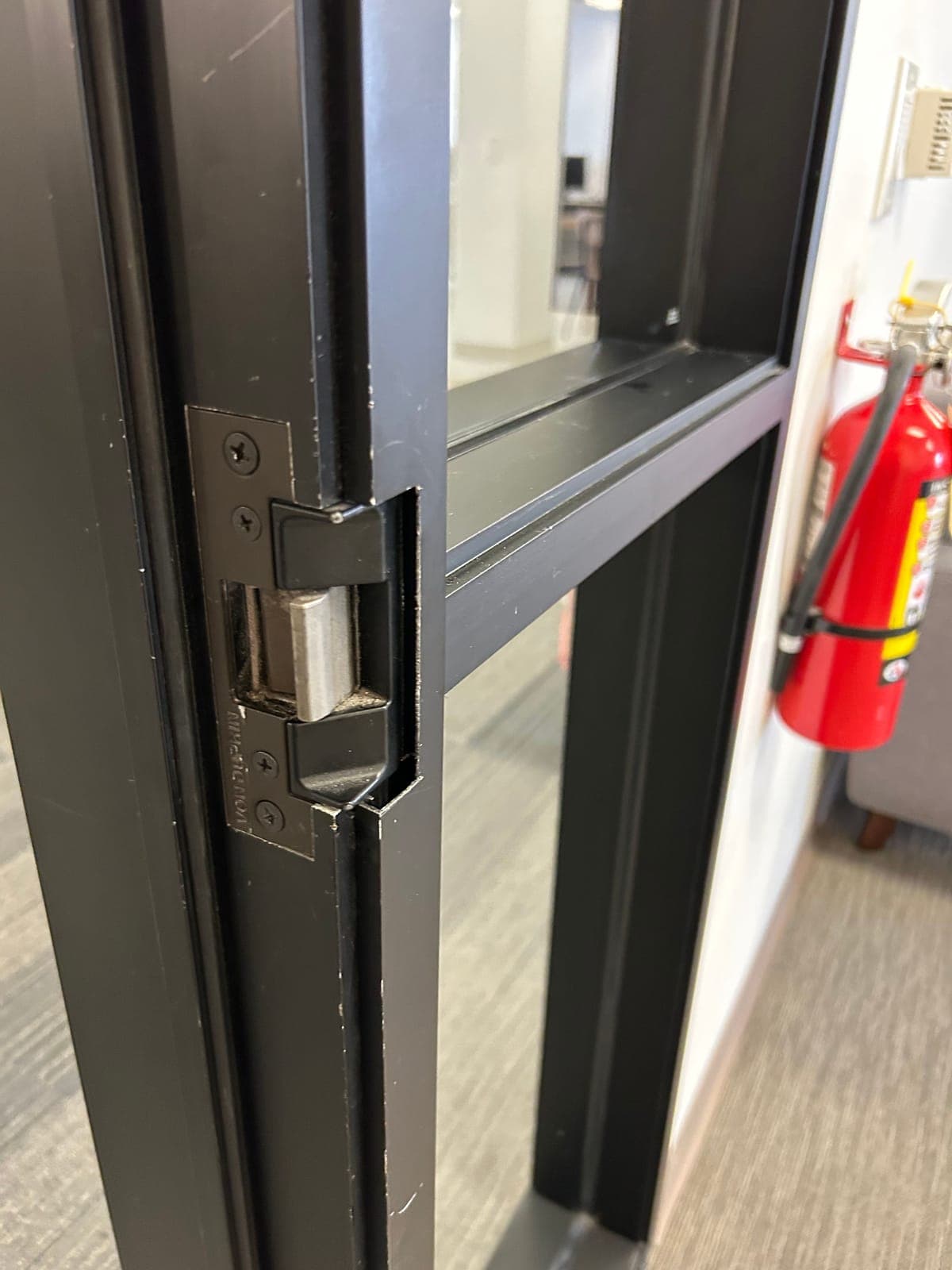
If the new suite door is fire-rated, which corridor doors often are, the strike has to be one listed for fire doors. Your fire marshal or the authority having jurisdiction (AHJ) decides compliance. For more on the door hardware itself, see office suite access control.
- Comes with you: readers, the controller, and your staff accounts and credentials.
- Gets redone: the cable from the controller to each door, and the setup for the new doors in the app.
- Check first: the strike and lever. A strike sized for one frame may not fit the next one, especially going from a hollow metal frame to aluminum.
- Check first: the closer on each new door. If the door doesn't close and latch on its own, the strike can't lock it.
Keys
Do old keys still work after you move in?
Yes, until the cylinders are rekeyed. At the new suite, you don't know who the last tenant, the landlord's vendors or the old cleaning company gave keys to. Most access-controlled doors still have a key cylinder as a backup, so the reader doesn't solve this on its own. Rekey the suite entry and any keyed doors before your first day.
At the old suite, close things out cleanly so you aren't responsible for a door you no longer use.
For how rekeying and master keys work, see commercial rekeying, master keys, SFIC and LFIC. To retire shared codes and keys at the same time, see replacing keys and shared PINs.
- Collect every metal key and every building card, and check them off a list.
- Remove the old doors from your access app, and remove anyone who isn't moving with you.
- If hardware stays behind, give the landlord or the next tenant a list of what's on each door and how to set up their own account. Remove your admins from anything you leave.
- Get the landlord's sign-off that the suite was returned the way the lease asks.
First week
Test every door before the first Monday
Elwin is based in Santa Clara, and on office moves from San Jose up the Peninsula we run this test with the office manager before handing over. Print it and check each line.
- Every staff member's phone, card or fob opens the suite door.
- A fob that isn't enrolled gets denied.
- The door closes and latches by itself every time, including after someone holds it open.
- From inside, turning the lever or pushing the bar opens the door with no fob needed.
- Visitors know where to go: the doorbell, intercom or reception.
- Your admin and your backup can each add and remove a person in the app.
- Cleaners have only the doors and hours they need. If they work overnight, make sure their schedule runs past midnight.
- Movers' and contractors' temporary access is removed.
- You have a list of doors, who owns the admin login, and your installer's support contact.
Questions
Office move access control questions
How far ahead should we book access control for an office move?
About a month before move-in. Lead time is 2–4 weeks from approval, faster with an expedite fee, and you'll want a few days at the end for testing and fixing anyone who can't get in.
Can we take our access control system with us when we move offices?
Usually, if you own it. With a cloud system like Kisi, the readers and controller come along and your staff keep their phones, cards and fobs. New cable gets pulled at the new suite, and the strike or lever may need to change to fit the new door frame.
Do we need landlord approval to install access control in a leased office?
Yes, in most leases. Get written approval before anyone drills a door frame or runs cable through the ceiling, and ask about approved vendors and insurance certificates at the same time.
Who owns the access control equipment when a tenant moves out?
Your lease decides, so read it before the move. Readers and controllers you paid for often go with you, while cable in the walls usually stays. Agree in writing what stays, and hand over or close the software account when you leave.
Do we need to rekey when we move into a new office?
Yes. Old keys keep working until the cylinders are rekeyed, and you don't know who the last tenant or the building's vendors gave keys to. Rekey the suite entry and any keyed doors before your first day.
Sources and further reading
These references support the general technical guidance. The right answer for a specific opening still depends on the property and the authorities responsible for the project.