
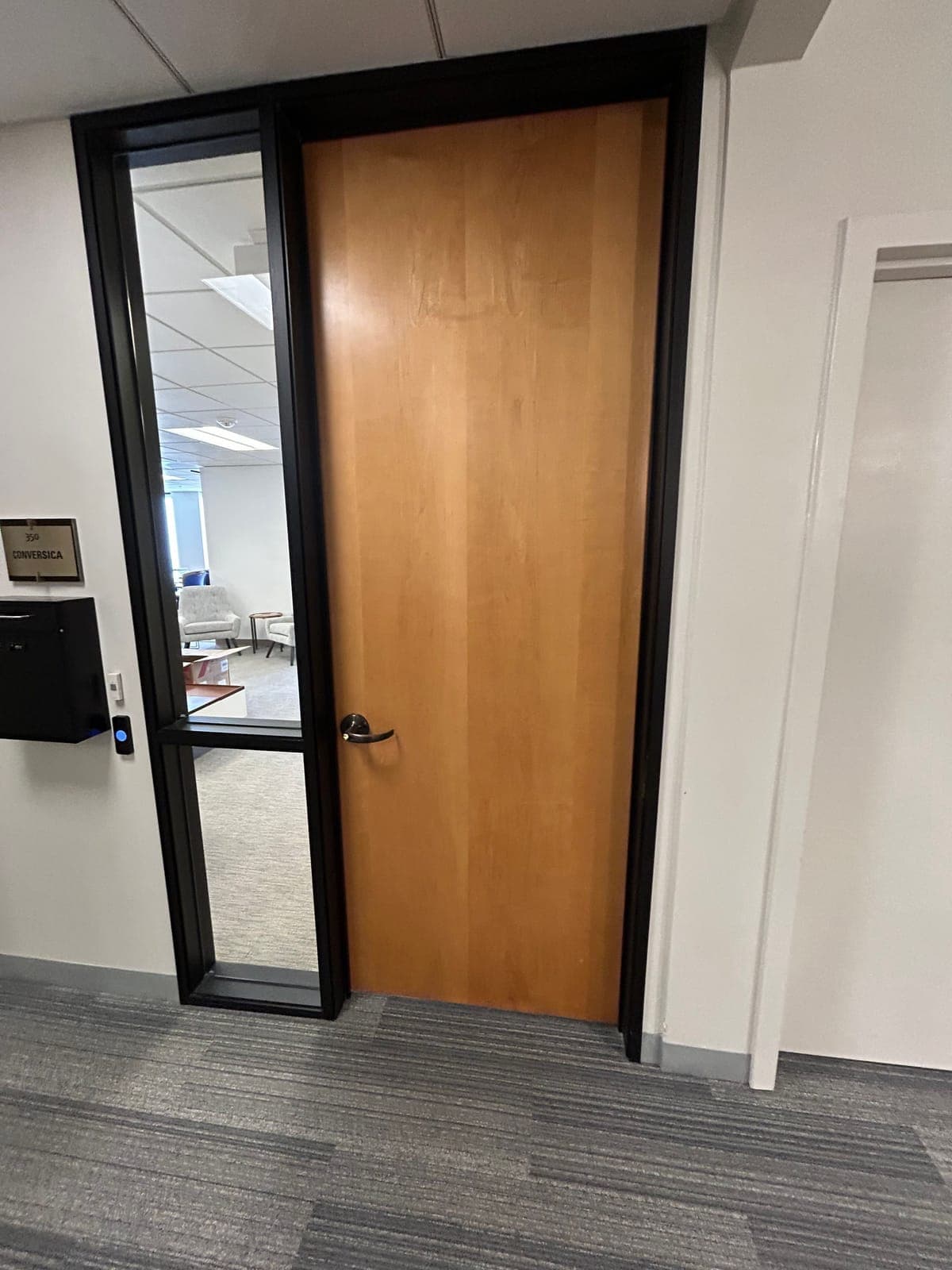
If you run a small office in a multi-tenant building, you probably want what most office managers ask us for: staff open the suite door with a fob or their phone, you stop handing out keys, and when someone leaves you turn off their access from your laptop.
This guide walks through which doors to control, what goes on a typical suite door, what it costs, how long it takes, and what to do about the lobby door your landlord runs. We use Kisi as the example because it's the platform we install most often in Bay Area offices.
Key takeaways
- Start with the suite entry door. Add a back door, IT closet or file room only if a different group needs in.
- Budget about $3,000–$7,000 per door for a new install, or $1,500–$3,500 per door for a retrofit. The software subscription depends on the platform and is quoted with the job.
- A typical suite door gets a reader, an electric strike (HES or Von Duprin), an LCN closer and a Schlage lever.
- With Kisi, staff can use a phone, a card or a fob, and you manage everyone from one app.
- The lobby door usually belongs to the landlord. Call your property manager before you plan around it.
- Plan on 2–4 weeks from approval to install, faster with an expedite fee.
Start here
Which office doors need access control?
Start with the suite entry door. Everyone uses it, it's the door that gets propped open for deliveries, and it's the lock you'd have to rekey if a key went missing. For a lot of small offices, that one door is the whole job.
Then walk the rest of the suite and ask one question at each door: does a different group of people need to get through here? A back door staff use from the parking lot, an IT closet only two people should open, or a file room with client records are good candidates. If the same people use it as the front door, a regular lock is usually fine.
If you're unsure about a door, our guide to which doors need access control goes door by door.
| Door | Add a reader? | Why |
|---|---|---|
| Suite entry | Yes, almost always | Everyone uses it. It's where keys get copied and codes get shared. |
| Back or staff door | Often | Early arrivals, deliveries and cleaners. Without a reader it tends to get propped open. |
| IT closet or server room | Sometimes | Only a few people should open it, and you want a log of who did. |
| File or records room | Sometimes | Client files or HR records that most staff don't need. |
| Private offices, conference rooms | Rarely | A keyed lock is usually enough. |
| Building lobby, elevator, garage | Landlord's call | These usually run on the building's system. See the landlord section below. |
Hardware
What goes on a typical suite door
Most office suite doors in San Jose and Santa Clara buildings are a wood or metal door in a metal frame, often with a glass sidelite. Here is what we usually install on one.
Suite doors that open onto a shared building corridor are often fire-rated. On those doors the strike and the rest of the hardware have to be listed for fire doors, and your fire marshal or the authority having jurisdiction (AHJ) decides compliance. We check the label on the door and frame during the site walk.
For more on choosing the locking hardware, see electric strike vs. maglock vs. electrified lever and adding access control to an existing door.
Reader
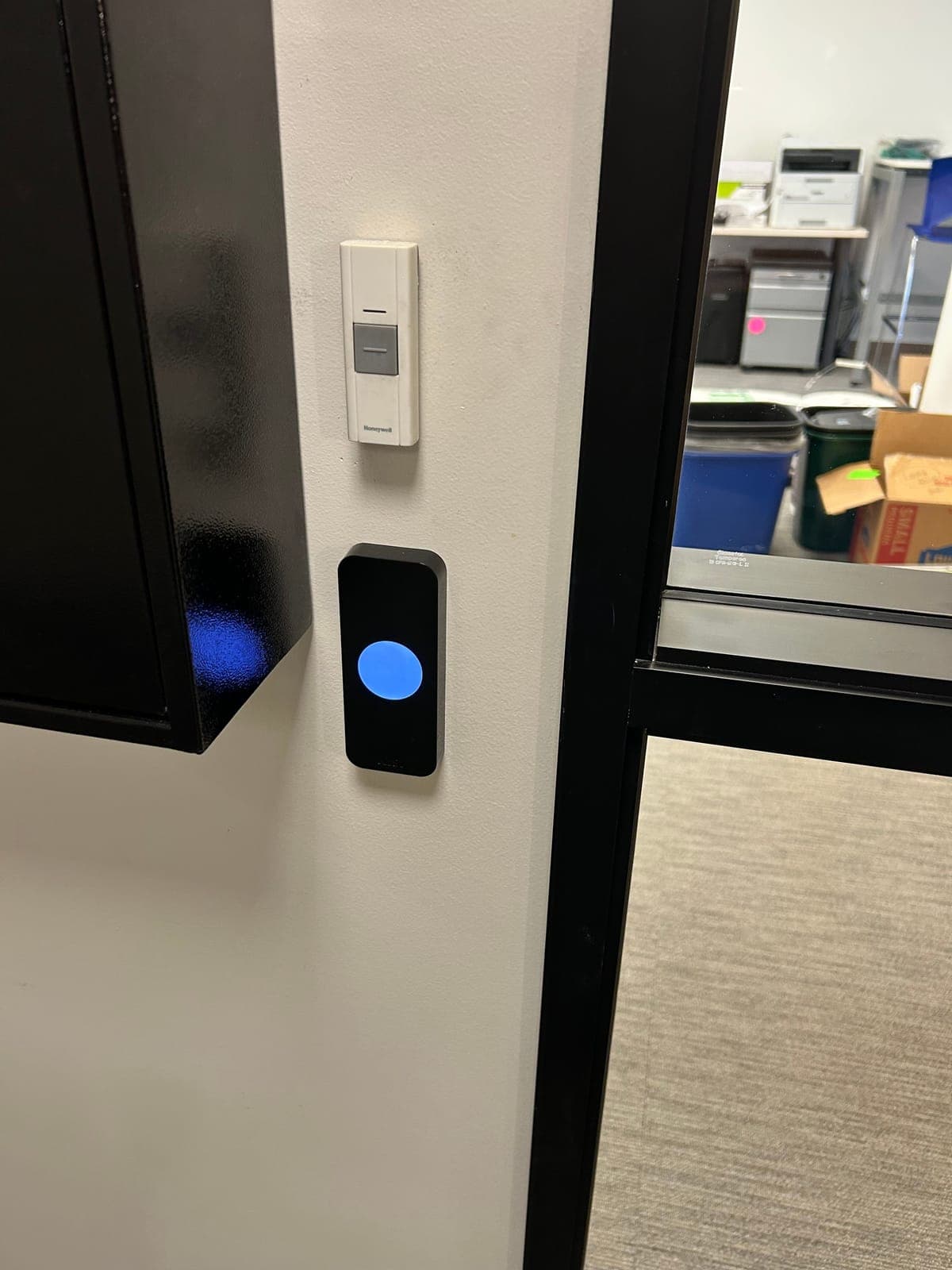
Mounted on the wall beside the frame, at a height people can reach. A Kisi reader reads phones, cards and fobs.
Electric strike (HES or Von Duprin)
Goes in the frame where the latch catches. When the reader accepts someone, the strike releases and they push the door open. Your lever stays, so people leave the same way they always have: turn the handle and walk out.
Lever (Schlage)
If the existing lock is worn out or the wrong type, we replace it with a Schlage lever that works with the strike.
Closer (LCN)
The door has to close and latch on its own every time. If it hangs open, the strike has nothing to lock. We adjust the closer or replace it with an LCN.
Controller and cable
The controller goes in your IT closet or another spot with power and a network jack. Cable runs from it through the ceiling to each door.
Credentials
Fob, card or phone: what your staff use to get in
With Kisi, staff can unlock the door by tapping their phone on the reader or tapping a button in the app. Kisi also supports cards and fobs, which is useful for anyone who doesn't want to use a personal phone for work, or for a cleaner who doesn't need the app.
Whatever people carry, you manage it from one place. Add a new hire from the app, set the hours they can get in, and turn off a lost fob without rekeying anything. Kisi can also send a visitor a link that opens the door for a set time.
Kisi is our usual pick for offices, but it isn't the only option. We also install and set up PDK, Brivo, Verkada, SALTO and Paxton. If your company already runs one of those at another office, it often makes sense to match it.
See Kisi access control installation or our pages on phone credentials and card and fob readers.
Cost and timing
How much does access control cost for an office suite?
About $3,000–$7,000 per door for a new install, or $1,500–$3,500 per door to retrofit a door that already has access control. That covers the reader, strike, cable, the controller, setup in the app and testing. A two-door suite (front door plus a back door or IT room) would land around $6,000–$14,000 as a new install. The software subscription is separate, depends on the platform, and we quote it with the job.
Lead time is 2–4 weeks from approval, mostly waiting on hardware. If you have a hard move-in date, an expedite fee can shorten it.
For a fuller breakdown, see access control cost per door.
- Glass or aluminum frames take more work to fit a strike than a standard metal frame.
- A long cable run, or a ceiling that's hard to get into, adds labor.
- A worn lock or a tired closer has to be replaced before the strike will work reliably.
- The controller and setup are shared, so each added door mostly adds a reader, a strike and cable.
Landlord
Who handles the lobby door if the landlord owns it?
Your property manager. In most multi-tenant office buildings, the landlord owns the lobby door, the elevators and the garage, and runs them on the building's own system. Your suite door is usually yours to control, but most leases still ask for the landlord's sign-off before anyone drills a frame or opens the ceiling.
Call the property manager before you order hardware and ask these questions. It saves a lot of back and forth later.
Staff often end up with the building's card for the lobby and their phone for your suite. Sometimes one card can do both, but only if the two systems can read the same cards, so ask before you order. If you're moving suites, the office move checklist covers landlord approval and move-out handoff in more detail, and the visitor entry guide covers how guests get from the lobby to your door.
- Can we put a reader on our suite door, and do you need the request in writing?
- Do you have approved vendors, insurance certificate requirements or set hours for contractors?
- What system runs the lobby and garage, and how do our staff get building cards?
- Can our installer get into the ceiling and the IT closet or riser?
- What stays with the suite when we move out: readers, strike, cable?
Next step
What to have ready for a site walk
Elwin is based in Santa Clara and does site walks for offices across the Bay Area. You'll get a better quote, faster, if you have these ready:
- A list of the doors you want controlled, plus a photo of each one from both sides.
- Roughly how many people need access, and any groups that need different hours (cleaners, early shifts).
- Who will manage access day to day, plus a backup.
- Your property manager's name and number.
- Your move-in date or any other deadline.
Questions
Office suite access control questions
How much does it cost to add a key fob reader to an office door?
About $3,000–$7,000 per door for a new install, or $1,500–$3,500 per door to retrofit a door that already has access control. That includes the reader, electric strike, cable, controller, setup and testing. The software subscription depends on the platform and is quoted with the job.
Can staff unlock the office door with their phone?
Yes, with Kisi and most current cloud systems. Staff tap their phone at the reader or unlock from the app. Anyone who doesn't want to use a personal phone can carry a card or fob instead.
Do we need the landlord's permission to install access control in our suite?
Usually, yes. Most office leases require the landlord's approval before you drill a door frame or run cable through the ceiling. Ask your property manager before you order hardware.
How long does office access control installation take?
Two to four weeks from approval is typical, and most of that is waiting on hardware. If you have a firm move-in date, an expedite fee can shorten the wait.
What happens when an employee leaves?
You remove them in the app, and their phone, card or fob stops opening your doors. You don't need to rekey the controlled doors. Anyone still holding a metal key can use it until that cylinder is rekeyed.
Sources and further reading
These references support the general technical guidance. The right answer for a specific opening still depends on the property and the authorities responsible for the project.