
Key takeaways
- Blue is idle on the Reader Pro 1.0; solid blue on the Reader Pro 2.0 and 2.1 is listed as Bluetooth failing.
- When a card triggers the proximity sensor on a Reader Pro 2.0 or 2.1, the breathing light means it is searching for a phone; Kisi says to hold the card in place until you receive feedback.
- No light at all points to power. For the Reader Pro 2.0, Kisi names Power over Ethernet or a 12–24 volt direct-current supply, never both at once.
- Blinking red while the reader is offline means the user is not in its Offline Cache. Credentials sync once daily at midnight; Kisi says to allow 24 hours for new ones.
Which Kisi reader do I have?
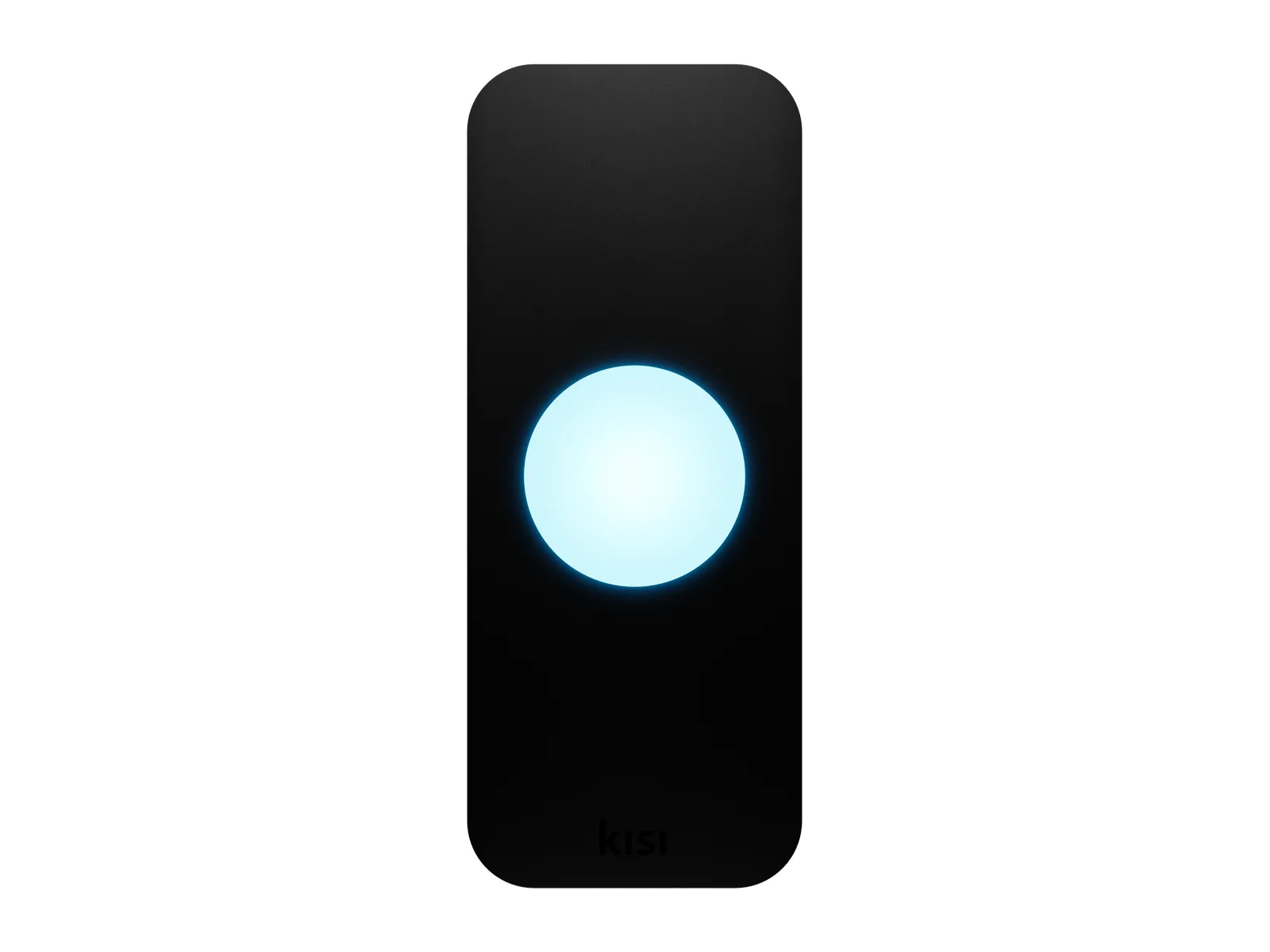
Kisi publishes front light tables for the Kisi Reader Pro 1.0, 2.0 and 2.1. Kisi describes the Reader Pro 1.0's light as an LED strip and the Reader Pro 2.0's as an LED circle.
Under Hardware and the Readers tab in the Kisi dashboard, a reader's page shows the reader type above the reader illustration, for example Kisi Reader Pro 2.1.
Kisi says the Kisi Terminal Pro expands upon the functionality of the Reader Pro 2.1, turning it into a check-in station and QR code terminal. Its specification lists a white illumination LED (250 lux indoor) and a red indicator LED under Reading assistant. Kisi says it shares similar hardware with the 2.1, and to try the 2.1 troubleshooting steps on it.
For the checks that apply to any brand of reader, see the general guide to an apartment key fob not working.
Source The Reader Pro 1.0, Reader Pro 2.0 and Terminal Pro pages in Kisi's documentation, the Terminal Pro troubleshooting guide, and Kisi's article on reviewing reader details.
What each Kisi reader light means
In the table, an HF card is a high-frequency card, which Kisi lists separately from RFID cards. MotionSense lets a door be opened with just a wave of the hand, and on the Reader Pro 2.0 and 2.1 some results depend on whether it is enabled.
On those two readers, a card can trigger the proximity sensor under the light. The breathing light then means the reader is searching for a phone, not detecting the card, and Kisi says to hold the card in place until you receive feedback.
Kisi also says not to place stickers, labels or any other material on the face of the reader: anything covering the proximity sensor will prevent credentials from being detected.
| Light | Reader | Kisi's documented scenario |
|---|---|---|
| Blue | Reader Pro 1.0 | Idle. |
| White | Reader Pro 2.0 and 2.1 | Idle. |
| Red | Reader Pro 1.0, 2.0 and 2.1 | Reader offline and cannot connect to its controller. |
| Blinking, then red, then idle | Reader Pro 1.0 | A phone that is close enough, or a Kisi or third-party HF card, with no access rights. |
| Blinking, then green, then idle | Reader Pro 1.0 | A phone that is close enough, or a Kisi or third-party HF card, with access rights. |
| Breathing, then red, then idle | Reader Pro 2.0 and 2.1 | A phone that is close enough, a Kisi or third-party HF card, or an RFID card with no access rights. |
| Breathing, then red, then idle | Reader Pro 2.0 and 2.1 | An RFID card that is not enrolled. |
| Breathing, then green, then idle | Reader Pro 2.0 and 2.1 | A phone that is close enough, a Kisi or third-party HF card, or an RFID card with access rights. |
| Breathing, then idle | Reader Pro 2.0 and 2.1, MotionSense enabled | No phone around, an irrelevant user (wrong organization, not signed in), or a Kisi or third-party HF card that is not enrolled. |
| Breathing, then blinking white, then idle | Reader Pro 2.0 and 2.1, MotionSense enabled | Phone is too far. |
| No reaction | Reader Pro 2.0 and 2.1, MotionSense disabled | No phone around, phone is too far, an irrelevant user, or a Kisi or third-party HF card that is not enrolled. |
| Bright blue | Reader Pro 1.0 | Reader assigned to a resource. |
| Dim blue | Reader Pro 1.0 | Reader not assigned to a resource. |
| Bright white | Reader Pro 2.0 and 2.1 | Reader assigned to a resource. |
| Dim white | Reader Pro 2.0 and 2.1 | Reader not assigned to a resource. |
| Solid blue | Reader Pro 2.0 and 2.1 | Bluetooth failing. |
| Alternating green and yellow | Reader Pro 1.0, 2.0 and 2.1 | Door held open alarm. |
| Alternating blue and red | Reader Pro 1.0, 2.0 and 2.1 | Intrusion detection. |
| Front LED off | Reader Pro 1.0, 2.0 and 2.1 | Reader not powering on. |
Source The front LED feedback tables on Kisi's Reader Pro 1.0, 2.0 and 2.1 pages, the troubleshooting guides for those readers, Kisi's mobile credentials article and its Reader Pro 2 product page.
A red light with no one at the reader: offline
A blue Reader Pro 1.0 or a white Reader Pro 2.0 is ready to process an attempt, whether connected to the internet or not. A red one is offline and cannot reach its controller.
Kisi lists these possible causes for an offline Reader Pro 2.0 and Reader Pro 2.1.
- DHCP conflicts or misconfigurations, where the reader may not be obtaining a valid IP address. DHCP is the network service that hands out addresses.
- A mismatch in the IP address, subnet or VLAN configuration.
- Blocked ports or IP ranges.
- A defective port on the router, or on the Power over Ethernet (PoE) switch or injector.
- Physical cable damage or poor connector terminations.
- Cables below Cat6 or exceeding 100 meters.
For the Reader Pro 2.0, Kisi lists one more cause: Blinkup, a Kisi feature, is needed. Kisi says the Reader Pro 2.0 supports Ethernet and Wifi, and Blinkup helps in reconnecting it to the preferred network connection type.
For the Reader Pro 2.0 and 2.1, Kisi's checks start in the dashboard: Reader Details for any assigned IP address, and Reader Uptime Metrics to see if the device is dropping offline frequently. A 5-minute Ethernet unplug prompts a fresh IP request. Kisi says it does not oversee your network configurations, and points advanced networking problems to your IT department or network administrator.
Source Kisi's troubleshooting guides for the Reader Pro 1, 2.0 and 2.1, and its offline support page.
No light at all: power
On a Reader Pro 1 that is not powering on, the front LED remains off entirely, and a dark BlinkUp LED on the circuit board behind the backplate means the reader has no power. For the Reader Pro 2.0 and 2.1, Kisi's check is whether the large front LED or the smaller LEDs behind the backplate light up at all.
PoE (Power over Ethernet) carries power on the network cable; the alternative Kisi names is low voltage.
| Reader | Power source Kisi names | Cable figures Kisi names |
|---|---|---|
| Reader Pro 1 | PoE that supports IEEE 802.3af (44–57 VDC), or low voltage at 12–24 VDC. One or the other. | Cat6 or better, under 100 meters for PoE or under 38.1 meters for low voltage. |
| Reader Pro 2.0 | PoE that supports IEEE 802.3af (44–57 VDC), or low voltage at 12–24 volts of direct current. Not both at the same time. | For PoE, Cat6 or better and under 328 feet (100 meters). For low voltage, 18-2 gauge wire and less than 125 feet (38.1 meters). |
| Reader Pro 2.1 | PoE that supports IEEE 802.3af (44–57 VDC). | Cat6 or better, undamaged, and under 100 m. |
| Terminal Pro | Power over Ethernet (PoE), which the Terminal Pro requires. | Cat6 or better. |
Source Kisi's troubleshooting guides for the Reader Pro 1, 2.0, 2.1 and Terminal Pro.
A blue light means different things by model
On a Reader Pro 1, a blue front LED means the reader is online, and dimmed blue LEDs indicate a weak Wi-Fi signal. Kisi's answer to a weak signal is a location with a stronger, stable signal or a wired Ethernet connection.
On a Reader Pro 2.0 or 2.1, idle is white, and a persistent blue LED can indicate a potentially faulty Bluetooth module. Kisi says this LED status alone does not necessarily confirm that an attempt failed.
Kisi's step is a power cycle of at least 5 minutes to reset the Bluetooth Low Energy (BLE) component, then another try with Handwave, a Kisi feature, or an iOS phone. If the reader remains unresponsive or the LED stays blue, Kisi says to contact support.
Source Kisi's troubleshooting guides for the Reader Pro 1, 2.0 and 2.1, and the feedback tables on its Reader Pro 2.0 and 2.1 pages.
A red light after a card or phone: access rights
On a Reader Pro 1, a red response on scan indicates an access denial. For a card, Kisi's checks are that the user activated it with the link in the card activation email, and that it is assigned to a user with valid access rights to the door.
For Tap to Unlock on the same reader, the checks are a Kisi account with valid access rights to the door, and the reader assigned to the correct door. On iPhone, Bluetooth and Location Services need to be enabled; on Android, NFC (near-field communication) and Location Services.
Blinking red has two meanings. When the device is online, the user does not have access; when it is offline, the user is not in the Offline Cache.
Kisi says access rights are cached on its readers based on recent usage patterns, and that a reader's Offline Cache can currently cover internet outages for up to 36 hours. Credentials sync once daily at midnight, and recently added users may not yet be in the Offline Cache. Kisi's step is to allow 24 hours for new credentials to be included.
On a Terminal Pro, Kisi says to confirm the unit is not mounted behind glass or metal that could interfere with wireless signals. Access will be denied if a user is not properly assigned to a group with access rights, or the group is not linked to the intended door or elevator.
| Reader | Tap to Unlock range |
|---|---|
| Reader Pro 1.0 | BLE Tap to Unlock: up to 9 inches (23 cm). |
| Reader Pro 2.0 | BLE Tap to Unlock: up to 0.75 in (1.9 cm). |
| Reader Pro 2.1 | NFC/BLE Tap to Unlock: up to 1.9 in (5 cm). |
Source Kisi's Reader Pro 1 troubleshooting guide, its Reader Pro 1.0, 2.0 and 2.1 pages, its offline support page and its Terminal Pro troubleshooting guide.
A card that gets no response
For a card that gets no result on a Reader Pro 2.0 or 2.1, Kisi lists a damaged antenna in the NFC card, tag or fob as a possible cause. Its steps are to hold the card steady within about 1.5 inches (4 cm) and check the event history to see if any attempt is logged. A Kisi credential can be tested on another reader, or a different Kisi card tried on the same reader.
The Reader Pro 2.0 and 2.1 can also detect if they are removed from the wall. With Tamper Protection activated, attempts via the reader are suspended until it is reattached to its backplate and its status is reset from the dashboard.
| Card | What the guide says |
|---|---|
| C15001 KeyScan 36-bit card (125 kHz) | Not supported by Kisi readers. |
| EM410x/TK410x formats (125 kHz) | Footnoted as supported by the Kisi Reader Pro 2.1 and later models only. |
| HID D10202 33-bit card | Footnoted as supported by the Kisi Reader Pro 2.1 and later models only. |
Source Kisi's troubleshooting guides for the Reader Pro 2.0 and 2.1, its credential compatibility guide and its article on resetting a tampered reader.
When Kisi says to contact support
Kisi says the Reader Pro 2.1 may show reduced performance with HID and EM cards in temperatures below 32°F (0°C), and to reach out to Kisi Support if so; the Terminal Pro guide says the same for poor HID or EM card performance in cold weather.
Kisi says remote reboot works only for the Kisi Reader Pro 2.1 and newer, requires the reader to be online, and is requested from its support team at support@getkisi.com. Any Kisi reader can be manually restarted.
The Reader Pro 2.0, Reader Pro 2.1 and Terminal Pro guides ask for these details when contacting support.
- The reader's Device ID, or the Terminal Pro's Device ID
- Logs, screenshots or videos of the issue
- Your network setup details (if applicable)
- Steps you have already taken
For Offline Cache problems, Kisi also asks for sample user email addresses. On the Reader Pro 2.0 and 2.1, the Device ID is listed on the reader's page in the Kisi dashboard.
Source Kisi's troubleshooting guides for the Reader Pro 2.0, 2.1 and Terminal Pro, its Reader Pro 2.1 page, its offline support page, and its articles on rebooting a reader and reviewing reader details.
If the reader still shows a fault
Elwin Security installs, repairs and supports Kisi access control, including card reader and key fob systems, for commercial and multifamily properties in the San Francisco Bay Area, with Kisi-certified technicians. Calls are answered 8:00 AM-8:00 PM daily at (408) 539-0535.
Questions about Kisi readers
Kisi reader light questions
What does a red light on a Kisi reader mean?
With no attempt under way, the reader is offline and cannot connect to its controller. Red right after a card or phone follows an attempt with no access rights.
What does a blue light on a Kisi reader mean?
It depends on the model. Blue is idle on the Reader Pro 1.0 and means the reader is online. On the Reader Pro 2.0 and 2.1, solid blue is listed as Bluetooth failing.
Why is my Kisi reader not reacting to my card?
When a card triggers the proximity sensor on a Reader Pro 2.0 or 2.1, the breathing light means it is searching for a phone; Kisi says to hold the card in place until you receive feedback. A damaged antenna in the card, tag or fob is another possible cause.
Why is Kisi Tap to Unlock not working?
For the Reader Pro 1, Kisi's checks are a Kisi account with valid access rights to the door, Bluetooth and Location Services enabled on iPhone, or NFC and Location Services on Android.
Sources and further reading
These sources back up the general guidance. Your building and the people who approve the work decide the details for your doors.
- Kisi: Kisi Reader Pro 1.0
- Kisi: Kisi Reader Pro 2.0
- Kisi: Kisi Reader Pro 2.1
- Kisi: Troubleshooting the Kisi Reader Pro 1
- Kisi: Troubleshooting the Kisi Reader Pro 2.0
- Kisi: Troubleshooting the Kisi Reader Pro 2.1
- Kisi: Kisi Terminal Pro
- Kisi: Troubleshooting the Kisi Terminal Pro
- Kisi: Offline support
- Kisi: Credential compatibility guide
- Kisi: Mobile credentials
- Kisi: Review reader details
- Kisi: Reboot reader
- Kisi: Reset a tampered reader
- Kisi: Kisi Reader Pro 2 product page