
Key takeaways
- DoorKing does not recommend POTS lines, and its cellular page says a POTS connection is no longer recommended or supported by DKS.
- DoorKing's 2137 video panel lists dimensions of 14.75 inches high, 12.75 inches wide and 3.75 inches deep, and power of PoE++ (Type 3) or 12-24 VDC (18 VDC Power Supply Included). DoorKing's January 2026 subscription schedule says the 2132 and 2137 Video Entry Systems require a DKS Cloud account to operate.
- ButterflyMX's product page lists internet, power and door strike as the three connections to install, Swiftlane's manual says a stable internet connection is required, and LiftMaster lists Ethernet and Wi-Fi. ButterflyMX requires a minimum bandwidth of 2 Mbps for uploading and downloading and a UPS of at least 600VA / 300W, Swiftlane's manual says WiFi connection is not supported, and LiftMaster lists Ethernet and Wi-Fi.
- On the lock side, DoorKing's 1835 90 Series page lists 3 form "C" dry contact relays. An AC lock on a Swiftlane goes through an external relay board.
- ButterflyMX says its intercom can only operate doors that already have electric locking hardware, and that the exit hardware should allow mechanical free egress.
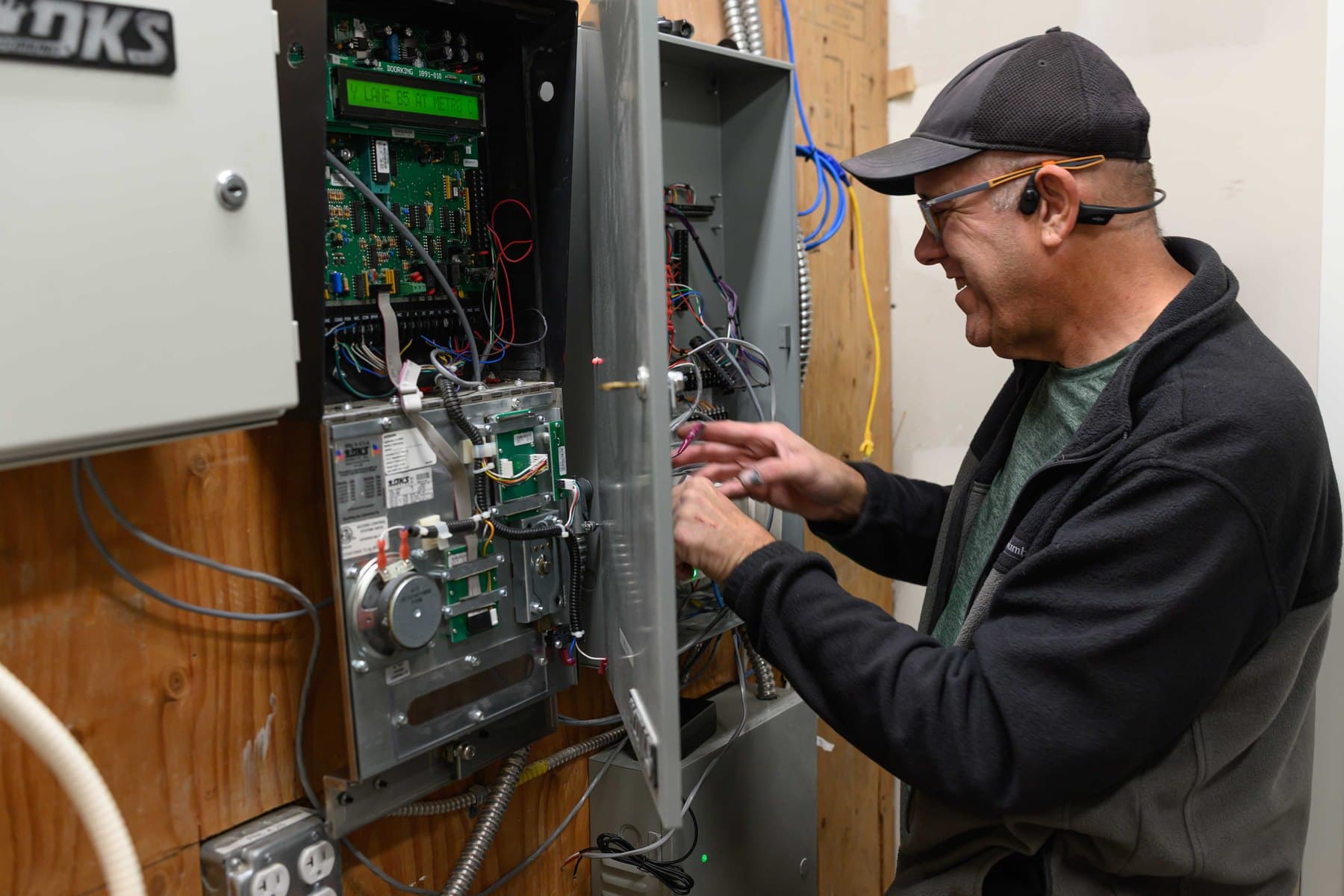
What a DoorKing 1835 or 1837 leaves at the wall
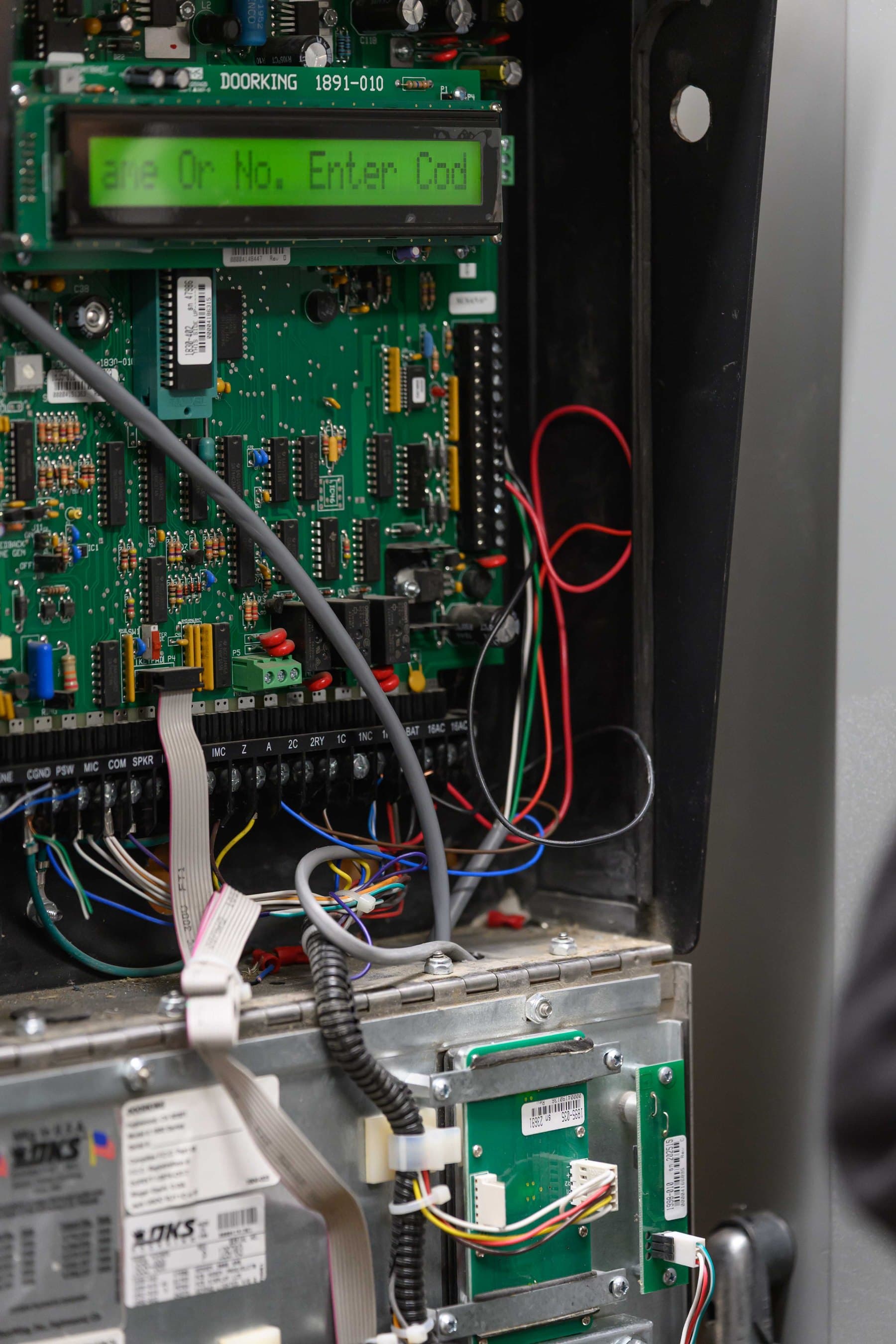
DoorKing's 1835 90 Series page lists cellular 4G-LTE service and POTS as connections, and its 1837 90 Series page describes setting up your own Internet and VoIP connections.
Power on the 1835 comes from two supplied 16 VAC, 20 VA transformers, over 18 AWG wire up to 100 feet or 16 AWG up to 200 feet. The manual says not to power electric strikes, magnetic locks or expansion boards from those transformers, so the lock has its own supply.
DoorKing's January 2026 subscription schedule says it does not recommend POTS lines for programming or voice, and its cellular page says a POTS connection is no longer recommended or supported by DKS.
A filing on the California Public Utilities Commission site from AT&T Services, Inc., on behalf of Pacific Bell Telephone Company d/b/a AT&T California, refers to legacy TDM-based voice services known as AT&T Business Individual Access Line Service and to portions of the 360 wire centers in California; an attorney decides how it applies to a property.
Elwin Security, Santa Clara-based and serving the San Francisco Bay Area, repairs, replaces and configures intercoms and access control for multifamily and mixed-use properties. Seebuilding video intercom systems for how we scope an entry, or intercom repair if the panel itself has failed.
Option 1: keep the DoorKing, replace the phone line
The 1800-080 DKS Cellular box works with the 1835 and 1837, uses AT&T 4G-LTE where available, and means no phone lines or internet cables to run. One box serves up to two entry systems and takes 16 VAC from its own supplied transformer. DoorKing's cellular cut sheet (Rev. 8/26) lists the 1800-080 for the 1802, 1803, 1808, 1810, 1812, 1833, 1834, 1835, 1837 and 1838.
DoorKing requires an 1830 Series circuit board at Revision Z or higher for the 2334-080, and its cellular page says the cellular box may not be compatible with older entry systems without a circuit board upgrade.
Two DoorKing conditions apply either way. Its 1830 Series brochure states that cellular and VoIP connections cannot be used for 911 calls. The DKS Cloud is included with either subscription, and DoorKing says legacy telephone entry systems do not require a Cloud account to be serviceable.
Option 2: DoorKing's 2137 video entry panel
The 2137 is DoorKing's app-based video entry panel for apartment buildings, gated communities and condominiums. Its cut sheet (Rev. 8/26) lists a 6.50 by 4.875 inch color display, 10,000 users, 40,000 entry codes, three internal relays and two Wiegand inputs expandable to 97 with Tracker boards. Residents see and speak with guests on their smartphone through the DKS Community app.
The 2137 cabinet is listed at 14.75 inches high, 12.75 inches wide and 3.75 inches deep. Power is PoE++ (Type 3) over the Ethernet cable or 12–24 VDC with an included 18 VDC supply, and the connection is Ethernet or cellular with a 3 Mbps minimum upload speed.
DoorKing's product reference guide, with a revision entry dated 7-14-26, lists the 2132 and 2137 video entry systems as announced, not yet shipping. Confirm availability before planning around it.
Option 3: ButterflyMX video intercom
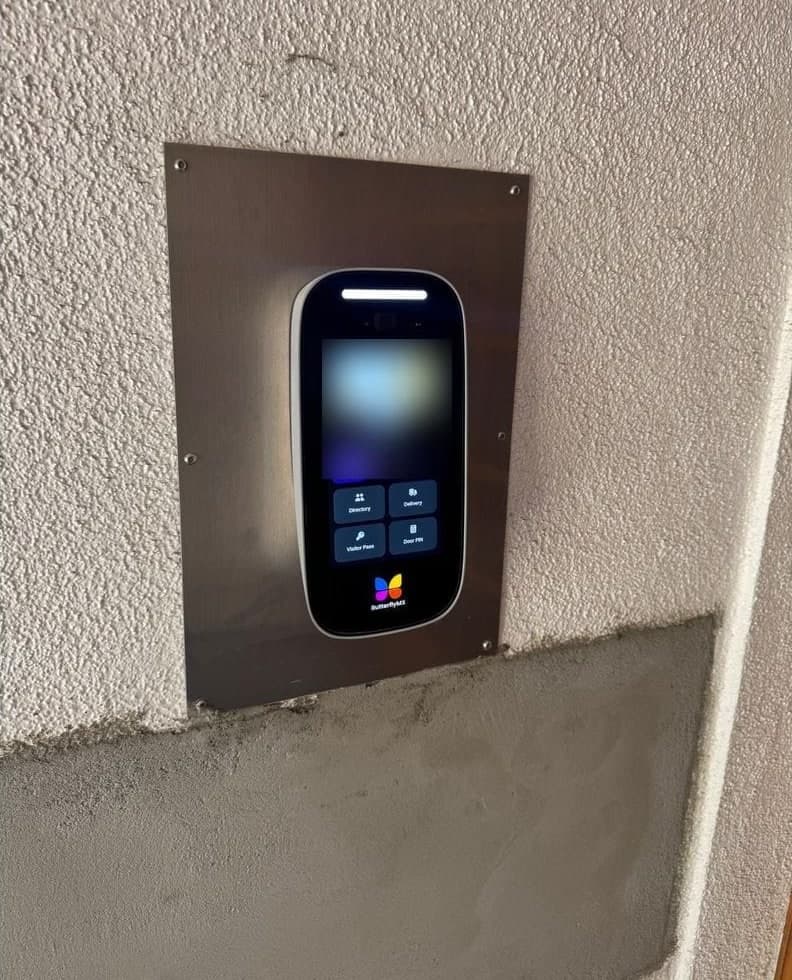
ButterflyMX's video intercom page says three connections are to be installed at your building: internet, power, and door strike. ButterflyMX's installation guide requires a minimum bandwidth of 2 Mbps for uploading and downloading, prefers a wired Ethernet connection when possible, and lists Wi-Fi compatibility with 5GHz (802.11ac) networks. The client is responsible for acquiring and maintaining the internet service.
Power is the supplied 24 VDC brick behind a 600 VA / 300 W UPS, and installing without the UPS voids the warranty.
Four dry contact relays switch up to 2 A each. ButterflyMX says the intercom can only operate doors that already have electric locking hardware.
ButterflyMX's warranty page lists a two (2) year warranty to End Customers from the date the product is sold and says replacement products are refurbished, and its installation guide says it requires anyone installing its products to be certified so the two-year hardware warranty is not voided. Elwin's ButterflyMX-certified technicians install, configure and support ButterflyMX entries across the Bay Area.
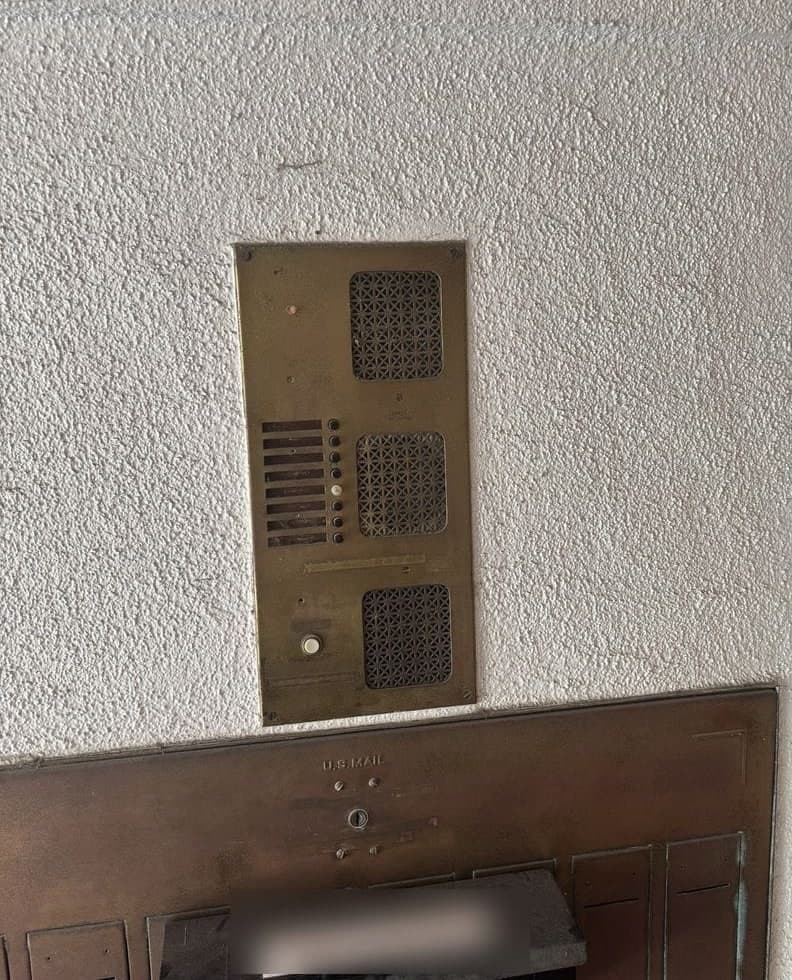
See all before and after photos
See ButterflyMX video intercom installation for how we scope a ButterflyMX entry.
Option 4: Swiftlane SwiftReader X
It is an Ethernet device. The installation manual says Wi-Fi is not supported, lists power as 12–24 VDC or PoE+ (802.3at, 25 W minimum), and says Swiftlane can provide a cellular backup router if the connection is not stable. The data sheet lists the DC requirement as 24 VDC at 2.5 A.
The three built-in relays are dry contacts rated 3 A at 30 VDC, for up to three DC strikes on 18–22 AWG cable. An AC strike or a DC maglock goes through an external relay board such as the Altronix RB30, or through Swiftlane's door controller unit, whose relays sit on the secure side of the building.
The data sheet gives a two-year limited warranty on electronic components.
Option 5: LiftMaster CAPXLV2 on myQ Community
It connects over Ethernet or Wi-Fi, or through a third-party cellular modem, and runs on 24 VDC, 3 A (72 W) or PoE 802.3bt Type 3 at 60 W.
It has more outputs than the other five: 8 relay outputs, 4 Wiegand inputs, 4 OSDP readers, and a wireless link to LiftMaster gate operators that LiftMaster says removes the need to dig trenches at the gate.
LiftMaster's CAPXLV2 product page lists a Phone.com VOIP subscription as required.
Option 6: Verkada TK74 touchscreen intercom
Calls can be answered in the Verkada Pass app, on a Desk Station, in Command, or on a phone system over SIP, VoIP, PSTN or Zoom Phone.
It runs on PoE+ at 25.5 W or PoE++ at 40 W over Ethernet, with two dry relays rated 30 VDC at 1 A, three dry inputs and one RS-485 port.
Which option fits your property
DoorKing's subscription schedule lists DKS Cellular with no phone lines or internet cables to run. DoorKing says the DKS Cellular Control Box may not be compatible with older entry systems without a circuit board upgrade.
DoorKing's 2137 lists live video on the resident's smartphone and requires a DKS Cloud account to operate. ButterflyMX's product page lists a mobile app, the myQ Community page lists live video on residents' smartphones, and the Verkada TK74 datasheet lists two-way video calls to the tenant's preferred devices.
Gated communities with LiftMaster operators get a wireless operator link only from the CAPXLV2. Bring these to the site walk:
- The panel model and its circuit board revision, because DoorKing says the DKS Cellular Control Box may not be compatible with older entry systems without a circuit board upgrade.
- Whether there is internet at the entry, who provides it, and a speed test: ButterflyMX lists a minimum bandwidth of 2 Mbps for uploading and downloading, and DoorKing's subscription schedule says the minimum upload speed required is 3MBs.
- Whether the lock is AC or DC and where its power supply sits, since Swiftlane's built-in relays switch DC strikes only.
- How residents want to answer: a phone number, an app, or both.
Questions about replacing a DoorKing telephone entry system
Can I keep my DoorKing panel if the phone line goes away?
Yes. DoorKing's January 2026 subscription schedule lists DKS Cellular plans from $49.95 a month plus a one-time $45.00 activation fee for each cellular control box registered, and a DKS Internet VoIP + Data plan at $38.95 a month; DKS Cellular is provided by AT&T 4G-LTE where available. DoorKing says it does not recommend POTS lines, and that the cellular box may not be compatible with older entry systems without a circuit board upgrade.
Which replacement fits the same spot as a DoorKing 1835 or 1837?
DoorKing's own 2137 lists the same 14.75 by 12.75 by 3.75 inch dimensions as the 90 Series cabinet. The ButterflyMX surface panels, the Swiftlane SwiftReader X and the Verkada TK74 are smaller on height and width, so a swap in the same spot needs a cover plate or a new recessed box.
Can a video intercom reuse the DoorKing's lock wiring?
ButterflyMX's video intercom installation guide (v1, updated 3/25/24) specifies 18 AWG, 2 conductors (18/2) cable from the intercom to electric locking hardware.
Which alternatives still let residents answer on a regular phone number?
DoorKing's 2334-080 DKS Internet box provides a voice + data connection for the 1835 and 1837, and its subscription schedule lists VoIP for Voice Calling among the services the monthly fees provide. The 2137's DKS Cloud fee includes VoIP voice calling, and each unit can be assigned up to four telephone numbers. Verkada's TK74 lists SIP, VoIP, PSTN and Zoom Phone as phone system receivers.
What are the recurring fees for each option?
DKS Cellular voice and data plans cost $49.95 to $97.95 a month by monthly voice minutes and data transfers, per DoorKing's January 2026 schedule. LiftMaster's CAPXLV2 product page lists a Phone.com VOIP subscription as required.
Does Elwin install these systems?
Elwin Security installs, repairs, replaces and configures intercoms and access control for multifamily and mixed-use properties in the San Francisco Bay Area, works with DoorKing, and installs ButterflyMX through ButterflyMX-certified technicians. Request a site walk and we will quote the panel, the lock and the network together.
Sources and further reading
These sources back up the general guidance. Your building and the people who approve the work decide the details for your doors.
- DoorKing: 1835 90 Series entry system
- DoorKing: 1837 90 Series entry system
- DoorKing: 1833, 1834, 1835, 1837 installation and owner's manual, 1835-065-R-11-24
- DoorKing: Product reference guide, Section A2: Entry & Access Control Systems, January 2026 (revised July 14, 2026)
- DoorKing: Subscription schedule, Section D1: Connection Options, January 2026 (pages revised May 2026)
- DoorKing: Price schedule A 2.0: Telephone Entry & Access Control Systems, effective March 1, 2025
- DoorKing: Telephone entry cellular connection cut sheet, Rev. 8/26
- DoorKing: DKS Cellular control box page
- DoorKing: 2137 video entry system cut sheet, Rev. 8/26
- DoorKing: 2137 video entry system product page
- DoorKing: 1830 90 Series brochure, Rev. 8/26
- ButterflyMX: Pricing: 8-inch and 12-inch video intercoms, and software per apartment unit per year
- ButterflyMX: Video intercoms: product page and FAQ
- ButterflyMX: 8-inch surface mount intercom cut sheet, v2 (March 3, 2025)
- ButterflyMX: 12-inch surface mount intercom cut sheet, v2 (March 3, 2025)
- ButterflyMX: Surface mount intercom installation guide, v1.2 (October 5, 2026)
- ButterflyMX: Wiring diagram for the 8-inch and 12-inch intercom, v1 (March 25, 2024)
- ButterflyMX: Warranty statement
- Swiftlane: SwiftReader X product page
- Swiftlane: SwiftReader X data sheet (model SL-SRX-1)
- Swiftlane: SwiftReader X installation manual (current edition linked from Swiftlane's installation manuals page)
- LiftMaster: Smart Video Intercom-L (CAPXLV2MC) product page and specifications
- LiftMaster: CAPXLV2 data sheet (8/23)
- LiftMaster / Chamberlain Group: myQ Community product page
- LiftMaster / Chamberlain Group: myQ Community brochure (July 23, 2025)
- Verkada: TK74 touchscreen intercom datasheet (0926)
- Verkada: Intercom overview with ordering information and license pricing (0926)
- California Public Utilities Commission: Information on AT&T's federal applications to discontinue landline voice service throughout California