
Key takeaways
- Swiftlane's SwiftReader X takes PoE+ (IEEE 802.3at, 25 W minimum) or 12–24 V DC over Cat5e or Cat6, and Wi-Fi is not supported. Verkada's TK74 takes PoE+ or PoE++, and the TD53 takes PoE or PoE+.
- Swiftlane's apartment page describes a transparent monthly subscription per unit covering software updates, cloud hosting, support and warranty.
- Cellular backup: Swiftlane's RUT240 cellular router uses AT&T as the primary cellular provider, and its guide says to make sure failover is enabled. Verkada's GC31 gateway is LTE Cat 12 with two SIM slots and two 802.3bt PoE++ capable ports, and unlimited data for video devices such as intercoms can be purchased through the LIC-GC-1VD add-on license.
- Visitor calls on Swiftlane ring a smartphone, basic cell phone or landline as a regular call, and the resident presses 9 to unlock. Verkada routes calls to the Pass app, a Desk Station, Command, a SIP or Teams phone system, or any phone number, and the receiver presses a 0 to 9 digit to unlock.
- Swiftlane lists Apple and Google Wallet for residents. Verkada's reader datasheet says Apple Wallet covers corporate badges only and that Verkada cannot issue resident cards for multifamily units.
- Warranty: Swiftlane's terms (effective September 15, 2021) cover hardware free from material defects for two years from the date of original shipment. Verkada ten years on the TD53, TD63, TD33, AC43 and AD34, and five years on the TK74.
- Verkada's AC43 datasheet describes automatically removing power from maglocks when a fire alarm occurs. Your fire marshal or AHJ decides what is acceptable on that door.
What Swiftlane and Verkada each are
Each has a multi-tenant directory and takes face, mobile, PIN, fob, Apple or Google Wallet and Siri voice entry. Swiftlane's Z Series SL-Z10 reader comes as SL-Z10-W (Wiegand) or SL-Z10-R (OSDP) and communicates with the control panel using either RS-485 (OSDP) or Wiegand. Swiftlane's DCU install manual lists 12-24 VDC operation, a relay rating of 5A at 30 VDC, and Wiegand terminals at 12 VDC with 1 A combined output.
Verkada's intercom hardware page lists the TD33 (slim, for tight spaces and door mullions), TD53 (full-sized), TD63 (full-sized with a 12-button keypad), TS12 (audio-only) and TK74 (touchscreen with Face Unlock). Verkada's TD53 install guide offers two options: connect as an access controller with an external power source, or connect as an external badge reader with a Verkada access controller.
Elwin installs, configures and supports video intercoms and access control for multifamily buildings, and mixed-use properties across the Bay Area, and works with both brands. Seevideo intercom installation for how we scope an entry.
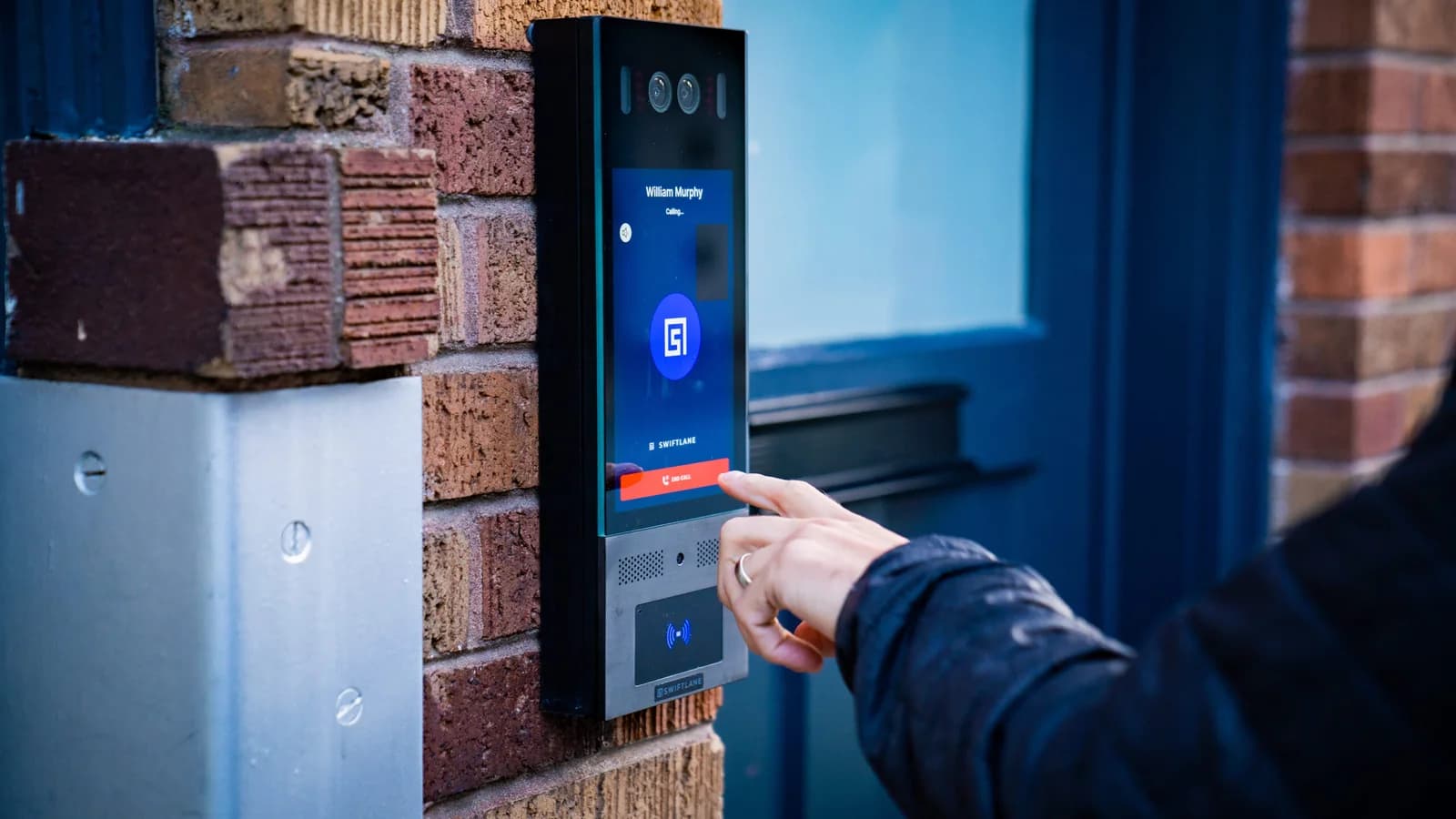
SwiftReader X and Verkada TK74, side by side
| Question | Swiftlane SwiftReader X | Verkada TK74 (TD53 where noted) |
|---|---|---|
| Screen and camera | 8-inch touchscreen in matte dark grey aluminum. 1080p HD video calling. | — — The TD53 has a 5MP camera (2688 x 1944) with a 130° horizontal field of view. |
| How a visitor reaches a resident | Touchscreen directory. The panel rings the resident's smartphone, basic cell phone or landline as a regular phone call, and the resident presses 9 to unlock. The app adds video. | On-screen directory searched by name, unit or department number, QR code scan, or a two-way video call. Calls route to the Verkada Pass app, an iPad Desk Station, Command in a browser, a SIP or VoIP phone system, or any phone number over PSTN. The receiver presses a 0 to 9 digit to unlock. |
| Resident credentials | Face, mobile, PIN, fob, Apple/Google Wallet and Siri voice commands, with Bluetooth access and remote unlock in the Swiftlane app. | Low-frequency (125 kHz) and high-frequency (13.56 MHz) credentials, mobile NFC (13.56 MHz) with Apple Wallet and Android NFC, Bluetooth Low Energy, QR code, PIN of 4 to 16 digits, and Face Unlock. Verkada's reader datasheet says it "cannot issue Resident Cards for Multi Family Units" on Apple Wallet. |
| Power and cable | 12–24 V DC or PoE+ (IEEE 802.3at, 25 W minimum) over Cat5e or Cat6. Wi-Fi is not supported. | PoE+ (25.5 W) or PoE++ (40 W). The TD53 is listed at 11.5 W on PoE (IEEE 802.3af) and 25.5 W on PoE+ (IEEE 802.3at) for its extended temperature range. Cat5e is the minimum performance category recommended. |
| Relays on the panel | Built-in dry relays rated 3 A at 30 V DC, for up to three DC strikes. Swiftlane says the built-in relays are not designed for AC locks and to use an external isolation relay, listing the Altronix RB30 and Altronix 6062. Swiftlane calls the built-in relays "less secure since relays are not on the secure side". | Two dry relays, 30 V DC at 1 A, three dry inputs and one RS-485 port. The TD53 datasheet lists a separate Verkada Security Relay accessory at $199. |
| Controller on the secure side | DCU: 12-24 VDC, relays rated 5A at 30 VDC, Wiegand terminal output 12 VDC at 1 A combined, and a dry-contact fire alarm input. Install the DCU no more than 300 ft. from the DC power supply. | AC43: up to four doors, two REX and one DPI dry input per door, a fire alarm interface, wet relays at 12V (700mA max) or 24V (350mA max), dry relays at 24VDC and 2A, 100-240VAC input, 98W maximum, and support for Verkada or third-party OSDP and Wiegand readers. The datasheet lists AC43-HW at $1,999. |
| Weather and impact | Not stated in the Swiftlane documents cited here. | IK08 and IP66 on the TK74, TD53 and TD63. IK07 and IP65 on the TD33. |
| Listings | Not stated in the Swiftlane documents cited here. | The same guide's table lists the TK74 as pending for UL-294, ULC-60839-11-1 and EWPE. |
| Cellular backup | Swiftlane RUT240 cellular router, with AT&T as the primary cellular provider and failover enabled with WAN first and Mobile second. | GC31 indoor cellular gateway: LTE Cat 12, two SIM slots with dual SIM/auto SIM failover, two 802.3bt PoE++ capable ports with 60W total power budget. Verkada's pricing page lists a Data License for unlimited data on 1 Verkada video device, such as an intercom, at $599 USD MSRP including a 1-year data license. |
| Published hardware price | Not stated in the Swiftlane documents cited here. | |
| Published recurring fee | "Transparent monthly subscription per unit covers: software updates, cloud hosting, support, and warranty." Swiftlane's page also lists "Transparent monthly pricing with cellular service bundled in." | Data License for unlimited data on 1 Verkada video device: $599 USD MSRP on the pricing page, including a 1-year data license. |
| Warranty | Swiftlane's terms (effective September 15, 2021): free from material defects for two years from the date of original shipment, repaired or replaced at Swiftlane's option. | Ten years on the TD53, TD63, TD33, AC43, AD34 and GC31. Five years on the TK74. |
| Support | Email support Monday through Friday during Swiftlane's normal business hours. The manual prints support@swiftlane.com and 505-657-9438. | Not stated in the Verkada documents cited here. |
How residents and visitors use each one
With Swiftlane, the visitor finds the resident on the touchscreen and the panel rings the resident's phone as a regular call: smartphone, basic cell phone or landline. The resident presses 9 to unlock. The app is optional and adds video verification of the visitor.
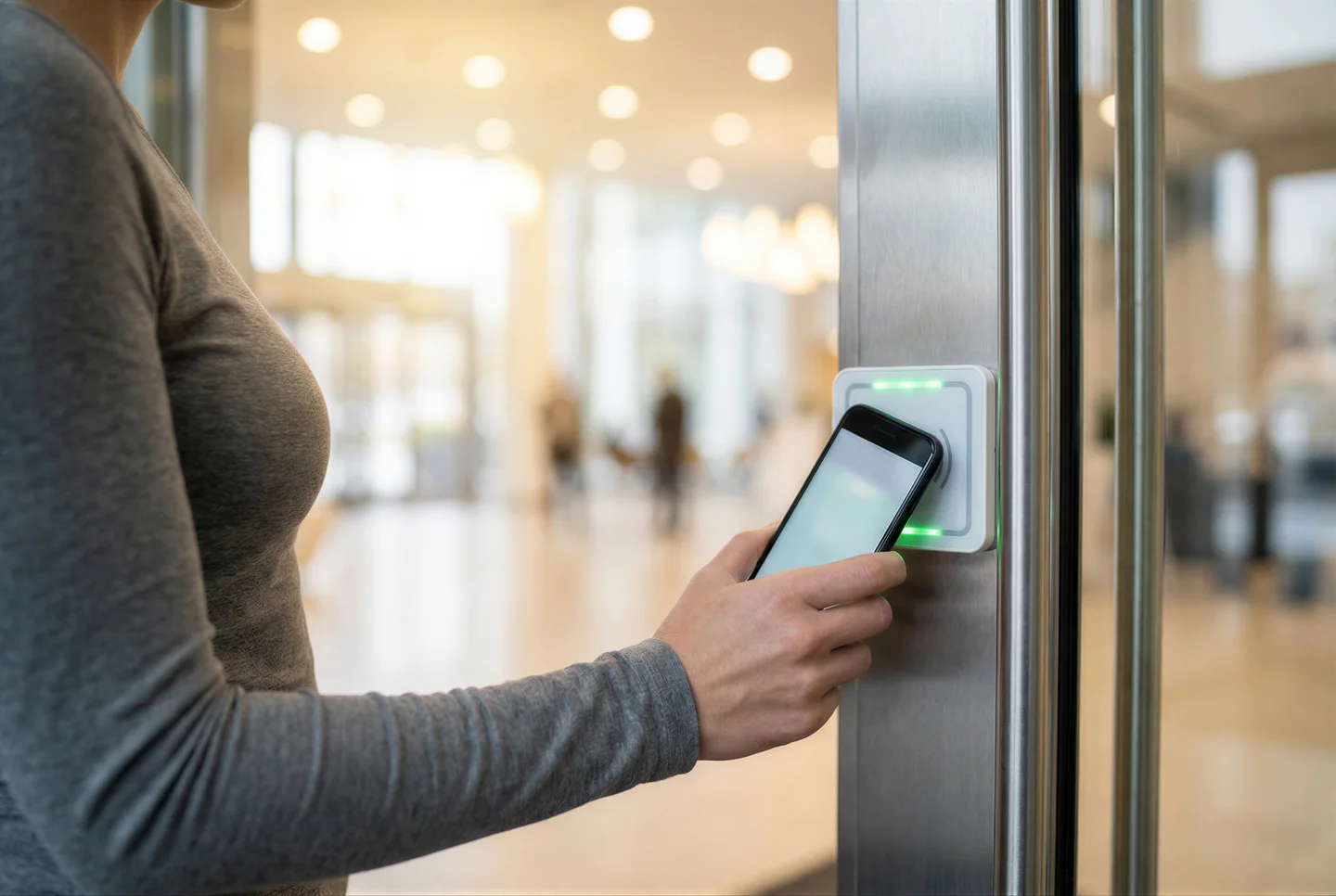
Residents also enter with their face, the app over Bluetooth, a PIN or a fob. Swiftlane's brochure says residents can tap to unlock with iPhone, Android or Apple Watch using secure NFC, and that it keeps working for up to 5 hours after the phone dies. Swiftlane's brochure lists one-time and multi-use access codes, detailed visitor photo logs, and a saved photo audit trail for every delivery. Swiftlane's site says that if the internet is lost, it still provides offline access to residents by storing credentials locally.
On Verkada, the TK74's 7-inch screen wakes as someone approaches. Visitors search the directory by name, unit or department number, scan an entry QR code, or start a two-way video call to the tenant's preferred devices. The TD63 keypad can be configured as a directory, letting visitors reach departments or offices by dialing a 1-3 digit call code.
They can also ring a SIP or VoIP system, including Microsoft Teams, or any phone number over PSTN, where the receiver presses a 0 to 9 digit to unlock.
Internet, cellular backup and what happens offline
Swiftlane's manual calls for a stable connection over Cat5e or Cat6, says Wi-Fi is not supported, and adds that if the connection is not stable, "a cellular backup router can be provided by Swiftlane". Swiftlane's network requirements say customers should allow complete outbound connections from access point devices on port 80 and 443.
Swiftlane's cellular router is the RUT240, and Swiftlane uses AT&T as the primary provider for cellular connectivity. Failover is switched on in the router with WAN first and Mobile second. The router is powered by a passive 24 V DC PoE injector, and Swiftlane warns that standard PoE "would burn the router". It lists 10-12 ft as a good installation height to start.
Verkada's GC31 cellular gateway lists LTE Cat 12, two Nano 4FF SIM slots with dual SIM/auto SIM failover, and two 802.3bt PoE++ capable ports with a 60W total power budget. In the US the Verkada SIM defaults to Verizon and fails over to AT&T or T-Mobile if needed, and customers can bring their own data plan. The GC31 base cloud license includes unlimited data for Verkada non-video devices such as access controllers; unlimited data for video devices such as cameras or intercoms can be purchased through the LIC-GC-1VD add-on license. Verkada notes that cloud backup is disabled on devices using its data plan.
Offline, Swiftlane says it stores credentials locally so residents get in during an internet outage, and its site lists battery and cellular backup options. Verkada's AC43 caches access configurations locally to keep doors working through a network outage. The AC43 datasheet says to mount the ACC-CEL-LTE-2 Cellular Backup Communicator directly onto the chassis to minimize connectivity disruptions. The communicator's own datasheet describes it as backup for the BP52 and BP42 alarm panels and says it "does not provide LTE data for PoE devices". Ask Verkada in writing which devices it covers before you plan on it.
Wiring: what a swap reuses and what it does not
Swiftlane and Verkada's TD53 both list an Ethernet cable for the panel. Swiftlane's FAQ says the intercom "requires a single PoE cable to provide power and internet to the hardware panel along with wiring for door locks based on type". Verkada's TD53 install guide asks for a Cat5e or Cat6 cable 0.2 to 0.25 inch in diameter, Cat5e as the minimum recommended category, and a minimum conductor gauge of 24 AWG for horizontal or riser cable.
If the old intercom left a two-wire cable at the entry, both vendors list a converter.
Swiftlane's built-in relays support only DC strikes, up to three; the Swiftreader X manual lists 18-22 AWG cable (shielded recommended) and a 1A / 200V diode connected antiparallel to the device. Swiftlane says the built-in relays are not designed for AC locks and to use an external isolation relay, listing the Altronix RB30 and Altronix 6062. Swiftlane's manual places the DCU relays on the inside, on the secure side of the building. Verkada's intercom relays are rated 30VDC at 1A (resistive load), and its install guide says the device can be set up as Fail Safe or Fail Secure with an external power source. The TD53 install guide's second option sets it up as a standalone badge reader with a Verkada access controller.
Swiftlane's DCU has Wiegand terminals, and its Z10 reader wires as Wiegand or OSDP on +9-24V DC. Swiftlane's Z10 guide lists 5-10 conductor cable for Wiegand and 4 conductor twisted pair with overall shield for OSDP. Verkada's AC43 supports Verkada or third-party OSDP and Wiegand readers, and its access control page says you can "Continue using your existing readers and keycards, or upgrade to Verkada's on your schedule."
Swiftlane publishes surface, flush, right-side surface, left-side surface, ADA surface and retrofit-plate mount options.
What each one costs to buy and to run
Verkada's Pricing & Ordering Information document is dated September 2026. The AC43 datasheet lists AC43-HW AC43 Four-Door Controller at $1,999.
Get Swiftlane's per-unit rate, term and hardware price in writing, then set it against Verkada's per-device and per-tenant lines for the same unit count.
The door side of the quote is the same either way. Our guide to what access control costs per door covers the lock, cable and controller work.
Who installs it and what the warranty covers
Swiftlane says it is "sold through local installers who provide installation and ongoing support". Its terms, effective September 15, 2021, provide support by email Monday through Friday during Swiftlane's normal business hours. The hardware warranty runs two years from the date of original shipment, with repair or replacement at Swiftlane's option. It does not cover hardware that is modified or altered, not maintained in accordance with Swiftlane's maintenance recommendations, or used outside the recommended environment.
Verkada's warranties are "up to 10 years, depending on the model": ten years on the TD53, TD63, TD33, AC43, AD34 and GC31 datasheets and five years on the TK74. The warranty excludes damage from accident, abuse or misuse, acts of God, or unauthorized use. Verkada's TK74 page lists a 30-day trial that includes a door reader, access controller, and full access to Verkada Command.
Elwin installs, configures, repairs and supports both brands. Elwin is a single accountable point of contact from site walk through installation and support.
Which one fits your property
Residents without smartphones, a board that wants one monthly per-unit subscription, and an entry that has to ring a landline point to Swiftlane. So does a wish for Apple or Google Wallet passes for residents.
A property that wants multi-year intercom licenses listed on a datasheet, or wants to keep existing readers and keycards, points to Verkada. So does a need for calls answered at a staffed desk, in Microsoft Teams or on a SIP phone system. Verkada lists cards, PINs, QR codes, Bluetooth and Android NFC credentials; its reader datasheet says it cannot issue Resident Cards for Multi Family Units on Apple Wallet.
Swiftlane's DCU has Wiegand terminals and relays on the secure side, and its Z10 reader is offered in Wiegand and OSDP versions.
Bring these to the site walk:
- The internet service at the entry and where the switch or router sits.
- Where the current panel's power, lock and data wires run, and whether the lock is AC or DC. Swiftlane's built-in relays switch DC strikes only.
- Unit count and how residents want to answer: a regular phone call, an app video call, or a staffed desk.
Questions about Swiftlane and Verkada
Does Swiftlane work without a smartphone?
Yes. Swiftlane's site says the panel rings the resident's smartphone, basic cell phone or landline as a regular phone call, and the resident presses 9 to unlock. The app is optional and adds video verification of the visitor.
Does Verkada have a resident directory?
Yes, on the TK74 touchscreen, where visitors search by name, unit or department number, and on the TD63, where visitors dial a 1 to 3 digit call code on the keypad.
Which one has cellular backup?
Both, with different hardware. Swiftlane's cellular router is the RUT240 on AT&T, with failover enabled. Verkada's GC31 gateway has two SIM slots with dual SIM/auto SIM failover, and unlimited data for video devices such as intercoms can be purchased through the LIC-GC-1VD add-on license.
What does Verkada charge per year?
Three-, five- and ten-year terms are listed as well. A site walk or service call confirms what applies at your entry.
What does Swiftlane cost?
Swiftlane's apartment page describes a transparent monthly subscription per unit that covers software updates, cloud hosting, support and warranty. Ask for the per-unit rate, the term and the hardware price in writing.
Can Verkada use existing readers?
Verkada's access control page says you can "Continue using your existing readers and keycards, or upgrade to Verkada's on your schedule." Verkada's AC43 datasheet says it supports Verkada or third-party OSDP and Wiegand readers.
Does Elwin install both Swiftlane and Verkada?
Yes. Elwin installs, configures and supports video intercoms and access control for multifamily and commercial properties across the Bay Area and works with both brands. Request a site walk and we will quote the entry, the lock, the controller and the network together.
Sources and further reading
These sources back up the general guidance. Your building and the people who approve the work decide the details for your doors.
- Swiftlane: SwiftReader X installation manual (SL-SRX-1 product overview, terminals, power and relay notes)
- Swiftlane: Installation manuals index
- Swiftlane: DCU Install Manual (DCU v5.2.0c specifications and wire recommendations)
- Swiftlane: Cellular router installation and debugging (RUT240)
- Swiftlane: SL-2WM-P 2-wire to Ethernet converter installation manual
- Swiftlane: Z-10 reader quick start guide, version 1.0
- Swiftlane: Swiftlane Access for apartments brochure (PDF modified August 25, 2026)
- Swiftlane: Building video intercom system page and FAQ
- Swiftlane: Video intercom for apartment building page
- Swiftlane: Compare video intercoms page
- Swiftlane: Access control readers (Z10 and Z20) page
- Swiftlane: Terms and conditions, effective September 15, 2021 (sections 1.5 and 7.2)
- Swiftlane: Help center: Network Requirements (September 1, 2024)
- Verkada: TK74 Touchscreen Intercom datasheet (0926)
- Verkada: TK74 product page
- Verkada: TD53 Video Intercom datasheet (0926)
- Verkada: TD53 Video Intercom install guide, V1.4 (September 15, 2026)
- Verkada: TD63 Video Intercom datasheet (0926)
- Verkada: TD33 Video Intercom datasheet (0926)
- Verkada: Intercom hardware overview page
- Verkada: Intercom receivers overview (0926)
- Verkada: AC43 Four-Door Controller datasheet (0926)
- Verkada: AD34 Door Reader datasheet (0726)
- Verkada: GC31 Cellular Gateway datasheet (0626)
- Verkada: ACC-CEL-LTE-2 Cellular Backup Communicator datasheet (0926)
- Verkada: Pricing page (MSRP)
- Verkada: Pricing & Ordering Information, September 2026
- Verkada: Mounts for TD53 Video Intercom (0625)
- Verkada: Access control page
- Verkada: Compliance page
- Verkada: Support page
- Verkada: Help center: Verkada Product Warranty