
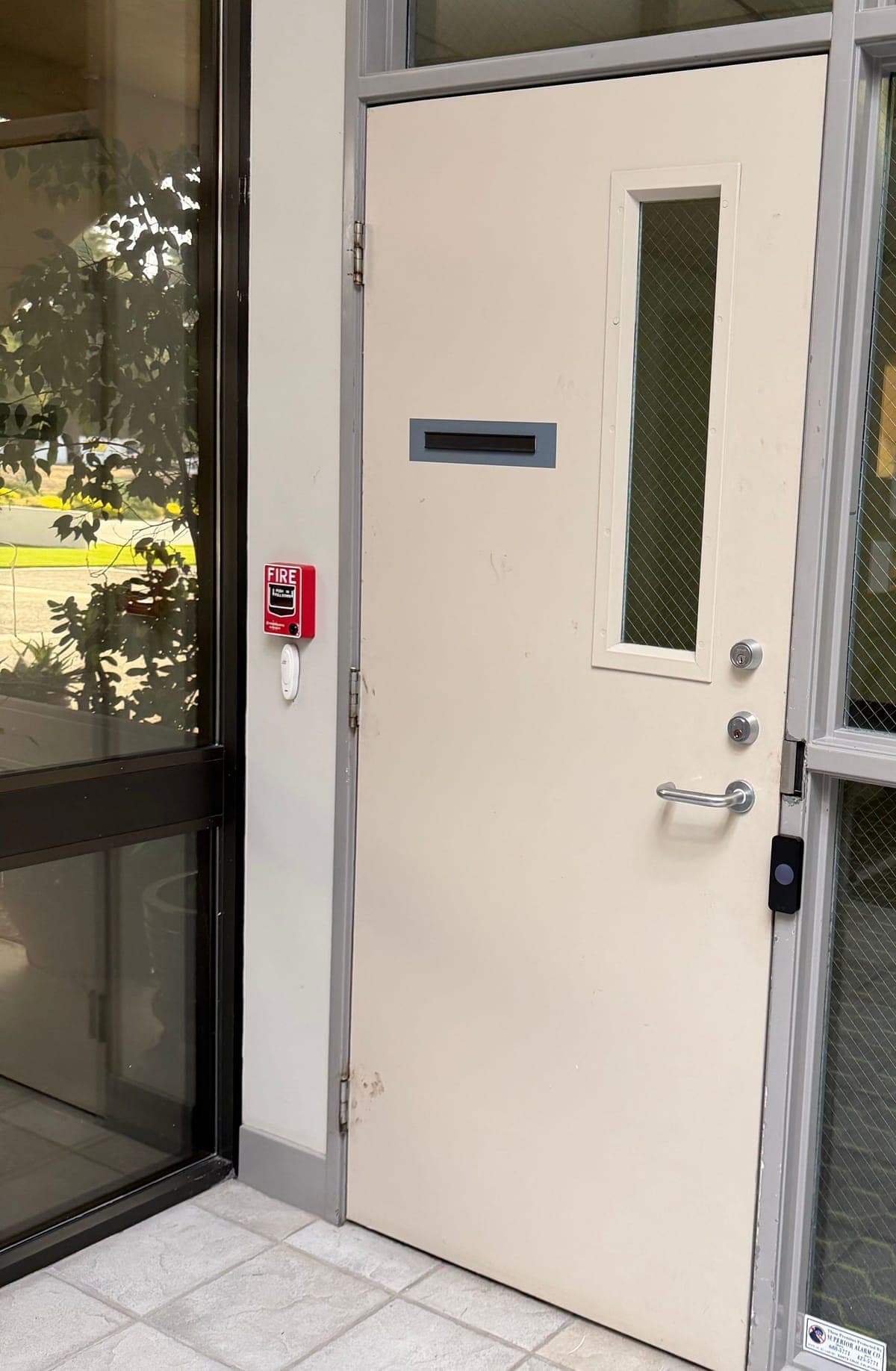
Key takeaways
- The doors that matter are the back door, the stockroom, the cash office and the manager's office. The front door usually stays on store hours or a key.
- Staff turnover is the main reason to go managed. When someone quits, you remove them from the app instead of chasing keys or rekeying.
- Plan deliveries so nobody props the back door with a box. A doorbell, an intercom or a door-held-open alert works better than a wedge.
- Aluminum storefront doors use narrow hardware such as Adams Rite deadlatches. Steel back doors often take a Von Duprin exit device.
- Budget about $3,000–$7,000 per door for a new install, or $1,500–$3,500 per door for a retrofit. Software is a subscription that depends on the platform and is quoted per job.
- Installs usually take 2–4 weeks to schedule, faster with an expedite fee.
Door list
Which doors in a store need access control?
Start with the doors your staff use and your customers don't. In most stores that is the back door, the stockroom, the cash office and the manager's office. Your front door is different: it is open to everyone during store hours, so you can usually leave it on a schedule or a manual key lock and spend your money on the back of the house.
Walk the store the way your opener does at 6 a.m., then the way a delivery driver does at 10 a.m. Any door where your answer to "who should get through here?" changes is a candidate for a reader. If the answer is "anyone", it probably isn't.
| Door | Who gets in | Usual setup |
|---|---|---|
| Front door (customer entrance) | Everyone during store hours; openers and closers after hours | Stays on a store-hours unlock schedule or a manual key lock. Some stores add a reader so the opener doesn't need a key. |
| Back door (deliveries and staff) | Openers, closers and staff on shift; drivers only with someone there | Reader outside, exit device or lever inside, a door contact so you know when it is propped open. |
| Stockroom | Stock staff and managers | Reader on the sales-floor side and a closer that actually pulls the door shut behind a cart. |
| Cash office | Managers and whoever counts the drawers | The shortest list in the store. Keep it to named people, not a whole shift. |
| Manager's office | Managers, sometimes the district manager | Often shares a permission group with the cash office. Files, the safe key and the camera recorder tend to live here. |
Why stores switch
Staff turnover is the real reason to go managed.
Retail turns over fast. Your seasonal hires, part-timers and assistant managers who move between locations all leave with whatever key or code they had. Every key that walks out is a rekey, and every shared keypad code gets passed around until nobody knows who still has it.
With a managed system, each person gets their own fob or phone credential. When someone leaves, you remove them in the app and their access stops at every door. You can give a seasonal hire an end date, keep cleaners to their cleaning window, and let the district manager into every store without handing out a ring of keys.
Door logs help too. If the stockroom opened at 11:40 p.m., you can see whose fob did it. Door logs show whose fob opened the door, not who walked in behind them, so don't use them as a headcount or as proof of who took what.
Kisi is the platform we install most often. Staff can use a fob or their phone, you can manage more than one store from the same dashboard, and schedules and end dates are set in the app. See Kisi access control installation. Elwin also works with PDK, Brivo, Verkada, SALTO and Paxton when a store already runs one of those. For the rollout itself, the keys and shared PINs guide walks through collecting keys and switching people over.
- Openers and closers: back door, stockroom, front door after hours.
- Sales associates: back door and stockroom during their shifts.
- Seasonal or temporary staff: only the doors they need, with an end date set on day one.
- Cleaners: back door during the cleaning window, nothing in the offices.
- Managers: everything, including the cash office and manager's office.
Daily use
Plan deliveries so nobody props the back door.
The most common problem we see at the back of a store is a door propped open with a box during a delivery, then left that way for an hour. No reader fixes that by itself. Decide how a driver gets in and how long you let the door stay open.
A few things work well. A door contact can send an alert to the manager's phone when the back door is held open too long. A doorbell or a video intercom at the back door lets the driver ring instead of knocking until someone hears. For a big weekly truck, a manager can unlock the door from the app for the unload and lock it again after, which beats a wedge every time.
Store hours belong to the front door, not to your staff. The front door can unlock and lock on a schedule with holiday exceptions, while staff fobs keep working before opening and after close on their own schedules. Decide who is allowed to override the schedule on Black Friday.
If the back door is also an exit, people inside must always be able to open it without a key, a fob or special knowledge. Your fire marshal or the authority having jurisdiction (AHJ) decides compliance for exit doors and any delayed-egress hardware.
If you are choosing between a doorbell, an intercom and a phone-answered system, the visitor entry and intercom guide covers who answers and how the door gets released.
Hardware
Can a storefront glass door take a card reader?
Yes, usually. If your store is in a San Jose or Santa Clara strip center, your front door is probably aluminum with an Adams Rite deadlatch or deadbolt in a narrow stile, the thin aluminum edge of the door. The usual way to add access is an electric strike in the frame that releases the existing deadlatch, or an Adams Rite narrow-stile exit device with electric latch retraction if the door already needs panic hardware.
Your steel back door is easier. Many already have a Von Duprin exit device, and we either add an electric strike in the frame (HES makes several that pair with rim exit devices) or swap to a Von Duprin device with electric latch retraction. An LCN closer that pulls the door fully shut matters as much as the lock.
The hard part of a storefront is usually the wire, not the lock. Getting cable through an aluminum frame takes care, and some storefronts need a power transfer through the hinge side. A door that drags or a tired closer makes any electric lock unreliable, so we check that first.
For the mechanical side of aluminum entrances, see the storefront door hardware guide.
Budget
How much does stockroom access control cost?
Plan on about $3,000–$7,000 per door for a new install, or $1,500–$3,500 per door to retrofit a door that already has access control. That covers the reader, the lock or strike, the wire, the controller share and setup for a typical door. A back door, stockroom and cash office together would land around $9,000–$21,000 as a new install, before software.
Where your door falls in that range depends on the door. A steel back door with a good exit device sits at the low end. An aluminum storefront that needs new hardware and a tricky cable route, or a corridor door the landlord wants handled a certain way, sits higher.
Software is a subscription. The monthly cost depends on the platform and the number of doors, so we quote it with the job. Installs usually take 2–4 weeks to schedule, and faster with an expedite fee.
The access control cost per door guide breaks down what goes into that number and what pushes a door up or down.
Before we visit
What to have ready for the site walk
Elwin is based in Santa Clara, and we walk stores across San Jose, Santa Clara and the rest of the South Bay. A short walk with whoever opens the store is usually enough to price it.
Many stores sit in shopping centers where the back door opens onto a shared service corridor or alley. If the landlord owns that corridor door, ask them before we add anything to it.
- Your door list: front, back, stockroom, cash office, manager's office, and anything else staff-only.
- Who needs which door, and roughly how many people are on the roster.
- Store hours, delivery days and the times trucks usually show up.
- Any door that sticks, doesn't latch or gets propped open now.
- Your landlord or property manager contact, and whether you run more than one location.
Retail questions
Common questions from store owners
Does the front door of a store need a card reader?
Usually not. Most stores keep the front door on a store-hours schedule or a manual key lock and put readers on the back door, stockroom and offices. A reader on the front door mainly saves the opener from carrying a key.
How do I stop employees from propping the back door open for deliveries?
Add a door contact so the system can alert you when the door is held open too long, and give drivers a doorbell or intercom so staff come to the door. For a big delivery, a manager can unlock it from the app and lock it again after.
What happens when an employee quits?
You remove them in the app and their fob or phone stops opening your doors. There are no keys to collect and nothing to rekey, which is the main reason stores with high turnover switch.
How much does it cost to add access control to a stockroom door?
About $3,000–$7,000 per door for a new install, depending on the door, the hardware and the cable route, or $1,500–$3,500 per door to retrofit a door that already has access control. Software is a separate subscription that depends on the platform and is quoted with the job.
Can I keep my existing storefront locks?
Often, yes. An Adams Rite deadlatch in good shape can usually stay and work with an electric strike in the frame. Worn or mismatched hardware gets replaced, and we tell you which at the site walk.
Sources and further reading
These references support the general technical guidance. The right answer for a specific opening still depends on the property and the authorities responsible for the project.