
Key takeaways
- The Door Hub and Door Hub Mini each support one door, the Retrofit Hub two, the Enterprise Access Hub eight, and the Gate Hub one gate and one side door.
- All UniFi Access Readers must be connected to an Access Control Hub to support door unlocking, and the Access Ultra, a reader with a built-in hub, cannot be connected to another hub.
- Access credentials are stored locally on the hub, so users can continue unlocking doors if the console malfunctions or loses internet connection, as long as the credentials have already been synced to the hub.
- Ubiquiti's tech specs and its help center give different maximum user counts for the Door Hub, Door Hub Mini, Access Ultra, Enterprise Access Hub and Gate Hub.
What UniFi Access is and which products this page covers
This page covers six hubs: the Door Hub, Door Hub Mini, Access Ultra, Enterprise Access Hub, Gate Hub and Retrofit Hub. It also covers eight readers and intercoms, listed in the readers table.
Ubiquiti's Door Access tech specs page shows 61 products; the G6 Entry and G6 Pro Entry, Reader Lite, Retrofit Readers, Intercom Viewer, kits, locks and mounting accessories are not covered here. For how the parts work together on any brand, see the general guide to how commercial access control works.
Source Ubiquiti's help center articles on choosing an Access Control Hub and choosing a reader, and its Door Access tech specs listing.
Connections
How the console, hub, reader and lock connect
Access Readers talk directly to their hub over Layer 2 Ethernet, so they must be on the same Layer 2 network (the same local network segment) as the hub and cannot communicate across VLANs. Hubs talk to the Access application over IP (Layer 3).
UniFi Access Readers connect to the hub using PoE, and the maximum cable length from the hub to the reader is 100 meters. If a switch powers the hub via PoE+ or PoE++, the total cable length from the switch to the hub and from the hub to the reader must not exceed 100 meters.
Source Ubiquiti's Getting Started with UniFi Access article and its help center articles on choosing a reader and choosing an Access Control Hub.
Lookup
Which hub is which: doors, inputs, power and mounting
The doors, inputs and PoE columns come from each hub's tech specs page. The Access Ultra page lists none of the three, so its row gives the help center's figures where it has them.
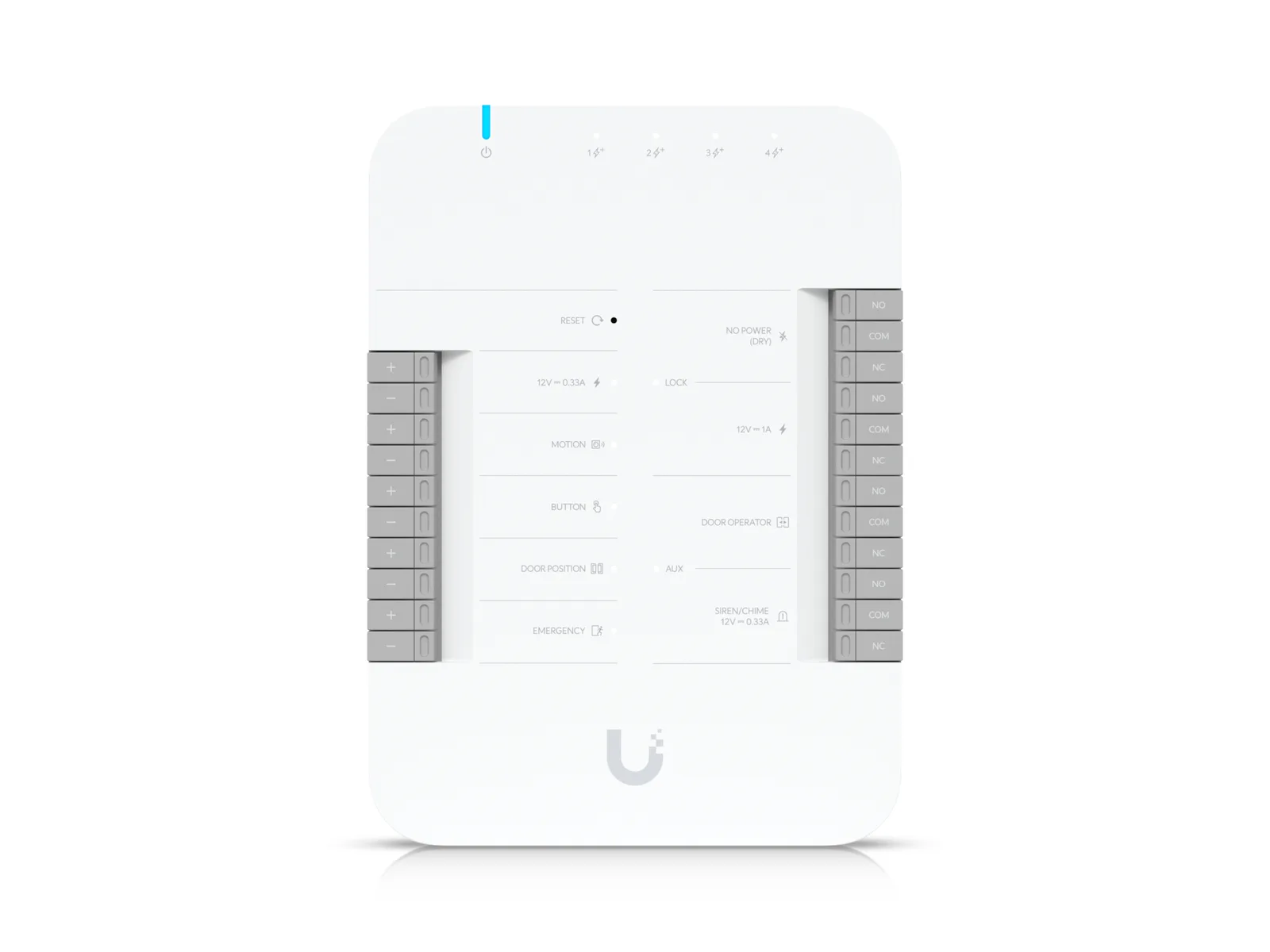
Using the Door Hub as its example, the terminals article describes a MOTION input for a motion sensor, a BUTTON input for a push-to-exit button, a DOOR POSITION input for a door position sensor (DPS) that monitors whether the door is open or closed, and an EMERGENCY input for emergency equipment like fire panels.
Each of the six hub tech specs pages has a UL 294 Level row that reads "Destructive attack: Level I", "Line security: Level I", "Endurance: Level I" and "Standby power: Level I".
| Hub | Supported Doors | Input Terminals | PoE Interface | Power | Indoor or outdoor |
|---|---|---|---|---|---|
| Door Hub (UA-Hub-Door) | 1 | (2) Door exit request, (1) Door position, (1) Emergency | (1) PoE++ input, 50V DC, 1A; (4) PoE+ outputs, 50V DC, 30W per port (Max 45W aggregated) | PoE++ | Indoor only |
| Door Hub Mini (UA-Hub-Door-Mini) | 1 | (1) Door exit request, (1) Door position | (1) PoE++ input, 50V DC, 1A; (2) PoE+ outputs, 50V DC, 30W per port (Max 45W aggregated) | PoE++ | Indoor only |
| Access Ultra (UA-Ultra) | Not listed (help center: Single-Door column) | Not listed (help center: (1) Request to exit, (1) Tamper switch) | Not listed (tech specs: one 10/100 MbE RJ45 port) | PoE+ | Indoor and outdoor use: Yes; IP55 |
| Enterprise Access Hub (EAH-8) | 8 | (8) Door exit request, (8) Door position, (1) Emergency | (8) PoE+ outputs, 50V DC, 30W per port (Max 190W aggregated) | AC (tech specs: 100-240V AC, Max. 4.4A, 50/60 Hz; 32-48V DC lead acid battery, Max. 7.5A @32V) | Indoor only |
| Gate Hub (UA-Hub-Gate) | 1 gate, 1 side door | (1) Gate exit request, (1) Gate position, (1) Side door exit request, (1) Side door position, (1) Emergency | (1) PoE++ input, 50V DC, 1A; (4) PoE+ outputs, 50V DC, 30W per port (Max 55W aggregated) | PoE++ | Indoor only: device itself. Outdoor: with waterproof junction box |
| Retrofit Hub (UA-Retrofit-Hub-2) | 2 | (2) Third-party Wiegand Reader / UniFi Retrofit Reader, (2) Door exit request, (2) Door position, (1) Emergency | Not listed | DC (tech specs: 12/24V DC) | Indoor only |
Source Ubiquiti's tech specs page for each hub, its Getting Started with UniFi Access article, and its help center articles on choosing an Access Control Hub and on hub input and output terminals.
Lock outputs
Lock relay outputs, lock types and emergency modes
There are two kinds of LOCK relay terminal. POWERED connects to a lock operating at 12V up to 1 Amp. NO POWER (DRY) connects to an electric lock that does not operate at a 12V rating, such as a 24V electric strike, and requires an external transformer.
Ubiquiti's lock article defines the two lock types in its own words. "Fail-Safe Lock: Automatically unlocks during a power loss, ensuring safe egress." "Fail-Secure Lock: Remain locked during a power loss, maintaining security for restricted areas such as data storage rooms."
On the Door Hub, the DOOR OPERATOR terminal is dry and must be powered by an external power supply, as is the AUX terminal on the Enterprise Access Hub and Gate Hub. The Door Hub's SIREN/CHIME terminal already provides 12V power, with a maximum rating of 0.33A (4 watts) for a 2-wire siren or chime.
Emergency mode has two modes, and access credentials are overridden in both. "Emergency Evacuation: Unlocks doors to ensure safe exit during emergencies like fires." "Emergency Lockdown: Locks doors to protect people inside during threats like external attacks."
This page does not reproduce wiring or setup steps.
| Hub | Dry Output Relay | Powered Output Relay |
|---|---|---|
| Door Hub | Lock: 30V DC, 1A; Aux: 30V DC, 1A | Lock: 12V DC, 1A; Aux: 12V DC, 0.33A; 12V DC, 0.33A |
| Door Hub Mini | 30V DC, 1A | 12V DC, 1A |
| Access Ultra | Not listed | Lock: 12V DC, 1A |
| Enterprise Access Hub | (8) Lock terminals (12V or Dry); (4) AUX terminals for advanced setup (Chime/Siren/Door opener) | Lock: 12V DC, 1A/ Dry; Aux: Dry only |
| Gate Hub | (2) Operator: rated 30V DC, up to 1A; (1) Aux: rated 30V DC, up to 1A | Side door lock: 12V DC, up to 1A |
| Retrofit Hub | Lock: rated 30V DC, up to 1A; Aux: rated 30V DC, up to 1A | 12V Lock: 12V DC, up to 1A; 24V Lock: 24V DC, up to 0.5A |
Source Ubiquiti's tech specs page for each hub, and its help center articles on hub input and output terminals, choosing a UniFi Access lock and activating emergency mode.
Capacity
Maximum user counts: two sets of figures
Each hub's tech specs page and the help center's hub comparison give different maximum user figures. Only the Retrofit Hub's tech specs count matches its one-card figure.
Neither the tech specs pages nor the hub comparison explains the difference. Ubiquiti's console article says the maximum user count per hub is based on the assigned access credentials.
| Hub | Tech specs: Maximum User Count | Help center: Maximum Users (1 NFC Card per User) | Help center: Maximum Users (1 NFC Card + Mobile Unlock per User) |
|---|---|---|---|
| Door Hub | 6,000 | 10,000 | 7,000 |
| Door Hub Mini | 3,000 | 2,900 | 1,800 |
| Access Ultra | 3,000 | 2,900 | 1,800 |
| Retrofit Hub | 10,000 | 10,000 | 6,000 |
| Enterprise Access Hub | 10,000 | 30,000 | 20,000 |
| Gate Hub | 6,000 | 10,000 | 7,000 |
Source Ubiquiti's tech specs page for each hub, and its help center articles on choosing an Access Control Hub and on UniFi Consoles with UniFi Access support.
Hub by hub
What is particular to the Enterprise Access Hub, Gate Hub, Access Ultra and Retrofit Hub
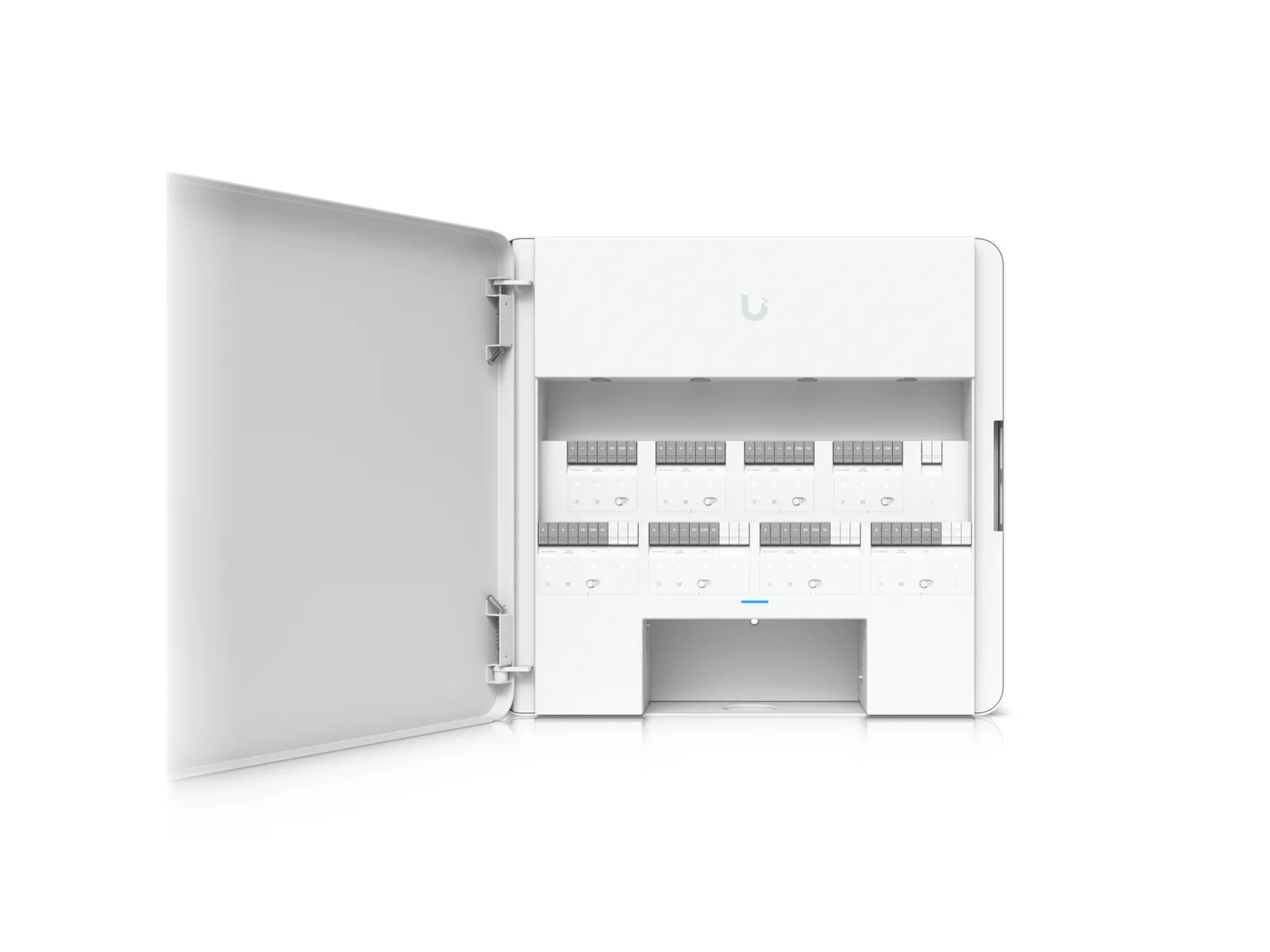
The Enterprise Access Hub supports up to 8 doors, or 4 if using readers for both entry and exit. It supports up to 8 readers. Ports 9 and 10 are uplink ports without PoE output; only one can be used for uplink at a time while the other serves as a backup.
The Enterprise Access Hub does not include a charging circuit and cannot charge a backup battery; charging must be handled externally.
The Gate Hub works with sliding gates, swinging gates (single and double leaf), barrier gates and roll-up garage doors, and provides access control for a pedestrian side door. On gate safety Ubiquiti says: "To comply with UL 325 safety standards and ensure proper License Plate Unlock functionality, the UL 325 terminals on the third-party gate operator control board must be connected to entrapment protection devices."
Ubiquiti's store page describes the Access Ultra as an access reader with a built-in hub for complete, single-door entry control from one device. It cannot be connected to another Access Control Hub or used solely as a reader, and its tech specs give a maximum power consumption of 18W.
The Retrofit Hub is a DC-powered two-door solution, compatible with both third-party Wiegand readers (other makers' card readers that use the Wiegand interface) and the UniFi Retrofit Reader. Its tech specs list two 10/100 MbE RJ45 ports and a reader power output of 12V DC, up to 0.5A.
Ubiquiti also lists an Elevator Hub, part of the Elevator Starter Kit, which supports up to 18 floors and is powered by PoE++. For how the work is divided between the installer and the elevator company, see the guide to elevator access control cost.
Source Ubiquiti's help center articles on choosing an Access Control Hub, introducing the Gate Hub and getting started with UniFi Access; the Enterprise Access Hub, Access Ultra and Retrofit Hub tech specs; and the Access Ultra store page.
Readers
What each reader and intercom reads
Ubiquiti's two documents differ on two cells. The help center's reader comparison ticks Facial Recognition for its Reader Pro column (the G3 Reader Pro and G2 Reader Pro), but the G2 Reader Pro tech specs page has no Face Unlock row. It also ticks QR Code for its Intercom column (the G3 Intercom and Intercom), but the Intercom tech specs page has no QR Code Unlock row.
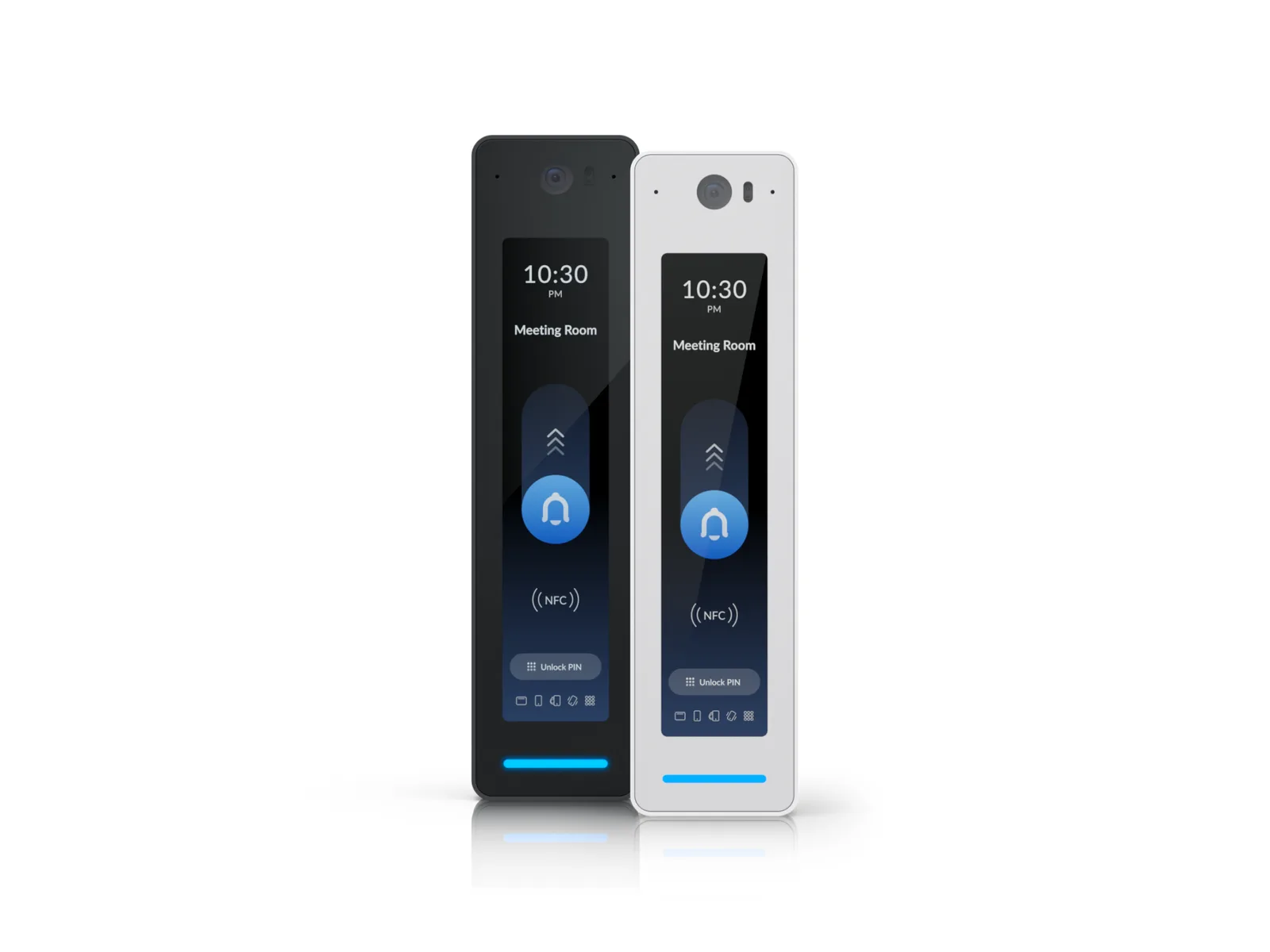
The G3 Intercom and Intercom are for multi-tenant residential and commercial entry points, such as gates or main entrances, and provide directory services to call specific users or contacts. A newly purchased G3 Intercom, Intercom, G3 Reader Pro or G2 Reader Pro requires a direct connection to an Access Control Hub's PoE port for initial adoption (adding it to the system) and to perform the latest firmware update.
All eight reader tech specs pages give an NFC frequency of 13.56 MHz (NFC is the short-range radio that cards, fobs and phones use) and a PoE power method.
Ubiquiti's Door Access overview says UniFi Access readers support cards and fobs with all 13.56Mhz NFC protocols including ISO 14443A, ISO 14443 B, and ISO 15693.
| Model | Access rows ticked | Weatherproofing | Max. Power Consumption |
|---|---|---|---|
| G2 Reader (UA-G2) | NFC Card & Keyfob Access, Mobile Unlock, Handwave Request to Exit | IP55 | 5W |
| G3 Reader (UA-G3) | NFC Card & Keyfob Access, Apple/Google Wallet, Mobile Unlock, Handwave Request to Exit | IP55 | 5W |
| Reader Flex (UA-G3-Flex) | NFC Card & Keyfob Access, PIN Access, Apple/Google Wallet, Mobile Unlock | IP55 | 5W |
| G3 Reader Fingerprint (UA-G3-Fingerprint) | NFC Card & Keyfob Access, PIN Access, Apple/Google Wallet, Mobile Unlock, Fingerprint Unlock (fingerprint capacity: 300) | IP55 | 5W |
| G2 Reader Pro (UA-G2-Pro) | Integrated Camera, NFC Card & Keyfob Access, PIN Access, QR Code Unlock, Mobile Unlock, Two-Way Intercom & Doorbell Access | IP55 | 6W |
| G3 Reader Pro (UA-G3-Pro) | Integrated Camera, NFC Card & Keyfob Access, PIN Access, QR Code Unlock, Apple/Google Wallet, Mobile Unlock, Face Unlock, Two-Way Intercom & Doorbell Access | IP55 | 6W |
| G3 Intercom (UA-G3-Intercom) | Integrated Camera, NFC Card & Keyfob Access, PIN Access, QR Code Unlock, Apple/Google Wallet, Mobile Unlock, Face Unlock, Two-Way Intercom & Doorbell Access | IP65 | 13W |
| Intercom (UA-Intercom) | Integrated Camera, NFC Card & Keyfob Access, PIN Access, Mobile Unlock, Face Unlock, Two-Way Intercom & Doorbell Access | IP65 | 13W |
Source Ubiquiti's tech specs page for each reader, its help center article on choosing a UniFi Access reader, and its Door Access overview.
Console and apps
The UniFi Console and the apps the system needs
Ubiquiti lists these consoles as compatible with UniFi Access. If a UniFi Cloud Gateway doesn't run UniFi Access, a Network Video Recorder (NVR) or CloudKey+ can be added to manage the UniFi Access equipment.
Readers are added to the Access application through the UniFi Access mobile app, for iOS and Android, or through Site Manager at unifi.ui.com.
For people opening doors, the Mobile Unlock article lists the UniFi Endpoint mobile app as the requirement, on iOS 17.0 or later, Android 7.0 or later, or watchOS 9.0 or later (Mobile Button only).
| Console | Maximum Hubs in Ubiquiti's test |
|---|---|
| Enterprise Network Video Recorder (ENVR) | 300 |
| Enterprise NVR Core (ENVR-Core) | Not in the published test |
| Dream Machine Pro (UDM-Pro) | 150 |
| Dream Machine Special Edition (UDM-SE) | 150 |
| Dream Machine Pro Max (UDM-Pro-Max) | 150 |
| Dream Wall (UDW) | 150 |
| Dream Router 7 (UDR7) | Not in the published test |
| Network Video Recorder (UNVR) | 150 |
| Network Video Recorder Pro (UNVR-Pro) | 150 |
| Network Video Recorder G2 Pro (UNVR-G2-Pro) | Not in the published test |
| CloudKey+ (UCK-G2-PLUS) | 100 |
| Cloud Gateway Max (UCG-Max) | 150 |
| Cloud Gateway Fiber (UCG-Fiber) | Not in the published test |
| Dream Router (UDR); the article says it does not support UID Enterprise Door Access | 50 |
Source Ubiquiti's help center articles UniFi Consoles with UniFi Access Support, Getting Started with UniFi Access and Unlocking Doors with Mobile Unlock, and its Door Access overview.
Help with a UniFi Access system
Elwin Security installs, configures, repairs and supports UniFi Access hubs and readers through its access control installation service for commercial and multifamily properties in the San Francisco Bay Area. Calls are answered 8:00 AM-8:00 PM daily at (408) 539-0535.
FAQ
UniFi Access questions
How many doors does a UniFi Access hub control?
One for the Door Hub and Door Hub Mini, 2 for the Retrofit Hub, 8 for the Enterprise Access Hub (4 if readers are used for both entry and exit), and 1 gate, 1 side door for the Gate Hub. The help center places the Access Ultra with the single-door hubs.
Can a UniFi Access reader work without a hub?
Not for unlocking doors: all UniFi Access Readers must be connected to an Access Control Hub to support door unlocking. Starting with Access 3.2.42 a reader can be connected to a PoE switch instead; door unlocking is not supported that way, but registering NFC cards, viewing live video and receiving doorbell calls are retained.
Do UniFi Access doors still unlock if the console goes offline?
Yes, if the credentials have already been synced to the hub: credentials are stored locally on the Access Control Hub, so users can continue unlocking doors if the console malfunctions or loses internet connection. If the hub loses its connection to the console before syncing, new access credentials will not take effect until the connection is restored and synchronization is complete.
Source Ubiquiti's hub tech specs pages, and its help center articles on choosing an Access Control Hub, choosing a reader and UL 294-compliant door access control.
Sources and further reading
These sources back up the general guidance. Your building and the people who approve the work decide the details for your doors.
- Ubiquiti: UniFi Door Access tech specs (product listing)
- Ubiquiti: Door Hub (UA-Hub-Door) tech specs, document UA-Hub-Door002, V01
- Ubiquiti: Door Hub Mini (UA-Hub-Door-Mini) tech specs, V01
- Ubiquiti: Access Ultra (UA-Ultra) tech specs, V01
- Ubiquiti: Enterprise Access Hub (EAH-8) tech specs, Ver 01
- Ubiquiti: Gate Hub (UA-Hub-Gate) tech specs, V01
- Ubiquiti: Retrofit Hub (UA-Retrofit-Hub-2) tech specs, V01
- Ubiquiti: G2 Reader (UA-G2) tech specs, V02
- Ubiquiti: G2 Reader Pro (UA-G2-Pro) tech specs, V02
- Ubiquiti: G3 Reader (UA-G3) tech specs, V01
- Ubiquiti: G3 Reader Pro (UA-G3-Pro) tech specs, V01
- Ubiquiti: Reader Flex (UA-G3-Flex) tech specs, V01
- Ubiquiti: G3 Reader Fingerprint (UA-G3-Fingerprint) tech specs
- Ubiquiti: G3 Intercom (UA-G3-Intercom) tech specs, V01
- Ubiquiti: Intercom (UA-Intercom) tech specs, V01
- Ubiquiti: Access Ultra (UA-Ultra) store page (product description only)
- Ubiquiti Help Center: Getting Started with UniFi Access (edited February 26, 2026)
- Ubiquiti Help Center: Choosing a UniFi Access Control Hub (edited March 31, 2026)
- Ubiquiti Help Center: Choosing a UniFi Access Reader (edited August 25, 2026)
- Ubiquiti Help Center: Understanding UniFi Access Control Hub Input and Output Terminals (edited September 16, 2025)
- Ubiquiti Help Center: Choosing a UniFi Access Lock (edited March 12, 2026)
- Ubiquiti Help Center: UniFi Consoles with UniFi Access Support (edited September 21, 2026)
- Ubiquiti Help Center: Secure, Reliable, and UL 294-Compliant Door Access Control with UniFi Access (edited April 1, 2026)
- Ubiquiti Help Center: Activating Emergency Mode in UniFi Access (edited March 31, 2026)
- Ubiquiti Help Center: Introducing UniFi Access Gate Hub (edited February 28, 2025)
- Ubiquiti Help Center: Unlocking Doors with Mobile Unlock in UniFi Access (edited January 28, 2026)
- Ubiquiti: Door Access Overview (frequently asked questions)