
Key takeaways
- 2N files the older IP Verso and IP Force, without 2.0 in the name, under Discontinued. Its intercoms page lists the IP Verso 2.0 and IP Force 2.0.
- The IP Style and IP Force 2.0 take PoE+, the higher-power PoE standard. The other six units take standard PoE, and all eight also list a 12-volt DC input.
- The IP Solo, IP Base and Access Unit M manuals, and the Access Unit 2.0 manual for HW version 599v4 or lower, warn against feeding the unit from PoE and an external supply at the same time.
- Cover ratings run from IP54 on the IP Verso 2.0, IP Solo and Access Unit 2.0 to IP69 on the IP Force 2.0.
- On both access units the door controller is built into the reader.
- Access Commander runs on site, as a virtual machine or pre-installed on the Access Commander Box 2.0; 2N's cloud platform is My2N.
Identify
Which 2N model do I have?
2N's US site lists nine IP intercoms. This page covers six of them: the IP Style, IP Verso 2.0, IP Force 2.0, IP One, IP Base and IP Solo. It also covers the Access Unit 2.0 and Access Unit M readers and Access Commander, but not the IP Safety, LTE Verso, IP Audio Kit, indoor stations or the My2N platform.
The IP Style has a 10.1-inch touchscreen, and the IP Verso 2.0 is built from separate modules. The IP Force 2.0 has one, two or four backlit buttons or a keypad; the IP One and IP Solo have one button, and the IP Base has one or two. The table gives each model's buttons, versions and camera.
For symptoms on any maker's building intercom, such as no call or no door release, see the guide to apartment intercom troubleshooting. For how a controller, power supply and lock work together, see how commercial access control works.
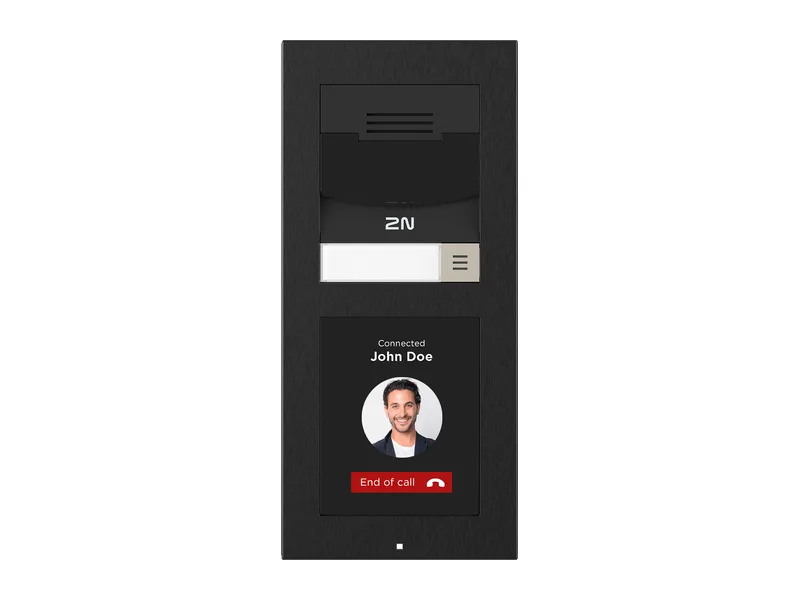
| Model | Buttons, keypad and display | Versions 2N lists | Camera |
|---|---|---|---|
| 2N IP Style | 10.1-inch touchscreen, 1280 x 800; numeric keypad on screen | 2N IP Style (02521-001); 2N IP Style, supports secured cards (02407-001) | Video call max 2560x1920 (4:3); max QHD (16:9); infrared light: yes |
| 2N IP Verso 2.0 | Built from modules, including a touch display, keypads and a 5-button module; 2N says 20 different modules can be combined | Main unit with camera or audio only, each in nickel or black | Infrared light: yes |
| 2N IP Force 2.0 | 1, 2, or 4 transparent backlit buttons; versions with a keypad | Eleven versions, with camera or audio only, including one with 1 emergency button | H.264, H.265 max. 2560 x 1920; infrared light: yes |
| 2N IP One | 1 button | Grey, bronze and black | max. 1920 x 1440 (4:3); infrared light: yes |
| 2N IP Base | 1 or 2 buttons; the pack holds plastic buttons for both options | 2N IP Base (01357-001) | HD camera 1280 x 960; night vision: no |
| 2N IP Solo | 1 button | Surface or flush mounted, with or without camera, each also in black | JPEG 1280 x 960px; video call 640 x 480 px (camera optional); night vision: yes |
Source 2N's US intercoms and access readers pages, and the technical specifications on each door station's US product page.
Power and ratings
How is it powered, and what are its temperature, dust, water and impact ratings?
Each of the eight device pages lists Power over Ethernet and a 12 V DC supply. PoE+ (IEEE 802.3at) is the higher-power version of standard PoE (802.3af). In a cover rating, the IP figure is protection against dust and water, and the IK figure is resistance to impact.
The IP Verso 2.0, IP One and both access unit product pages give the power type as PoE and/or 12 V DC. The IP Solo, IP Base and Access Unit M installation manuals each say the device cannot be fed from an external power supply and PoE at the same time, and that a combined supply might result in a device damage. The same warning covers Access Unit 2.0 units with hardware (HW) version 599v4 or lower.
| Model | PoE | DC supply | Operating temperature | Cover rating |
|---|---|---|---|---|
| 2N IP Style | PoE+ IEEE 802.3at (Class 4–25.5 W) | 12 V ±15 %, 4 A | -30 to 60°C | IP65, IK08 |
| 2N IP Verso 2.0 | 802.3af (Class 0–12.95 W) | 12 V/3 A DC | -40 to 60°C | IP54 and IK08; the manual lists IK07 for the touch display module |
| 2N IP Force 2.0 | PoE+ IEEE 802.3at; PoE+ 802.3at (Class 4–25,5 W) in the manual; max power consumption 30W in the data sheet | 12 V / 4 A DC | -30°C to +55°C (product page and manual); -30°F to +131°F (US data sheet) | IP69; IK10 body, IK08 camera and front panel |
| 2N IP One | 802.3af (12.95 W max.) | 12 V/3 A DC (product page); 12 V / 2 A DC (data sheet and manual) | -40°C to +60°C (product page); −30 °C to 60 °C (manual) | IP66 and IK08 |
| 2N IP Base | PoE 802.3af | 12V, 2A, DC | -40 to 60°C (product page); -40 to 55°C (data sheet and manual) | IP65, IK7 |
| 2N IP Solo | PoE 802.3af (Class 0 - 12.95W) | 12V ± 15% / 2A DC | -40 to 60°C | IP54, IK08 |
| 2N Access Unit 2.0 | 802.3af (Class 0–12.95 W) | 12 V/3 A DC (product page); 12 V DC, max 1 A (data sheet); 12 V ±15 % / 1 A DC (manual) | -40 to 60°C; the data sheet lists -4°F to +131°F for the fingerprint reader version | IP54 and IK08 |
| 2N Access Unit M | 802.3af (Class 0–12.95 W) | 12 V/3 A DC (product page); 12 V/1 A DC (data sheet); 12 V ± 1 V / 1 A DC (manual) | -40 to 60°C | IP55, IK7 |
Source 2N's US product pages, with the data sheets and installation manuals where their figures differ.
Switch outputs
What switch outputs and inputs does each model have?
2N lists two kinds of output. The passive switch, which the installation manuals label a relay, is a contact. NO means normally open and NC means normally closed. The active switch output supplies its own low voltage, given in the table.
The IP Base installation manual names OUT1 as the active output, and says of the RELAY terminal: "Used for connection of non-critical devices only (lights, e.g.)."
2N sells a Security Relay (01386-001). The IP Base installation manual says it "prevents tampering with the intercom and forced opening of the lock" and is installed between intercom and lock, powered by the intercom. The manuals for the IP Style, IP Verso 2.0, IP One, IP Solo and Access Unit 2.0 each list it among the modules that can be connected.
| Model | Passive switch (relay) | Active switch output | Inputs |
|---|---|---|---|
| 2N IP Style | NC/NO contacts, 30V, 1A, DC, AC | 12V, max 600mA (product page); 10 to 12 V / 600 mA DC (installation manual) | 3 passive / active inputs (-30 V to +30 V) |
| 2N IP Verso 2.0 | NO/NC contacts, 30V, 1A, AC, DC (product page and data sheet); Switching (NO), max. 30 V / 1 A AC/DC (installation manual) | 8 to 12V, DC, max 400mA (product page and data sheet); up to 600 mA (installation manual) | 1 input in passive/active mode (-30 V to +30 V DC) |
| 2N IP Force 2.0 | SSR NO up to 30 V / 1A AC/DC | 12 V / 0.6 A DC (product page, data sheet); 8 to 12 V DC according to power supply, up to 600 mA (installation manual) | 3 inputs in passive/active mode (-30 V to +30 V DC) |
| 2N IP One | NO contacts, 20V AC or 30V DC, 1A | 12 V DC/max 600 mA | 1 input in passive/active mode (-30 V to +30 V DC) |
| 2N IP Base | Not listed (product page and data sheet); NO/NC contact, up to 30 V / 1 A AC/DC (installation manual) | 8 to 12V, PoE: 10V, adapter: source voltage minus 2V; max 400mA (product page and data sheet), max 600 mA (installation manual) | 1 input in passive/active mode (-30 V to +30 V DC) |
| 2N IP Solo | NC/NO contacts, 30V, 1A, AC, DC | 8 to 12V, DC, PoE: 10V - adapter: source voltage minus 2V, max 400mA | Not listed |
| 2N Access Unit 2.0 | NO/NC contacts, 30V, 1A, AC, DC (product page); NO/NC contacts, up to 1 A @ 30 V DC (data sheet) | 8 to 12V, DC, max 600mA | 2 inputs in passive/active mode (-30 V to +30 V DC) (data sheet) |
| 2N Access Unit M | NO/NC relay, 30V, 1A, AC, DC | 8 to 12V, DC, max 600mA (product page); 9.8 to 13.8 V DC, up to 600 mA (installation manual) | 2 inputs in passive / active mode (-30 VDC to + 30 VDC) (data sheet) |
Source 2N's US product pages, with the data sheets and installation manuals where their figures differ; the IP Base installation manual for its terminals and the Security Relay; each model's installation manual for its connectable modules.
Credentials
What cards and phones do the door stations read?
An RFID reader reads cards by radio, at 125 kHz, 13.56 MHz or both. Wiegand and OSDP are two ways a reader can report to another maker's access control panel.
The IP Verso 2.0 page says the intercom offers PIN, RFID, mobile access and QR codes, and the IP Force 2.0 page describes QR code access. On the IP Style, card type compatibility depends on the order number. Its 125 kHz line reads: "EM4xxx, HID Proxy – versions with 125 kHz support and S in Order No. Only".
The IP Style and IP Verso 2.0 pages list two 13.56 MHz reader lines, a standard one and a secured one. The table gives the cards each reads.
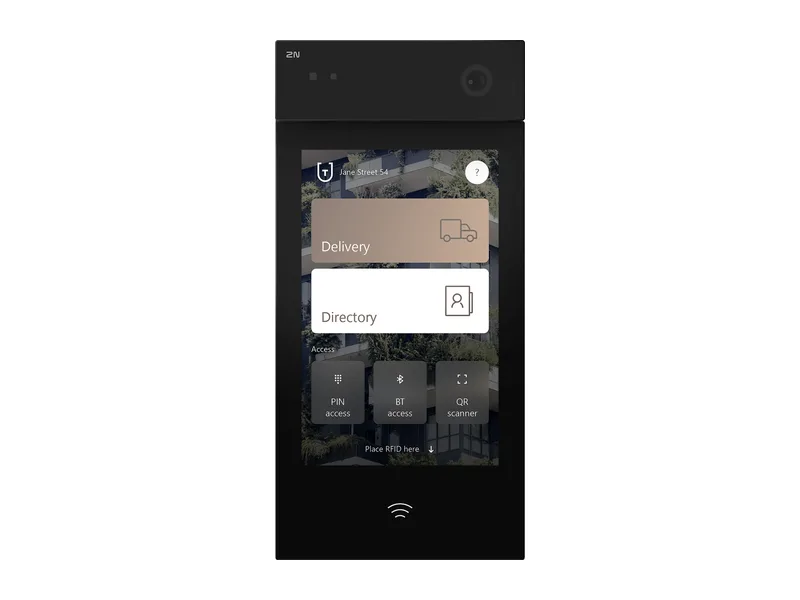
| Model | Readers 2N lists | Connection to another maker's panel |
|---|---|---|
| 2N IP Style | Bluetooth 5.0 LE; RFID 125 kHz and 13.56 MHz; on-screen numeric keypad | External Wiegand module and external I/O module (optional extension modules); OSDP Module (02577-001) among accessories |
| 2N IP Verso 2.0 | Modules: RFID 125 kHz; RFID 13.56 MHz with NFC; Bluetooth and RFID; touch keypads; a keypad; a fingerprint reader | Wiegand Module (01259-001); OSDP Module (02577-001) |
| 2N IP Force 2.0 | Card reader ready versions; reader accessories RFID 125kHz and 13.56MHz with Wiegand (03355-001) or OSDP (03357-001), and Seos compatible with Wiegand (03356-001) or OSDP (03358-001) | OSDP and Wiegand listed as internal, each an additional module combined with the RFID reader |
| 2N IP Base | Optional RFID card reader, 125 kHz or 13.56 MHz (installation manual) | Not covered on this page |
| 13.56 MHz line: Standard | ISO14443A, PicoPass (HID iClass), FeliCa, ST SR(IX); NFC through the My2N app | |
| 13.56 MHz line: Secured | Adds HID SE Seos, iClass and MIFARE SE; reads PACs ID from HID iClass cards with SIO object | |
| 13.56 MHz line: IP Style only, both lines | Also secured MIFARE DESFire EV2/EV3 cards using 2N PICard technology |
Source The IP Style, IP Verso 2.0 and IP Force 2.0 US product pages, and the IP Base installation manual.
Access units
Access Unit 2.0 and Access Unit M: the reader holds the controller
On these readers the door controller, the part that decides whether to grant access, is inside the reader. The Access Unit 2.0 page says of controllers: "They are already an integral part of every reader."
The Access Unit M has an in-built controller and needs a single network cable (UTP, unshielded twisted pair) for connection and power. Its data sheet says it also works without the need to communicate with a server.
Several Access Unit 2.0 versions come in a standard and a secured version. On the Access Unit M's 13.56 MHz line, UID (CSN) means the reader reads each card's serial number.
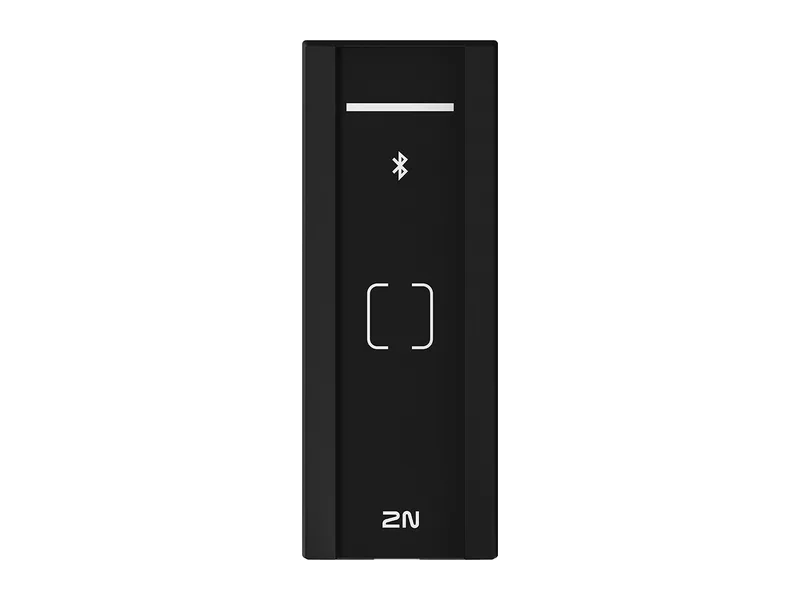
| Model | Versions 2N lists | Cards and modules |
|---|---|---|
| 2N Access Unit 2.0 | Fourteen versions: RFID on 13.56 MHz, 125 kHz or both; touch keypad; Bluetooth and RFID; touch keypad with Bluetooth and RFID; fingerprint reader; QR | Supports all modules from the 2N IP Verso intercom |
| 2N Access Unit M | RFID 13.56 MHz (02909-001); RFID Multifrequency (02910-001); Bluetooth & RFID (02911-001); Touch Keypad & RFID (02912-001) | 125 kHz: EM4xxx only. 13.56 MHz: UID (CSN) of ISO14443A, PicoPass (HID iClass), FeliCa, ST SR(IX); NFC (My2N app); secured MIFARE DESFire EV2/EV3 (PICard) |
Source The Access Unit 2.0 and Access Unit M US product pages, and the Access Unit M data sheet.
Access Commander
What is 2N Access Commander?
Access Commander is 2N's software tool for access system bulk management, used through a web browser. 2N describes it as on-premises management of commercial access control systems; its cloud option, the My2N Management Platform, is for residential installations.
It comes as an image for server installation (the Access Commander Virtual Machine) or pre-installed on a mini-PC (the Access Commander Box 2.0). The virtual machine is an .OVA package for virtual systems such as Oracle VM VirtualBox, VMware (v6.5) or Microsoft Hyper-V.
Devices (2N intercoms, access units, electronic locks and answering units) are grouped into zones, each device in only one zone. Users are gathered in groups, and time profiles set when a device grants access. One installation can be divided into companies managed separately, whose administrators have no access to each other's information.
2N's documents disagree on the Box's device limit. The product page and the Box 2.0 data sheet list 7,000 connected devices, 200,000 users and 1,500 users per group; the installation manual says the Access Commander Box solution is limited to 2000 connected devices.
The Box 2.0 includes a basic licence for up to 5 devices, and larger installations use one of the paid licenses. 2N's leaflet names the licences Trial, Basic, Advanced, Pro and Unlimited.
The manual lists eight device statuses, including Online and Offline; the table gives the other six.
| Status | What the manual says it means |
|---|---|
| Unmanaged | Device management has been turned off by the user |
| Incompatible | The device does not have a supported firmware version |
| Unconfigured | The configuration of electronic locks needs to be uploaded from a third-party program |
| Login Failed | Wrong login data has been entered into the device web configuration in Access Commander |
| Inaccessible | Access Commander cannot establish connection with the device |
| Invalid Certificate | SSL certificate verification is required and the device has no valid SSL certificate |
Source 2N's management platforms page, the Access Commander product page, installation manual and leaflet, and the Access Commander Box 2.0 data sheet.
Firmware
Firmware, warranty and older models
Each of the eight device pages lists a warranty length of 5 years. 2N's About page offers the entire product portfolio with a 5 year warranty and a minimum of 8 years' firmware support, including feature updates and security patches.
2N's US manuals page files the 2N IP Verso and 2N IP Force, the models without 2.0 in the name, under Discontinued, along with products such as the 2N Analog Vario and 2N Indoor Touch. Their US product addresses lead to support pages in a discontinued section, which carry firmware, manuals and other documents.
| Product | Newest version listed |
|---|---|
| 2N IP Style, IP Verso 2.0, IP Force 2.0, IP One, Access Unit 2.0, Access Unit M | Firmware 3.3.1 |
| 2N IP Base, IP Solo | Firmware 2.50.2 |
| 2N Access Commander | Software 3.7.2 |
Source Each US product page, 2N's About page, and 2N's US manuals and support pages for discontinued products.
Service
Help with a 2N intercom or access unit
Elwin Security installs, repairs, replaces and supports 2N IP intercoms and access units through its video intercom installation service for commercial and multifamily properties in the San Francisco Bay Area. Calls are answered 8:00 AM-8:00 PM daily at (408) 539-0535.
FAQ
2N intercom questions
Does a 2N intercom need a power supply, or does PoE run it?
Either. Each door station on this page lists PoE and a 12 V DC supply: PoE+ or 12 V, 4 A on the IP Style and IP Force 2.0, and standard PoE or 12 V DC on the other four. The IP Solo and IP Base manuals say the unit cannot be fed from an external power supply and PoE at the same time.
What is the passive switch (relay) on a 2N IP Verso 2.0 rated for?
30 volts, 1 amp. The product page and data sheet list NO/NC contacts, 30 V, 1 A, AC or DC; the installation manual lists switching (NO), max. 30 V / 1 A AC/DC.
What is the difference between a 2N Access Unit and a 2N intercom?
2N's access readers page says an intercom is the choice where audio or video communication is needed at the door, and an access reader where a door only needs securing against unauthorised access. The readers have the door controller built in, and some 2N intercoms include access control technology.
Is 2N Access Commander cloud software?
2N describes Access Commander as on-premises management of commercial access control systems, run as a virtual machine or on the Access Commander Box 2.0 mini-PC. 2N's cloud option is the My2N Management Platform, for residential installations.
Is the 2N IP Verso, without 2.0 in the name, discontinued?
2N's US manuals page lists the 2N IP Verso and 2N IP Force under Discontinued, and their US product addresses lead to support pages. The US intercoms page lists the IP Verso 2.0 and IP Force 2.0.
Sources and further reading
These sources back up the general guidance. Your building and the people who approve the work decide the details for your doors.
- 2N: Intercoms (US product list)
- 2N: Access Readers (US product list)
- 2N: Management Platforms
- 2N: About 2N
- 2N: 2N IP Style product page
- 2N: 2N IP Verso 2.0 product page
- 2N: 2N IP Force 2.0 product page
- 2N: 2N IP One product page
- 2N: 2N IP Base product page
- 2N: 2N IP Solo product page
- 2N: 2N Access Unit 2.0 product page
- 2N: 2N Access Unit M product page
- 2N: 2N Access Commander product page
- 2N: Installation Manual - 2N IP Style (3.3), Technical Parameters
- 2N: Installation Manual - 2N IP Style (3.3), Main and Extending Modules
- 2N: Installation Manual - 2N IP Verso 2.0 (3.3), Technical Parameters
- 2N: Installation Manual - 2N IP Verso 2.0 (3.3), Main and Extending Modules
- 2N: Installation Manual - 2N IP Force 2.0 (3.3), Technical Parameters
- 2N: Installation Manual - 2N IP One (3.3), Technical Parameters
- 2N: Installation Manual - 2N IP One (3.3), Main and Extending Modules
- 2N: Installation Manual - 2N IP Solo (2.50), Technical Parameters
- 2N: Installation Manual - 2N IP Solo (2.50), Main and Extending Modules
- 2N: Installation Manual - 2N Access Unit 2.0 (3.3), Technical Parameters
- 2N: Installation Manual - 2N Access Unit 2.0 (3.3), Main and Extending Modules
- 2N: Installation Manual - 2N Access Unit M (3.3), Technical Parameters
- 2N: Installation manual 2N IP Base, 4. Technical Parameters
- 2N: Installation manual 2N IP Base, 2.3 Electric Installation
- 2N: Installation manual 2N IP Base, 1.1 Components and Associated Products
- 2N: Installation Manual - 2N Access Commander (3.7), General Information
- 2N: Installation Manual - 2N Access Commander (3.7), Installation
- 2N: Installation Manual - 2N Access Commander (3.7), Devices
- 2N: Datasheet (US) - 2N IP Style
- 2N: Datasheet (EN) - 2N IP Verso 2.0
- 2N: Datasheet (US) - 2N IP Force 2.0
- 2N: Datasheet (US) - 2N IP One
- 2N: Datasheet (EN) - 2N IP Base
- 2N: Datasheet (EN) - 2N Access Unit 2.0
- 2N: Datasheet (US) - 2N Access Unit M
- 2N: Datasheet (EN) - 2N Access Commander Box 2.0
- 2N: Product Leaflet (EN) - 2N Access Commander
- 2N: Manuals: Discontinued
- 2N: Product Support 2N IP Verso
- 2N: Product Support 2N IP Force