
Key takeaways
- A ButterflyMX intercom needs internet, power from an AC brick (9-24VDC input), a UPS of at least 600VA / 300W, and electric locking hardware at the door. It opens doors from its own four relays, and ButterflyMX lists only three connections at the building: internet, power and door strike.
- Calls: a ButterflyMX video call starts as one-way video.
- ButterflyMX's cost page lists software at $30 to $42 per apartment unit per year and calls it an estimate.
- ButterflyMX's cellular fact sheet (v1, updated 06/05/2025) lists Zyxel, Inseego and Peplink routers; Brivo's 4G module connects to ACS300 and ACS6000 panels.
- A ButterflyMX intercom can only operate doors with electric locking hardware, and its guide says exit hardware should allow mechanical free egress. Your fire marshal or the authority having jurisdiction (AHJ) decides what is acceptable on that door.
What ButterflyMX and the Brivo Door Station each are
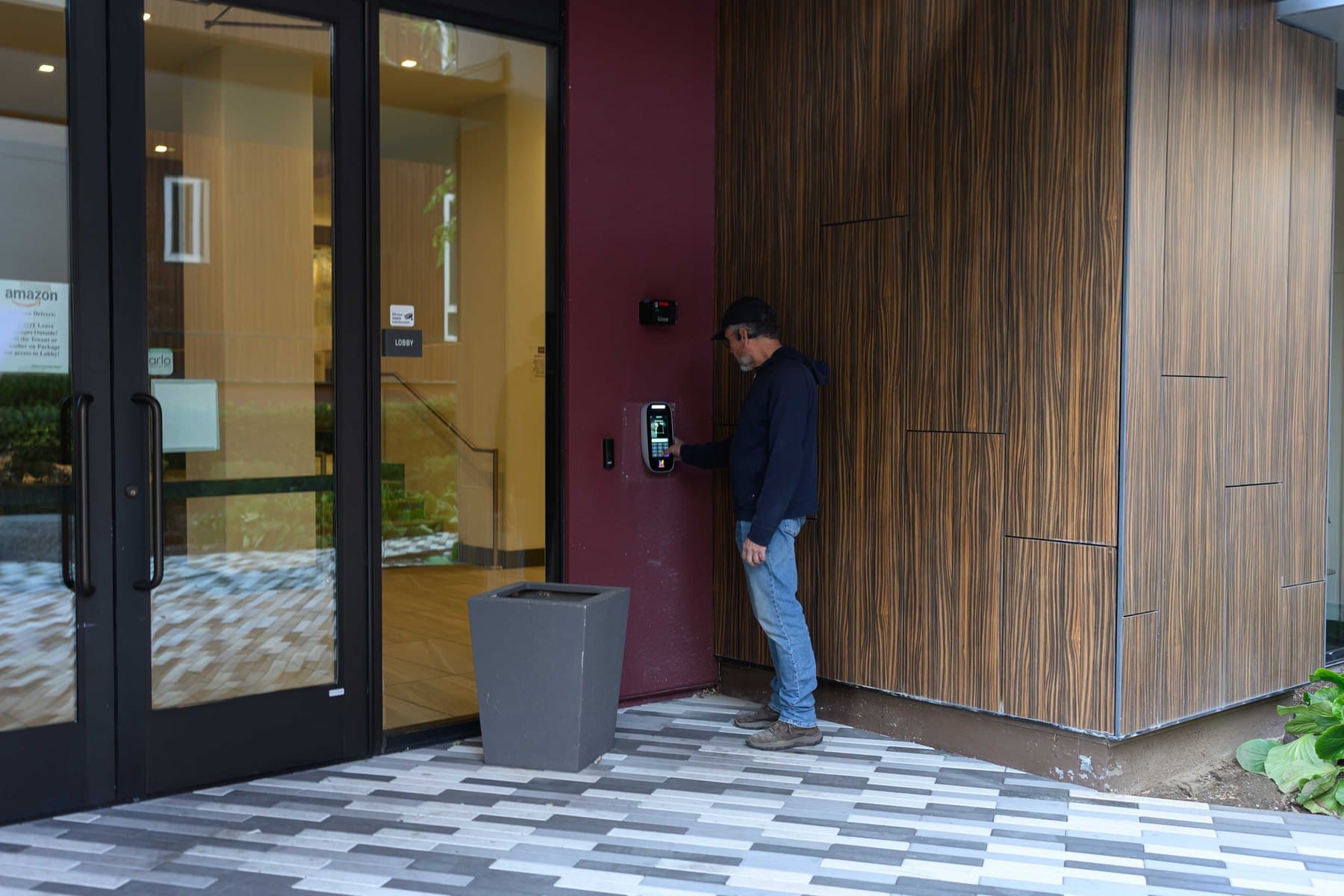
ButterflyMX is a touchscreen video intercom that runs on the building's internet connection. Residents can use the ButterflyMX mobile app, a 6-digit PIN, or a fob or keycard to access the property.
The Brivo Door Station is a reader and video intercom with a 7.1 x 2.6 x 1.6 inch base unit that connects to a Brivo control panel. Brivo's data sheet lists Brivo Unified Credentials and Brivo Mobile Pass as compatible credential types, plus facial authentication. Brivo's readers page says to combine reader, audio and video at staffed or visitor entrances.
Elwin installs, configures and supports video intercoms and access control for multifamily buildings, and mixed-use properties across the Bay Area, and works with both brands. SeeButterflyMX video intercom installation for how we scope a ButterflyMX entry.
Who answers the door
With ButterflyMX, the visitor searches the resident directory by name or unit number, or scrolls to it, and the resident receives a video call from the intercom. The call starts as one-way video, and the resident decides whether the visitor sees them. ButterflyMX says the system is free for tenants, residents and visitors to use; the property owner pays for the hardware and the software.
Wiring: what each one needs at the entry
ButterflyMX's video intercom installation guide (v1, updated 3/25/24) lists the cable for each connection. It calls for 18/2 cable from the intercom to the electric locking hardware, Cat5e or better to the router, and a switch or repeater past 300 feet. Its gauge table lists 18 AWG for 10 to 50 feet, 16 AWG for 50 to 100 feet, 14 AWG for 100 to 180 feet and 12 AWG for 180 to 300 feet.
The intercom can only operate doors that already have electric locking hardware, such as an electric strike, maglock, automatic door or electrified panic bar.
The Brivo Door Station connects by Ethernet (PoE) and RS-485 (OSDP).
ButterflyMX's installation guide says not including a UPS voids the intercom warranty (minimum 600VA / 300W), and the UPS must be plugged into a power receptacle, not a surge protector or extension cable. The Brivo Door Station draws power over Ethernet (IEEE 802.3af, 12.95 W on the data sheet), so ask what backs up the PoE switch it plugs into.
Internet outages, cellular backup and offline operation
ButterflyMX's installation guide says an intercom needs a reliable internet connection to provide optimal service, and the client is responsible for acquiring and maintaining it. The guide lists a minimum bandwidth of 2 Mbps for uploading and downloading on all ButterflyMX devices.
ButterflyMX's cellular fact sheet (v1, updated 06/05/2025) lists Zyxel, Inseego and Peplink routers, and highly recommends an unlimited data plan if possible.
Brivo says that if connectivity drops, doors continue to operate according to the access rules. Brivo says panels use local decision-making to enforce access rules at the door and synchronize activity once connectivity is restored; the ACS6100 installation guide (v1.4.5) says the unit will continue to operate standalone if the network connection is interrupted.
Brivo's data sheet says its plug-and-play 4G cellular network module connects to Brivo ACS300 and ACS6000 control panels. Brivo says it can be used for primary control panel communications or as a backup for local Internet connections.
ButterflyMX's cloud-based access controller cut sheet (v1, updated 08/14/23) lists secure offline mode support, with unlimited encrypted PIN code and fob or card storage for offline use.
Fobs, phones, PINs and faces
ButterflyMX residents use the app, a 6-digit PIN, or a fob or key card. Visitors can get a QR code pass, and the app can also open a key-fobbed elevator.
Brivo's Door Station data sheet lists Brivo Unified Credentials and Brivo Mobile Pass as compatible credential types.
Facial authentication has placement limits. Brivo's data sheet says for facial authentication, use it in indoor well-lit environments, not in direct sunlight; for intercom functionality, the Door Station can be used outdoors. The data sheet lists read distances of 2 to 4 feet (600 to 1200 mm) for facial authentication, 0 to 1.5 inches (0 to 40 mm) for Brivo Unified Credentials and 1 to 6 inches (25 to 150 mm) for Brivo Mobile Pass.
ButterflyMX's app is free to residents, and the mobile app is included in the per-unit software fee.
Brivo's multifamily page says it syncs resident data with Yardi, RealPage, RentManager and Entrata, and that with bi-directional sync where supported, move-outs can automatically revoke credentials. ButterflyMX's pricing page says your per-unit cost depends on the integrations and features you add, so ask for the integration list with the quote.
What ButterflyMX charges for software
ButterflyMX's cost page says its access control products include a two-year hardware warranty against malfunction or failure.
ButterflyMX says a local low-voltage installer installs its intercoms, a UPS is required and not provided, and the client is responsible for acquiring and maintaining the internet service.
A Brivo entry also carries a panel. Brivo's control panels page lists compact controllers that support up to 2 doors, modular panels that support up to 30 doors, and a single-door Ethernet controller; the Door Station is supported on the ACS-SDC, ACS300, ACS6000-MBE and ACS6100-DB. A ButterflyMX intercom has four dry contact relays with adjustable timings.
The door side of the quote is the same either way. Our guide to what access control costs per door covers the lock, cable and controller work.
Who installs it, who supports it and what the warranty covers
ButterflyMX says its intercoms are installed by a local low-voltage installer and that only three connections are needed at the building: internet, power and door strike. Its installation guide says anyone installing its products must be certified to keep the two-year hardware warranty, and describes that certification as a free online course. Elwin's ButterflyMX-certified technicians install, configure and support ButterflyMX entries across the Bay Area.
ButterflyMX's software fee includes live support by phone or email, and its installation guide lists support hours of Monday to Friday 6am-10pm and Saturday to Sunday 8am-8pm ET. The warranty runs two years, excludes vandalism and incorrect installation, and is void if the intercom is installed without a UPS.
The Door Station documents cited here do not state a warranty term.
Elwin installs, repairs, replaces and configures both brands. Elwin is a single accountable point of contact from site walk through installation and support.
Which one fits your property
Start with who should answer the door. A budget line for a per-unit software fee and an entry with no access control panel point to ButterflyMX. A building already on a Brivo control panel, a staffed or visitor entrance, and a wish for facial authentication at an indoor, well-lit entry point to the Brivo Door Station.
Bring these to the site walk:
- The internet service at the entry: who provides it, whether a speed test shows at least 2 Mbps up and down, and whether a PoE switch with internet access sits near the door.
- What is wired to the door today: the lock type, the cable from the old intercom or reader, and whether a Brivo panel with a free OSDP port already exists.
- Unit count, since ButterflyMX software is billed per apartment unit.
- Who should answer the door: residents, or staff at a staffed entrance.
- Whether the entry is indoors and well lit, if facial authentication is on the list.
Questions about ButterflyMX and Brivo
Does Brivo have a video intercom like ButterflyMX?
Yes, the Brivo Door Station. It is a reader and video intercom that connects to a Brivo panel over OSDP and takes Brivo Unified Credentials and Brivo Mobile Pass. A ButterflyMX intercom starts a video call that begins as one-way video.
What happens to a Brivo panel if the connection drops?
Brivo says its panels enforce access rules locally and, if connectivity drops, doors continue to operate according to those rules; the ACS6100 installation guide says the unit will continue to operate standalone if the network connection is interrupted.
What does ButterflyMX software cost?
ButterflyMX's cost page lists software at $30 to $42 per apartment unit per year and calls the pricing an estimate.
Does either one need a UPS or backup power?
ButterflyMX requires a UPS of at least 600 VA / 300 W and voids its warranty without one. The Brivo Door Station is powered over Ethernet (PoE, 802.3af, 12.95 W), so ask what backs up the PoE switch.
Does Elwin install both ButterflyMX and Brivo?
Yes. Elwin installs, configures and supports video intercoms and access control for multifamily and commercial properties across the Bay Area, with ButterflyMX-certified technicians on ButterflyMX entries. Request a site walk and we will quote the entry, the lock, the network and the panel together.
Sources and further reading
These sources back up the general guidance. Your building and the people who approve the work decide the details for your doors.
- ButterflyMX: Pricing: 8-inch and 12-inch video intercoms, software per apartment unit per year, warranty FAQ
- ButterflyMX: Video intercoms: product page and FAQ
- ButterflyMX: 8-inch surface mount intercom cut sheet, v2 (March 3, 2025)
- ButterflyMX: 12-inch surface mount intercom cut sheet, v2 (March 3, 2025)
- ButterflyMX: Surface mount intercom installation guide, v1.2 (October 5, 2026)
- ButterflyMX: Wiring diagram for the 8-inch and 12-inch intercom, v1 (March 25, 2024)
- ButterflyMX: ButterflyMX General Network Requirements (help center)
- ButterflyMX: Cellular Router fact sheet (help center)
- ButterflyMX: Cellular Alternatives, v1 (June 5, 2025)
- ButterflyMX: Key fobs and cards data sheet (May 3, 2024)
- ButterflyMX: Cloud-based access controller (2-door controller) cut sheet, v1 (August 14, 2023)
- ButterflyMX: Warranty statement
- ButterflyMX: Installer documentation
- Brivo: Brivo Door Station data sheet (copyright 2025)
- Brivo: Brivo Door Station reference sheet, v1.1 (copyright 2025)
- Brivo: Brivo Door Station FAQ (support article, July 16, 2026)
- Brivo: How to setup Intercom for Brivo Door Station (support article, February 10, 2026)
- Brivo: Readers: Brivo Door Station and Brivo Smart Readers
- Brivo: Control panels: ACS-SDC, ACS300, ACS6000 and ACS6100, offline operation
- Brivo: Brivo Cellular Network Module data sheet (copyright 2025)
- Brivo: ACS6100 Series control panel data sheet (copyright 2025)
- Brivo: ACS6100 installation guide, v1.4.5 (copyright 2026)
- Brivo: Brivo Smart Readers data sheet (copyright 2025)
- Brivo: Brivo Access Editions sheet (dated April 22, 2026)
- Brivo: Brivo Access data sheet (dated April 29, 2026)
- Brivo: Multifamily security systems: property management system integrations