
Key takeaways
- Avigilon's camera pages tag each camera Unity On-Premise, Alta Cloud-Native or both. The Avigilon Flex is tagged Alta Cloud-Native only.
- The Alta data sheets for the H6A, H6SL and H6 Mini Dome cameras give each model a number of days of retention or storage: 30, 60, 120 or 365, depending on the model.
- The Unity camera data sheets read for this page list microSD card slots as onboard storage, and Avigilon's NVR systems store footage locally and connect to Unity Video.
- Alta Cloud Connectors connect existing third-party cameras and sensors to Alta Video, from 10 camera sources on the smallest model to 200 on the largest.
The Avigilon products this page covers
This page covers Avigilon's two product lines, Alta and Unity, as Avigilon's own site and data sheets describe them on November 10, 2026. The camera figures come from the data sheets for five families: the H6A Dome, the H6A Bullet, the H6SL dome and bullet, the Alta H6 Mini Dome and the Avigilon Flex. Avigilon lists more cameras than these, including pan, tilt and zoom, panoramic and specialty models.
It also covers the Alta Cloud Connectors, the Unity recorders, the Alta Access controllers and readers, the Alta Open app and Unity Access. For how recorders and cloud video differ on any maker's system, see the general guide to NVR, DVR and cloud video storage.
Avigilon's About page says: "As part of the growing Motorola Solutions safety and security ecosystem, Avigilon is constantly innovating to bring together best-in-class security solutions".
Source Avigilon's camera category pages, its About page, its Alta Access support page, its Alta Video cloud storage page and the data sheets listed in the sources.
What is the difference between Alta and Unity?
Avigilon's Alta page says: "Avigilon Alta is a cloud-native security platform designed for flexibility and remote management with AI-driven insights, while Avigilon Unity is an on-premise system that gives full control over data and infrastructure for organizations with dedicated IT resources."
The same page says the Alta platform "includes cloud-based cameras, access control readers and hardware, cloud management software and Cloud Connectors".
Avigilon describes Unity as bringing together "video security, access control and flexible cloud management under one centralized and scalable on-premise video security solution". Its Unity Cloud Services are described in one line: "Centrally manage camera feeds, share video clips and manage system health via browser or mobile device from anywhere in the world."
| Avigilon Alta | Avigilon Unity | |
|---|---|---|
| Avigilon's description | "a cloud-native security platform" | "an on-premise system" |
| Video software | Alta Video | Unity Video |
| Access control software | Alta Access | Unity Access |
| Video infrastructure on Avigilon's video storage page | Alta Cloud Connectors, under the heading "Cloud-native recording solutions" | Unity Video Infrastructure, under the heading "On-premise recording solutions" |
Source Avigilon's Alta, Unity and video infrastructure pages.
Which Avigilon cameras work with Alta, Unity or both?
Avigilon's camera category pages label each camera "Unity On-Premise", "Alta Cloud-Native" or both.
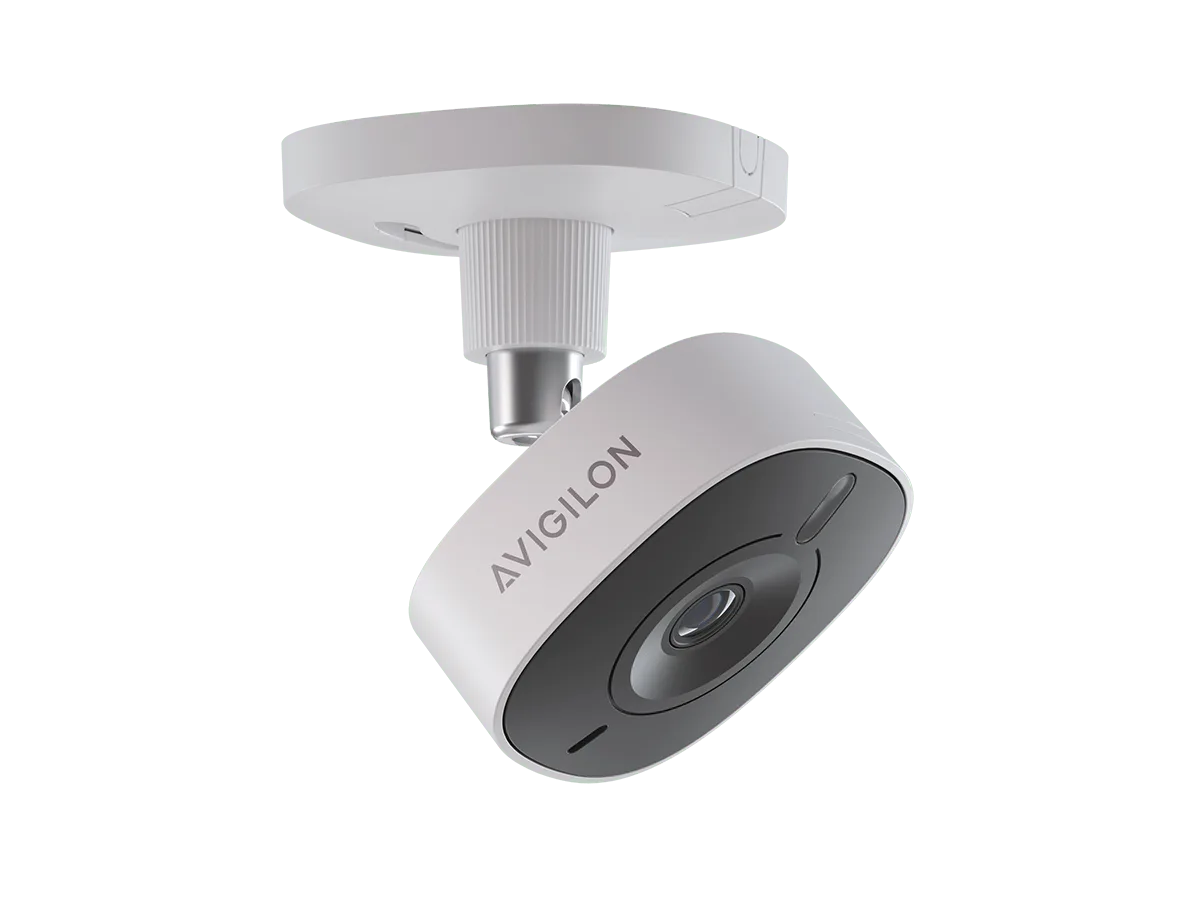
The Avigilon Flex is labeled Alta Cloud-Native only. Its data sheet, though, lists platform compatibility as Avigilon Alta Video, Avigilon Unity ACC and third-party video management software, with a footnote on the last two: "Requires the camera to be running in ONVIF mode."
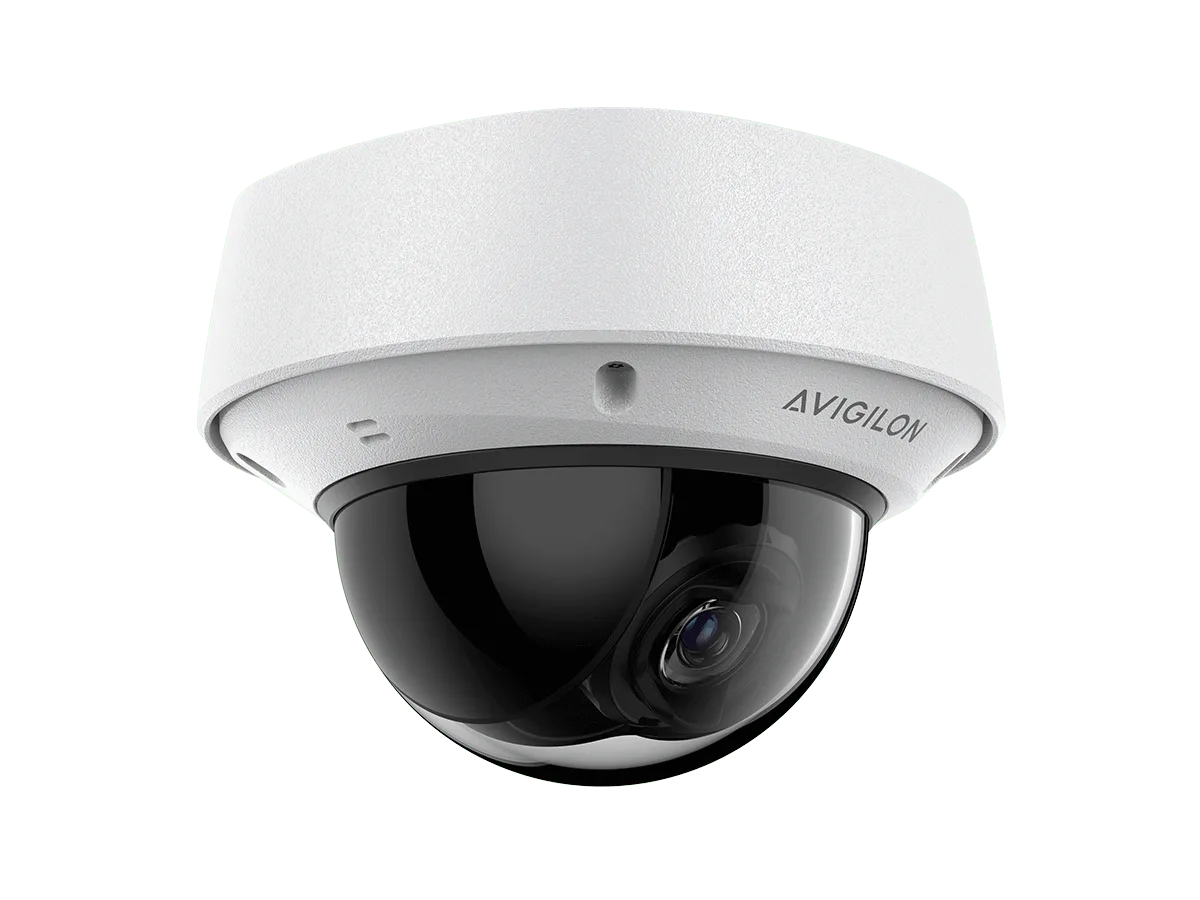
The product pages for the H6A Dome, H6A Bullet and H6SL each link an Alta data sheet and a Unity data sheet, and their model numbers differ. On the H6A Dome, the Alta number is 4.0C-H6A-DO1-IR-B-30, ending in a retention figure in days, and the Unity number is 4.0C-H6A-DO1-IR-B.
| Camera | Avigilon category page | Label |
|---|---|---|
| H6A Dome | Dome | Unity On-Premise and Alta Cloud-Native |
| H6 Mini Dome | Dome | Unity On-Premise and Alta Cloud-Native |
| H6SL Dome | Dome | Unity On-Premise and Alta Cloud-Native |
| H6A Closed Dome, H6XP Dome, H5M | Dome | Unity On-Premise only |
| H6A Bullet | Bullet and box | Unity On-Premise and Alta Cloud-Native |
| H6SL Bullet | Bullet and box | Unity On-Premise and Alta Cloud-Native |
| H6XP Bullet, H6X Box, H5A Thermal, H5 Pro | Bullet and box | Unity On-Premise only |
| H6A Dual Head, H6A Fisheye, H5A Multisensor | Panoramic | Unity On-Premise and Alta Cloud-Native |
| H6A PTZ | Pan, tilt and zoom | Unity On-Premise and Alta Cloud-Native |
| Avigilon Flex | Specialty | Alta Cloud-Native only |
Source Avigilon's dome, bullet and box, panoramic, pan-tilt-zoom and specialty camera pages, its camera product pages, and the Alta and Unity H6A Dome and Avigilon Flex data sheets.
What the camera data sheets list: resolution, storage and microphones
The Alta sheets tie each camera's onboard storage to a number of days, and the Unity sheets give card slots instead. The Unity H6A dome and bullet sheets list "Two microSD/microSDHC/microSDXC slots – video speed class card required. Class V10 or better recommended."
Both the Alta and Unity H6A sheets list the microphone as "Built-in microphone for audio analytics, for certain variants, with physical disable switch". For the H6SL, both sheets list the microphone as an optional accessory sold separately, for the indoor dome camera only.
Avigilon tags the H6 Mini Dome for Unity as well; this page read its Alta sheet only. Avigilon's Flex page says: "The Flex includes 7 days of onboard storage and up to 30 days of cloud storage."
On analytics, the Alta H6SL and Flex sheets list detected attributes that start with vehicle and person, and audio events that include glass breaking, screaming and smoke alarm. A footnote on the audio events in the H6SL sheet reads: "Requires cameras with internal or connected microphone."
| Data sheet | Resolutions listed | Form | Storage as the sheet states it |
|---|---|---|---|
| Alta H6A Dome (Rev 2) | 4, 6 and 8 MP | Indoor and outdoor dome | Up to two microSD cards fitted to match purchased retention period; models at 30, 60 and 120 days, with 120 days on 6 MP models |
| Unity H6A and H6X Dome (Rev 8) | 2, 4, 6 and 8 MP | Indoor and outdoor dome | Two microSD slots; tested maximum capacity 1.5TB |
| Alta H6A Bullet (Rev 3) | 4, 6 and 8 MP | Bullet | Up to two microSD cards fitted to match purchased retention period; models at 30, 60 and 120 days, with 120 days on 6 MP models |
| Unity H6A and H6X Bullet (Rev 9) | 2, 4, 6 and 8 MP | Bullet | Two microSD slots; tested maximum capacity 1.5TB |
| Alta H6SL (Rev 6) | 2, 3 and 5 MP | Dome or bullet | Models at 30, 60 and 120 days of storage; 365 days on 2 MP models |
| Unity H6SL (Rev 16) | 2, 3, 5 and 8 MP | Bullet and dome | One microSD slot |
| Alta H6M Mini Dome (Rev 5) | 2 and 5 MP | Indoor and outdoor mini dome | Models at 30, 60 and 120 days of storage; 365 days on 2 MP models |
| Avigilon Flex (Rev 3) | 2 MP | Indoor only; WiFi-enabled | 7 days, with a footnote reading "30 days cloud storage" |
Source The Alta and Unity data sheets for the H6A Dome, H6A Bullet and H6SL cameras, the Alta H6M Mini Dome data sheet, the Avigilon Flex data sheet, and the H6 Mini Dome and Flex product pages.
Where does each line store video?
Avigilon's video storage page says: "Avigilon offers on-premise NVR systems, which stores footage locally and connects to our Unity Video platform for AI analytics and local management."
For the Alta versions of the H6SL Dome and H6 Mini Dome, Avigilon's product pages use the phrase "on-camera storage".
On the cloud side, Avigilon's Alta Video cloud storage page says: "Video captured by the camera is saved to the cloud or a local file system using Alta Storage Connect, where it can be accessed from anywhere via the web or mobile app, just like video stored on the camera." Each Avigilon Alta camera includes 30 days of cloud storage with an Alta Video license.
The same page says an organization can select what video to store and can back up video to a third-party cloud storage provider through Alta Video Storage Connect.
On the Unity side, Avigilon's NVR page labels each recorder and appliance it lists Unity On-Premise; the table names six of them. It describes the AI NVR 2X Premium as an appliance "for sites with up to 200 cameras".
| Recorder or appliance | Label on the NVR page |
|---|---|
| AI NVR 2X Premium | Unity On-Premise |
| AI NVR 2 | Unity On-Premise |
| NVR6 | Unity On-Premise |
| NVR6 FIPS | Unity On-Premise |
| HD Video Appliance 3XL | Unity On-Premise |
| ENVR2 PLUS | Unity On-Premise |
Source Avigilon's video infrastructure, Alta Video cloud storage and NVR pages, its H6SL Dome and H6 Mini Dome product pages, and the Alta camera data sheets.
How do existing cameras connect to Alta? The Cloud Connectors
Avigilon's Cloud Connector page says the units "connect existing third-party cameras and sensors to the Alta Video cloud". They come as workstations and as rack-mounted servers, and both data sheets carry the footnote "A license is required for each connected camera."
Two storage figures differ inside Avigilon's own sheets. For the A800, the workstation sheet's video storage row gives up to 48TB raw, while its component table lists the drives as "3x 12TB (32TB net)". For the A3100, the rack-mount sheet's video storage row gives up to 256TB raw, while its component table lists "12x 8TB, 12x 16TB, or 12x 24TB" drives.
Avigilon's rack-mounted Cloud Connector product page also carries two camera counts: "Up to 200 cameras/sensors" in its feature list, and a transition of "up to 75 cameras to the cloud" in a line further down. The rack-mount data sheet lists 75, 100 and 200 camera sources by model.
| Model | Form on the data sheet | Camera sources supported | Video storage row |
|---|---|---|---|
| A200 | Small form-factor workstation appliance | 10 | Up to 8TB (raw) |
| A600 | Workstation appliance | 25 | Up to 24TB (raw), 16TB (net) |
| A800 | Workstation appliance | 50 | Up to 48TB (raw), 32TB (net); the component table lists 3x 12TB (32TB net) |
| A1100 | Workstation appliance | 75 | Up to 64TB (raw), 48TB (net) |
| A1500 | 1U rack-mounted unit with 4 hard disks | 75 | Up to 96TB (raw), 72TB (net) |
| A2100 | 2U rack-mounted unit with 12 hard disks | 100 | Up to 192TB (raw), 160TB (net) |
| A3100 | 2U rack-mounted unit with 12 hard disks and 2 GPUs | 200 | Up to 256TB (raw), 240TB (net); the component table lists 12x 8TB, 12x 16TB, or 12x 24TB drives |
Source Avigilon's Cloud Connector and rack-mounted Cloud Connector pages, and its Workstation and Rack Mount Cloud Connector data sheets.
Alta Access: the controllers and readers Avigilon lists
Avigilon describes Alta Access as a cloud-based access control system with "reliable mobile and remote management". One of the benefits it lists is "No servers – add unlimited users & locations".
On outages, Avigilon's own words are that "encrypted keycards, tamper-resistant readers and redundant connections" keep the system "operational even without internet connection".
Avigilon's hardware page labels twelve controllers, hubs and expansion boards Alta Cloud-Native only and gives the Mercury MP Intelligent Controller both labels. The table lists each with the capacity the page gives.
Avigilon's door reader page lists eight readers: the Intercom Touch, the Video Intercom Reader Pro, the Video Reader Pro, the Standard and Mullion Smart Readers, the Standard and Mullion Smart Keypad Readers, and the Embedded USB Smart Reader. It says Avigilon door access card readers feature "a snap-in design with standard RS-485 wiring".
| Product | Label | What the page states |
|---|---|---|
| Core Series Smart Hubs: 4-door, 8-door, large 8-door and large 16-door | Alta Cloud-Native only | |
| 24V Elevator Smart Hub (Core Series) | Alta Cloud-Native only | "supports 2 readers and up to 16 floors"; lists "power for 24V locking hardware" |
| Sensor Smart Hub | Alta Cloud-Native only | |
| Single Door Controller | Alta Cloud-Native only | "PoE/PoE+ controller that supports up to 2 Smart Readers" |
| Access Control Core | Alta Cloud-Native only | "works with Avigilon expansion boards to support up to 16 entries" |
| Expansion boards: 4-port, 8-port, elevator and 32-input | Alta Cloud-Native only | |
| Mercury MP Intelligent Controller | Unity On-Premise and Alta Cloud-Native | "1502/2500 boards support up to 32 entries. 1501 supports up to 8 entries." |
Source Avigilon's cloud access control, access control hardware and door reader pages.
The Alta Open app, and Unity Access on the on-premise side
Alta Open is the mobile app Avigilon names on its Alta Access pages. Its credentials page says: "Remotely unlock any door, send digital Guest Passes and activate emergency Lockdowns from the Alta Open app." The Avigilon Alta Open and Unity Access apps are for iOS and Android.
Avigilon calls the app a mobile credential "with touchless Wave to Unlock and patented Triple Unlock technology". It says Triple Unlock "uses three signals to unlock doors with 99.9% reliability". This page does not describe how the app or the system is set up.
Unity Access is the on-premise counterpart. Avigilon's Unity Access page describes "hardened, Linux-based servers" and lists on-premise appliances named Enterprise and Enterprise Plus, Professional and Virtual. A single appliance "can connect up to 4,000 doors (for Enterprise Plus and Virtual only)".
Source Avigilon's access control credentials, cloud access control and Unity on-premise access control pages.
Service for Avigilon systems in the Bay Area
Elwin Security installs, configures and supports Avigilon cameras and access control as part of security camera installation for commercial and multifamily properties in the San Francisco Bay Area. Calls are answered 8:00 AM-8:00 PM daily at (408) 539-0535.
Questions about Avigilon Alta and Unity
Avigilon Alta and Unity questions
What is the difference between Avigilon Alta and Avigilon Unity?
Avigilon calls Alta "a cloud-native security platform" and Unity "an on-premise system". Alta's video and access software are Alta Video and Alta Access; Unity's are Unity Video and Unity Access.
Which Avigilon cameras are listed for both Alta and Unity?
Avigilon's camera pages give both labels to the H6A Dome and Bullet, the H6SL Dome and Bullet, the H6 Mini Dome, and the panoramic and pan, tilt and zoom cameras named in the table above.
Where does an Avigilon Alta camera store video?
The Alta data sheets read for this page give each model a number of days of onboard storage. Avigilon's cloud storage page says video is saved to the cloud or a local file system using Alta Storage Connect, and that each Alta camera includes 30 days of cloud storage with an Alta Video license.
Can existing cameras be used with Avigilon Alta?
Avigilon says Alta Cloud Connectors "connect existing third-party cameras and sensors to the Alta Video cloud". Its seven models support from 10 to 200 camera sources, and a license is required for each connected camera.
Was Avigilon Alta previously called Openpath or Ava?
Avigilon's own pages use both older names. Its Alta Access support page refers to "Alta Access (formerly Openpath)" products, and its Alta Video cloud storage page refers to "Avigilon Alta Video (formerly Ava)".
Sources and further reading
These sources back up the general guidance. Your building and the people who approve the work decide the details for your doors.
- Avigilon: Alta cloud security system
- Avigilon: Unity on-premise video security and access control
- Avigilon: About Avigilon
- Avigilon: Avigilon Alta Access support
- Avigilon: Alta Video cloud storage
- Avigilon: Video infrastructure solutions
- Avigilon: NVR security systems
- Avigilon: Alta Cloud Connector
- Avigilon: Alta rack-mounted Cloud Connectors
- Avigilon: IP camera systems
- Avigilon: Dome security cameras
- Avigilon: Bullet and box security cameras
- Avigilon: Panoramic security cameras
- Avigilon: PTZ security cameras
- Avigilon: Specialty security cameras
- Avigilon: H6A Dome Camera
- Avigilon: H6SL Dome Camera
- Avigilon: H6 Mini Dome Camera
- Avigilon: Avigilon Flex
- Avigilon: Avigilon Alta H6A Dome cameras data sheet (202604017--EN, Rev 2)
- Avigilon: H6A and H6X Dome Cameras data sheet (20261022-en, Rev 8)
- Avigilon: Avigilon Alta H6A Bullet cameras data sheet (20260701-EN, Rev 3)
- Avigilon: H6A and H6X Bullet Cameras data sheet (20261022-en, Rev 9)
- Avigilon: Alta H6SL cameras data sheet (20260514-EN, Rev 6)
- Avigilon: Unity H6SL Camera Line data sheet (20261026-en, Rev 16)
- Avigilon: Alta H6M Mini Dome cameras data sheet (20260514-EN, Rev 5)
- Avigilon: Avigilon Flex cloud cameras data sheet (Rev 3)
- Avigilon: Avigilon Alta Workstation Cloud Connectors data sheet (20260318-EN, Rev 7)
- Avigilon: Avigilon Alta Rack Mount Cloud Connectors data sheet (20260318-EN, Rev 6)
- Avigilon: Avigilon Alta cloud-based access control
- Avigilon: Access control hardware
- Avigilon: Access control readers
- Avigilon: Access control credentials
- Avigilon: Avigilon Unity on-premise access control