
Key takeaways
- The compact S30 recorder has one 2 TB, 4 TB or 8 TB hard drive and eight PoE (power over Ethernet) ports sharing 124 W.
- The rack S30 recorder has four hard drive slots and 16 PoE ports sharing a 305 W budget.
- Neither S30 recorder supports third-party cameras or AXIS Companion mini cameras, and neither recorder's data sheet lists an ONVIF profile.
- The license plate camera kit lists ONVIF Profiles G, M, S and T, microSD card support and recording to network-attached storage (a storage drive on the network).
- On Axis devices with an SD card, the device deletes old recordings once the card is full, before their retention time has passed.
Identify
Which Axis product is this?
This page covers the two recorders Axis lists within the AXIS S30 Recorder Series and one license plate camera kit. Axis sells other cameras and recorders that this page does not cover.
A network video recorder stores video from cameras on the network. Both S30 recorders have a built-in PoE switch: ports that power the cameras over the network cable (Power over Ethernet). For how recorders, in-camera storage and cloud storage differ on any brand, see the general guide to NVR vs DVR vs cloud video storage.
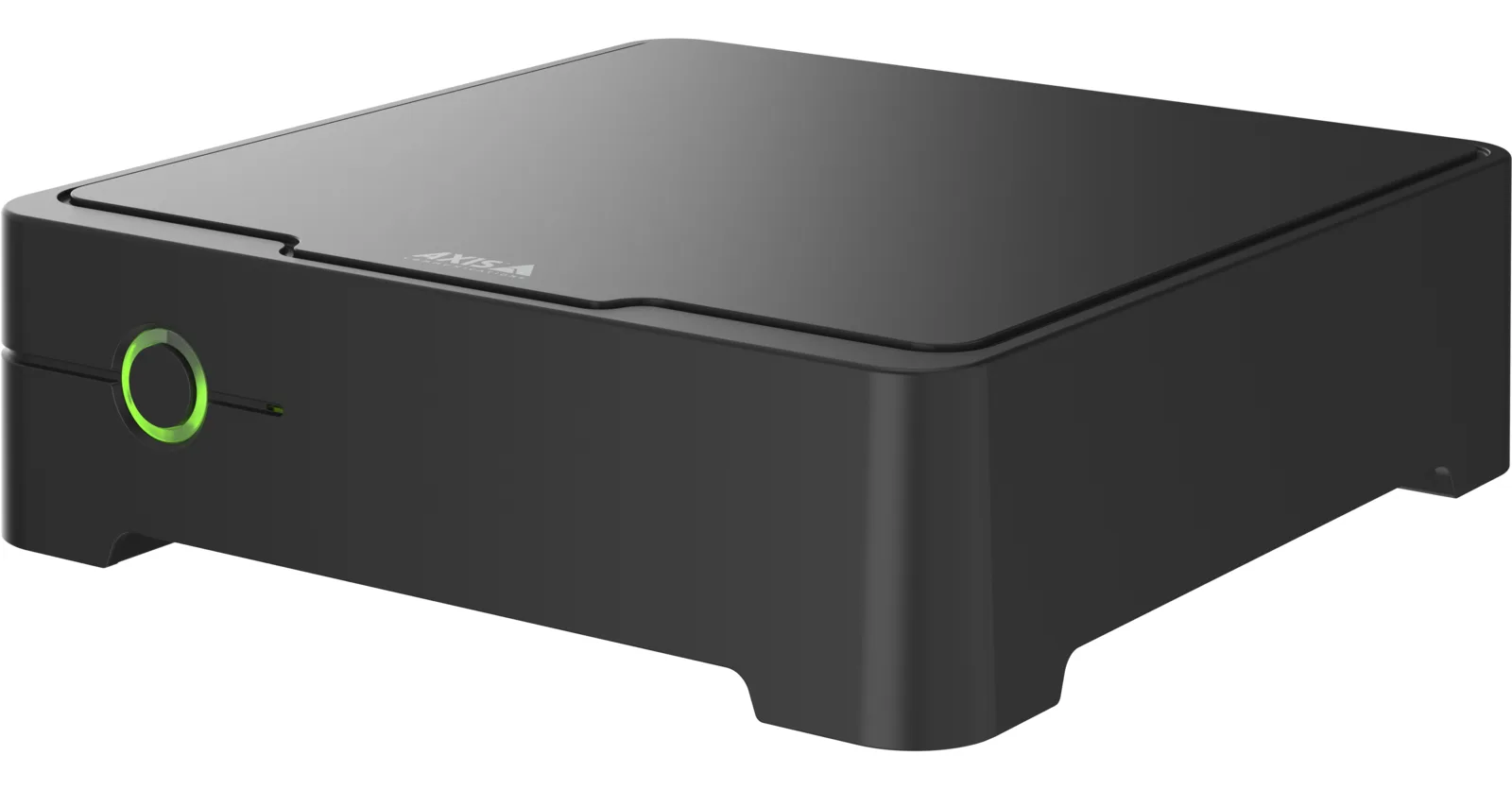
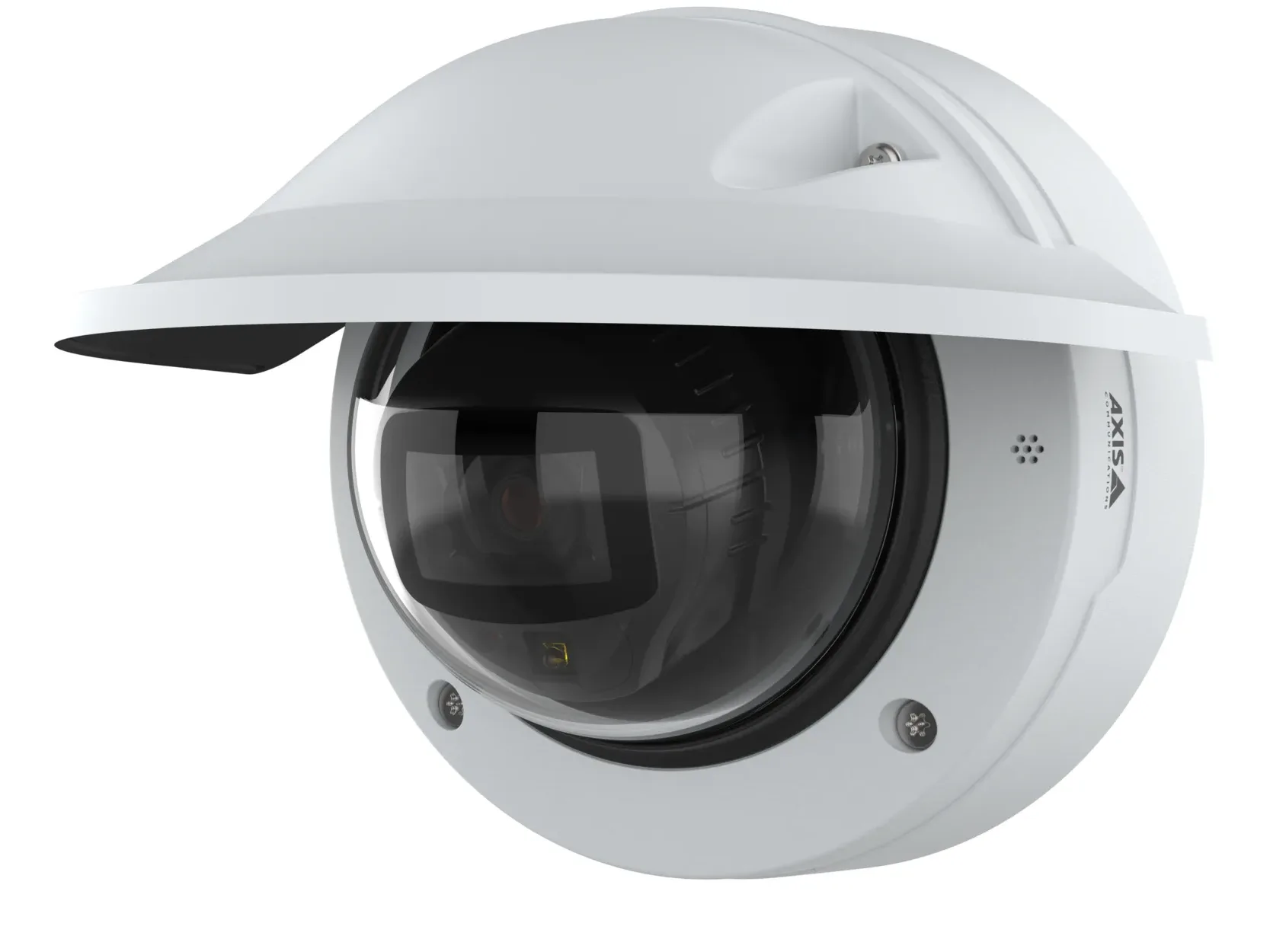
| Product | What Axis says it is | Form |
|---|---|---|
| AXIS S3008 Mk II Recorder | Compact network video recorder with a built-in PoE switch | Compact, 180 x 180 x 53 mm |
| AXIS S3016 Recorder | 1U rack recorder with an integrated PoE switch for up to 16 devices | Rack 1U (one standard rack space), compatible with EIA-310 racks |
| AXIS P3285-LVE Kit License Plate Verifier | 2 MP dome camera with AXIS License Plate Verifier preinstalled, built for slow-speed traffic | Dome camera |
Source Axis's S30 Recorder Series page, the S3008 Mk II user manual and data sheet, and the S3016 and P3285-LVE Kit data sheets.
Recorders
How many cameras and how much storage does an S30 recorder take?
Axis rates each recorder by how many video sources it is qualified to record and by total recording rate, the combined video data from every camera.
On the rack model, usable storage out of the box is lower than the size in the product name, because its drives ship set up as RAID 5 (recordings spread across several drives).
Both record H.264 and H.265 video, depending on camera support, at all camera resolutions and frame rates. Both have a USB port for exporting video and a 5-year warranty, and Axis's series page says recordings are encrypted.
| Item | AXIS S3008 Mk II | AXIS S3016 |
|---|---|---|
| Recording | Up to 8 video sources, total recording rate up to 160 Mbit per second | Up to 16 video sources, total recording rate up to 256 Mbit/s |
| With AXIS Camera Station Edge | Up to eight video channels | Up to sixteen video channels |
| Storage | One surveillance class HDD: 2 TB, 4 TB or 8 TB | Four hot swappable HDD slots; 8, 16 or 32 TB variants (6, 12 or 24 TB out of the box after RAID 5) |
| RAID | Not listed | Factory RAID level 5. Supported levels 0, 1, 5, 6, 10 |
| PoE ports | 8x RJ45 10BASE-T/100BASE-TX PoE | 16x PoE RJ45 1 Gbps |
| Total PoE budget | 124 W | 305 W |
| PoE per port | Up to 15.4 W (PoE Class 3) at the port, 12.95 W on the camera side | IEEE 802.3at Class 4 |
| Recorder power | Included AXIS Mains adapter, 48 V DC, 180 W | Max 650 W, 305 W PoE dedicated |
| Other network ports | 1x RJ45 10BASE-T/100BASE-TX/1000BASE-T | 1x AUX RJ45 2.5 Gbps, 1x LAN RJ45 2.5 Gbps, 1x LAN SFP 1 Gbps |
| USB | 1x USB 3.0 | 1x USB 3.0 front, 1x USB 2.0 rear |
| Operating temperature | 0 °C to 45 °C (32 °F to 113 °F) | 0 °C to 45 °C (32 °F to 113 °F) |
Source The S3008 Mk II and S3016 data sheets (September 2026), the S3008 Mk II user manual, the two recorders' product pages and the S30 Recorder Series page.
Compatibility
Which cameras and software work with an S30 recorder?
Both recorders give the same supported devices line: Axis devices with firmware 5.50 or later. The same line says AXIS Companion mini cameras and third-party cameras are not supported.
ONVIF is an industry standard for cameras and software from different makers to work together, published as profiles. Neither recorder's data sheet lists an ONVIF profile. The license plate camera lists ONVIF Profiles G, M, S and T (specifications at onvif.org) and an open API for software integration, including VAPIX.
Axis designed the S30 Series as the core recording solution for any AXIS Camera Station Edge system, camera-to-cloud video management software with licenses included with Axis devices. The compact recorder needs internet access during system setup, and its footage can be accessed from anywhere using Axis Secure Remote Access. Both recorder data sheets list one-click cloud connection.
In an AXIS Camera Station Pro installation, Axis says each recorder integrates with and requires a Windows-based recording server and cannot be used as a standalone unit.
All three products are compatible with AXIS Camera Station Edge, AXIS Camera Station Pro and video management software from Axis's partners, listed at axis.com/vms.
Source The S3008 Mk II, S3016 and P3285-LVE Kit data sheets, the two recorders' product pages, the S30 Recorder Series page, the AXIS Camera Station Edge page and the S3008 Mk II user manual.
Power
How are the cameras powered, and how far can the cable run?
Up to eight devices can connect to the compact recorder's PoE switch, which allocates power based on the PoE class of each device. Cameras can connect to it or to an external PoE switch. Each recorder's power budget is in the table above.
The license plate camera is a PoE Class 3 device: IEEE 802.3af/802.3at Type 1 Class 3, max 10 W, and typical 3.4 W with the heater and IR (infrared night lighting) off.
Axis's AXIS T8129 PoE Extender page says Ethernet has a limited cable length between the switch and the camera of 100 m (328 ft). For longer runs, a switch is normally used as a repeater, optical fiber may be used, or the extender connects in-line with the cable.
Source The S3008 Mk II user manual, the S3016 and P3285-LVE Kit data sheets, and Axis's AXIS T8129 PoE Extender product page.
Indicators
What do the lights and buzzer on the S3008 Mk II mean?
The compact recorder has a status light and a hard drive light.
The buzzer sounds when the PoE budget, the total power the recorder can send to cameras, is exceeded. The recorder shuts down if severely overheated; the manual cautions to keep it in a well ventilated environment with plenty of empty space around it.
| Indicator | What Axis says it means |
|---|---|
| Status LED green | The recorder is on and the status is ok |
| Status LED orange | The recorder is starting up, or the firmware is upgrading |
| Status LED red | This can mean that the PoE budget is exceeded |
| Hard drive LED flashing green | Data is written to the hard drive |
| Hard drive LED red | A recording disruption has occurred |
Source The AXIS S3008 Mk II Recorder user manual (July 2026).
Onboard storage
Can an Axis camera record to its own SD card?
Axis describes AXIS Camera Station Edge as needing no server: connect to the internet and insert an Axis SD card, or opt for the S30 Recorder Series. Redundant cloud storage can be added with AXIS Camera Station Cloud Storage.
The license plate camera supports microSD, microSDHC and microSDXC cards, SD card encryption, and recording to network-attached storage (NAS, a storage drive on the network). Its event actions list recordings to SD card and network share.
Axis's AXIS OS help, for devices with an SD card, says that when the SD card is full, it deletes old recordings before their retention time has passed. When network storage becomes full, old recordings are removed before the selected time period passes.
Removing the card while the device is running risks data loss and corrupted recordings. The card's wear level ranges from 0 to 200%, where 100% indicates the card is close to its expected lifetime.
How much fits depends on the scene: bitrate is higher in busy scenes than static ones, and variable bitrate keeps image quality constant but needs storage margins.
The license plate application stores its own events: up to 1,000 in the camera's internal memory, using license plate crops as the frame, and up to 100,000 on an SD card.
Source The AXIS Camera Station Edge page, the P3285-LVE Kit data sheet and user manual, and Axis's AXIS OS web interface help.
Camera
Where does the AXIS P3285-LVE Kit camera go?
The kit's license plate detection range is 2 to 7 m (7 to 23 ft), at vehicle speeds up to 30 km/h (19 mph) with edge analytics, covering a single lane.
Axis's documents give two mounting heights for this kit. The data sheet says mounting height up to 2 m (7 ft) and distance from road up to 2 m (7 ft). Axis's license plate capture page says heights up to 3 m (10 ft), with the optimal camera angle when the camera is less than 2.5 m (8 ft) from the center of the lane.
That page's rule of thumb puts capture distance at approximately twice the mounting height, when both the horizontal and vertical angle between camera and car is less than 30°. It recommends mounting above the level of the car's headlights, so strong light doesn't blind the camera.
Direct sunlight can also distort the image, for example during sunrise and sunset, according to the kit's manual.
| Camera mounting height | Capture distance |
|---|---|
| 1 m (3 ft) | 2 m (7 ft) |
| 1.5 m (5 ft) | 3 m (10 ft) |
| 2.5 m (8 ft) | 5 m (16 ft) |
| Max. 3 m (10 ft) | 7 m (23 ft) |
Source The P3285-LVE Kit data sheet and user manual, and Axis's page on things to consider for license plate capture.
Image quality
How much detail will an Axis camera capture?
Axis's pixel density white paper, based on the standard IEC 62676-4:2014, sets four levels of detail in pixels per meter (px/m) of the scene, in the table below. For choosing camera positions on any brand, see the general guide to apartment camera placement.
The paper says at least 40 pixels across the width of a human face is usually recommended to enable identification, for example in that standard. The levels hold where people interpret the images; other definitions apply to video analytics and thermal cameras. Axis calls the model a simplified rule of thumb, with no guarantee that complying with it will enable a camera to fulfill the operational requirements.
The license plate camera's identification distance at 250 px/m is 4.8 m (15.7 ft) at the wide end of the lens and 14 m (46 ft) at the tele end.
Axis's image quality guide gives a parking garage interior with entrance as its example of wide dynamic range (very bright and very dark areas in one view). Its first listed solution: "If possible, try to position and aim your device to avoid extreme variations in brightness." The license plate camera lists Forensic WDR, up to 120 dB depending on scene.
For dome cameras with built-in IR, it says: "Don’t direct the IR beam towards nearby walls or ceilings, windows, and other objects with high reflectivity." Even small water droplets, dust and spider webs on the bubble reduce image quality substantially by reflecting IR light. Outdoors, it says to always consider the way the sun travels throughout the day.
| Level | Pixel density |
|---|---|
| Detection | 25 px/m |
| Observation | 63 px/m |
| Recognition | 125 px/m |
| Identification | 250 px/m |
Source Axis's white paper on pixel density based on IEC 62676-4:2014 (April 2026), its troubleshooting guide for image quality (January 2026), and the P3285-LVE Kit data sheet and user manual.
Service
Help with Axis cameras and recorders
Elwin Security installs, configures and supports Axis cameras and recorders as part of its security camera installation service for commercial and multifamily properties in the San Francisco Bay Area. Calls are answered 8:00 AM-8:00 PM daily at (408) 539-0535.
FAQ
Axis camera and recorder questions
How many cameras can an AXIS S3008 Mk II record?
Axis qualifies it for up to 8 video sources at a total recording rate up to 160 Mbit per second, and up to eight devices can connect to its PoE switch.
Does an AXIS S30 recorder work with cameras from other makers?
No. Both data sheets say third-party cameras and AXIS Companion mini cameras are not supported; supported devices are Axis devices with firmware 5.50 or later.
Can an Axis camera record without a recorder?
Axis cameras with an SD card slot can. Axis describes AXIS Camera Station Edge as needing no server: connect to the internet and insert an Axis SD card, or opt for an S30 recorder. The license plate camera on this page also records to network-attached storage.
What happens when the SD card in a device running AXIS OS fills up?
Axis's AXIS OS web interface help, for devices with an SD card, says that when the SD card is full, it deletes old recordings before their retention time has passed.
What does a red status light on an AXIS S3008 Mk II mean?
The user manual says a red status LED can mean that the PoE budget, 124 W in total, is exceeded. The buzzer also sounds then.
Sources and further reading
These sources back up the general guidance. Your building and the people who approve the work decide the details for your doors.
- Axis Communications: AXIS S30 Recorder Series product page
- Axis Communications: AXIS S3008 Mk II Recorder product page
- Axis Communications: AXIS S3008 Mk II Recorder data sheet (T10191279, September 2026)
- Axis Communications: AXIS S3008 Mk II Recorder user manual (T10191657, July 2026)
- Axis Communications: AXIS S3016 Recorder product page
- Axis Communications: AXIS S3016 Recorder data sheet (T10187570, September 2026)
- Axis Communications: AXIS Camera Station Edge product page
- Axis Communications: AXIS OS web interface help
- Axis Communications: AXIS T8129 PoE Extender product page
- Axis Communications: AXIS P3285-LVE Kit License Plate Verifier product page
- Axis Communications: AXIS P3285-LVE Kit License Plate Verifier data sheet (T10240738, September 2026)
- Axis Communications: AXIS P3285-LVE Kit user manual
- Axis Communications: Things to consider for license plate capture
- Axis Communications: Pixel density based on IEC 62676-4:2014 (white paper, April 2026)
- Axis Communications: Troubleshooting guide for image quality (January 2026)